ModsJava
Compact F3 Plus
Java mod listed for Minecraft 1.16–1.21. Downloads from the MC Java Mods app on Android.
I don't know my version or loader
Open the Minecraft launcher and look at the profile you play on — it names both, like fabric-loader-1.21.4. The version also shows in the bottom-right corner of the game's main menu.
No loader in the profile name? Then it's plain Minecraft, and these mods won't run — you need Fabric or NeoForge installed first.
Compact F3 Plus
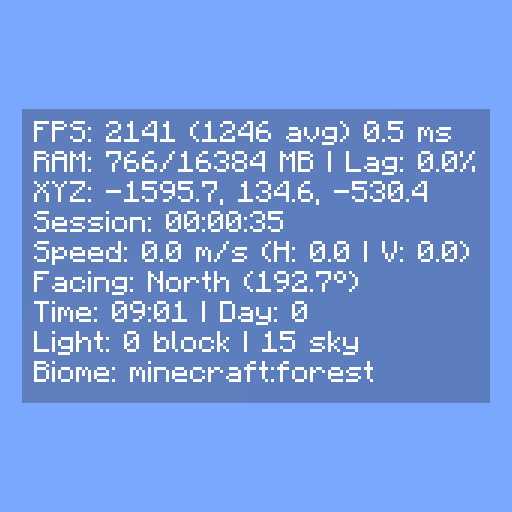
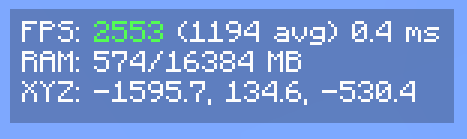
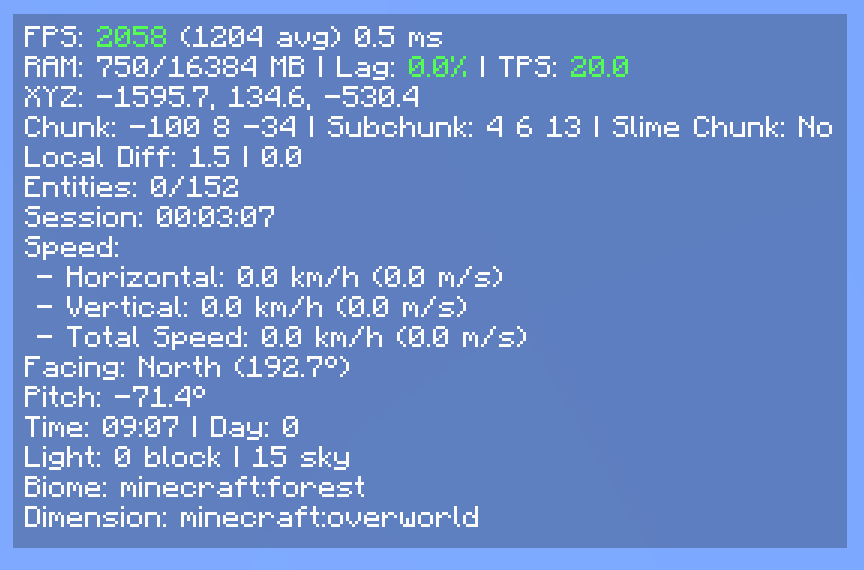
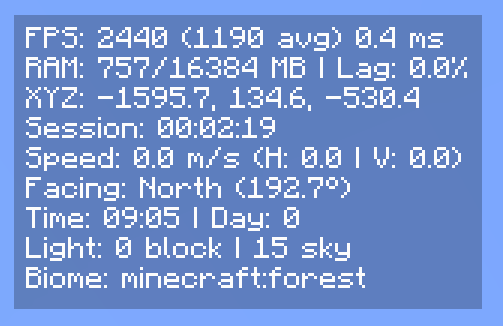
A minimal, fully customizable HUD overlay for NeoForge and Fabric that replaces the vanilla F3 debug screen with a clean, readable interface.
Modes
- Replace F3 (default):
F3opens the compact HUD instead of the vanilla debug screen. - Standalone: Keep vanilla F3 intact and toggle the HUD separately via
F8(rebindable in Controls).
HUD Elements
- FPS - current and average, with dynamic color indicators based on thresholds
- RAM usage
- Lag meter - stutter rate monitor for diagnosing frame drops
- Server TPS
- XYZ coordinates
- Network ping
- Facing direction: cardinal + pitch
- Biome and dimension
- Block and sky light levels
- Session timer
- In-game time and day counter
- Slime chunk indicator
- Horizontal and vertical movement speed
- Item durability
- Currently playing music track
- Rendered entity count
- Crop growth progress
- Targeted block, fluid, and entity
- Blockstate properties of the targeted block
Configuration
Every element can be individually toggled. The HUD can be anchored to any screen corner with adjustable X and Y offsets. Settings are saved to config/compactf3plus.json and accessible via Mod Menu (Fabric) or the NeoForge mod list.
Credits
- username65735 - original Compact F3 and open-source release
Quick facts
- Edition: Minecraft Java
- File type: .jar
- Minecraft versions listed: 1.21, 1.21.5, 1.21.4
- How to install: Install the matching mod loader (Forge, Fabric or NeoForge) for your Minecraft version. → Download the .jar. → Put it in the .minecraft/mods folder and launch that loader profile.
- Where to get it: Opens on CurseForge — not every file is mirrored on our own servers.
Install steps are the general flow for this file type — How to install Minecraft Java mods & modpacks walks through it step by step.
File checked by MCModsHub
- Ships as compactf3plus-1.1.6-forge-1.20.1.jar — drop this file into the mods folder
- Download size: 42 KB
- Download link checked 8 Oct 2026 — working
These come from our own check of the pack file, not from the source page.