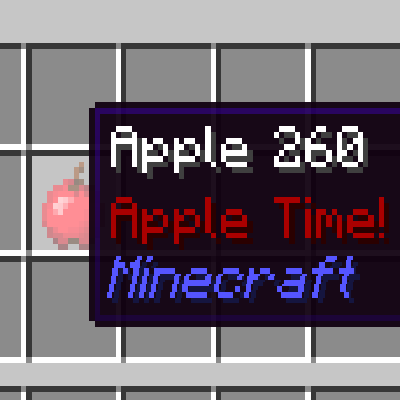
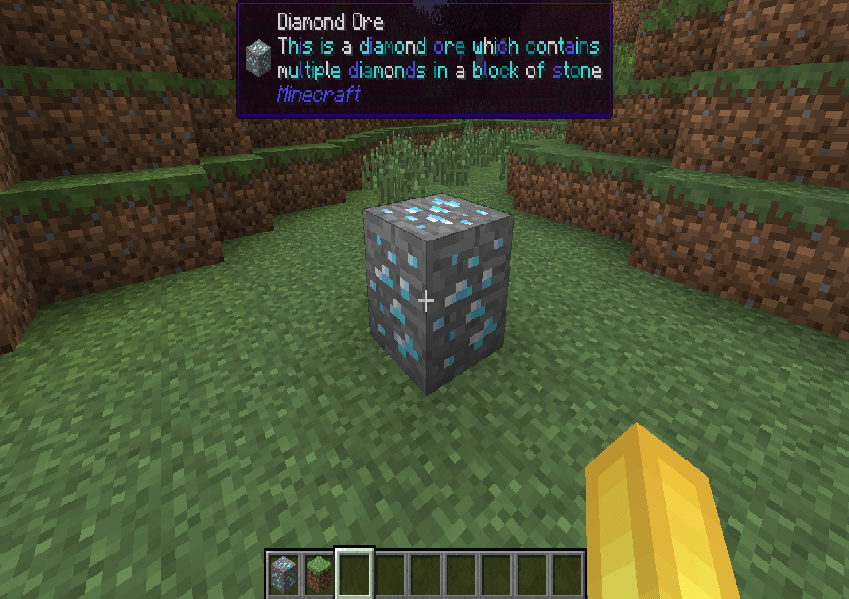
Want WAILA support for 1.15.2+? Check out Waila Tooltips.
(AS OF 12/23/2025 GOLDAPI IS NO LONGER USED, VERSIONS BEFORE THAT DATE REQUIRE GOLDAPI)
How it works:
Install Tooltip Creator. Put the mod into your mods folder. Run Minecraft then exit, then go into config and then TooltipCreator.cfg there you will find an example:
minecraft:diamond:tooltip:§b:Shiny and valuable.
Change the modid (minecraft) to whatever mod you want as long as you have it installed (obviously)
Change the item to whatever you want (obviously)
Change the color code to your liking, color codes can be found here.
(YOU CAN ALSO USE WORDS TO SET COLORS, BUT CODES ARE RECOMMENDED)
QnA
Q: Can I include this in my modpack?
A: Yes! This mod was made to mainly help modpack creators.
Q: Can I upload this somewhere else?
A: No, you cannot upload this anywhere else.
Q: Why versions like 1.6.4 and 1.7.10?
A: Older versions are very underrated. I really wish more mods ported downward to those versions.
Q: Why does my config file say it's for a different version?
A: That's just the last major change to the code. It is still for the version you downloaded.
If you have any more questions feel free to comment/message me. Thanks!
Quick facts
- Edition: Minecraft Java
- File type: .jar
- Minecraft versions listed: 1.21.1, 1.19.2, 1.20.1
- How to install: Install the matching mod loader (Forge, Fabric or NeoForge) for your Minecraft version. → Download the .jar. → Put it in the .minecraft/mods folder and launch that loader profile.
- Where to get it: Opens on CurseForge — not every file is mirrored on our own servers.
Install steps are the general flow for this file type — How to install Minecraft Java mods & modpacks walks through it step by step.
Tooltip Creator is a free Minecraft Java mod. Compatible with Minecraft 1.21.1, 1.19.2, 1.20.1, 1.18.2 and newer. Downloaded 185,438 times (via CurseForge). Download it and open it directly in the game.