
Arcadia Patch Create
Java mod listed for Minecraft 1.21. Downloads from the MC Java Mods app on Android.
Validated server-side performance patches and runtime controls for the Create mod on NeoForge 1.21.1. Reduces server tick time (MSPT) with adaptive…
⬇ Download on CurseForgeThe author built this one for Minecraft 1.21.1 on NeoForge. On other versions it may install and then do nothing.
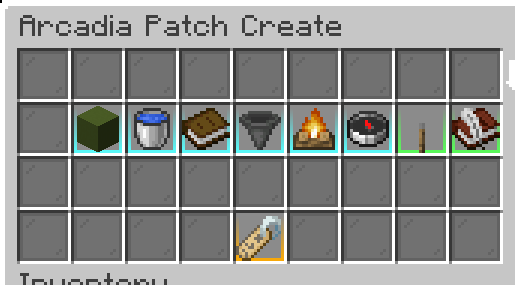
Arcadia Patch Create
A focused, server-side performance optimization mod for the Create mod on NeoForge 1.21.1.
Originally developed for the Arcadia server network, every patch included in a release has passed a strict validation policy: clean startup, no gameplay regression, confirmed improvement via Spark profiler on the targeted hotspot, and a conservative implementation with a narrow blast radius.
What it patches
| Patch | Target | Effect |
|---|---|---|
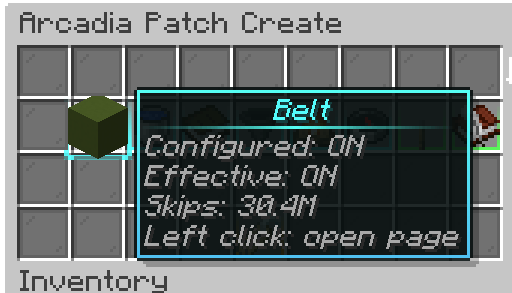
| Belt Inventory | BeltInventory |
Early return when the belt is completely empty — skips unnecessary tick logic |
| Fluid Transport | FluidTransportBehaviour |
Idle fast-path for Create fluid pipes with conservative server-side guards |
| Chute Throttle | ChuteBlockEntity |
Adaptive throttling of input probe logic based on server MSPT |
| Factory Gauge Throttle | FactoryPanelBehaviour |
Throttles storage-monitor updates for factory gauges |
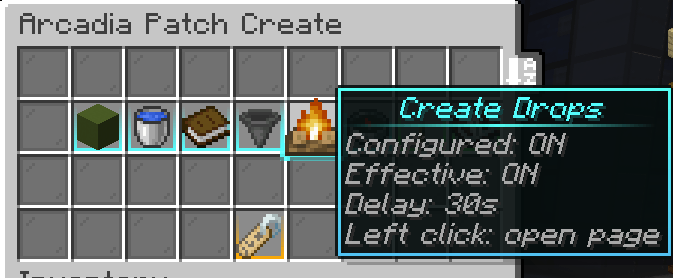
| Item Fast Despawn | Item entities | Marks Create-spawned physical items for early despawn (configurable) |
All patches are server-side only — no client installation required.
Runtime control system
Every patch can be toggled without restarting the server via the admin command:
/arcadiapatchcreate <subcommand>Requires operator level 2.
Available controls:
- Enable / disable the master patch switch (affects all patches at once)
- Toggle individual patches independently
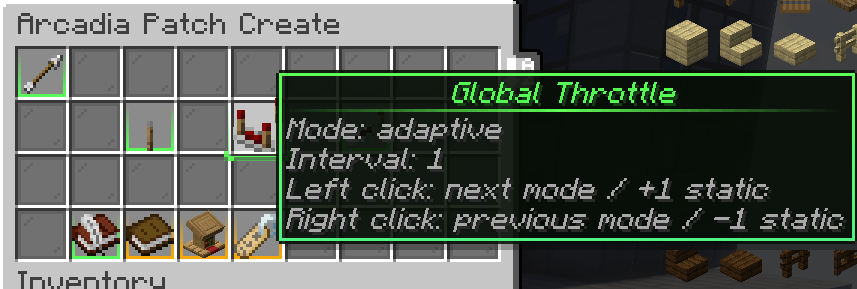
- Switch throttle modes per patch:
- OFF — no throttling (interval = 1 tick)
- STATIC — fixed configurable interval (1–5 ticks)
- ADAPTIVE — dynamic interval that scales with live MSPT (35 → 2×, 45 → 3×, 55+ → 5×)
- Open an admin GUI panel (
/arcadiapatchcreate panel) - Simulate MSPT load for testing throttle behavior
- Dump a full debug report (
/arcadiapatchcreate debug dump)
Settings persist across restarts in arcadia-patch-create.properties.
Requirements
- Minecraft 1.21.1
- NeoForge 21.1.221+
- Create 6.0.9+
- Java 21
- Server-side only — clients do not need this mod
Source & Issues
- GitHub: https://github.com/Blushister/arcadia-patch-create
- Issue tracker: https://github.com/Blushister/arcadia-patch-create/issues ```
- Edition: Minecraft Java
- File type: .jar
- Minecraft version listed: 1.21.1
- How to install: Install the matching mod loader (Forge, Fabric or NeoForge) for your Minecraft version. → Download the .jar. → Put it in the .minecraft/mods folder and launch that loader profile.
- Where to get it: Opens on CurseForge — not every file is mirrored on our own servers.
Install steps are the general flow for this file type — How to install Minecraft Java mods & modpacks walks through it step by step.
- Ships as arcadia-patch-create-1.4.4.jar — drop this file into the mods folder
- Download size: 127 KB
- Download link checked 8 Oct 2026 — working
These come from our own check of the pack file, not from the source page.