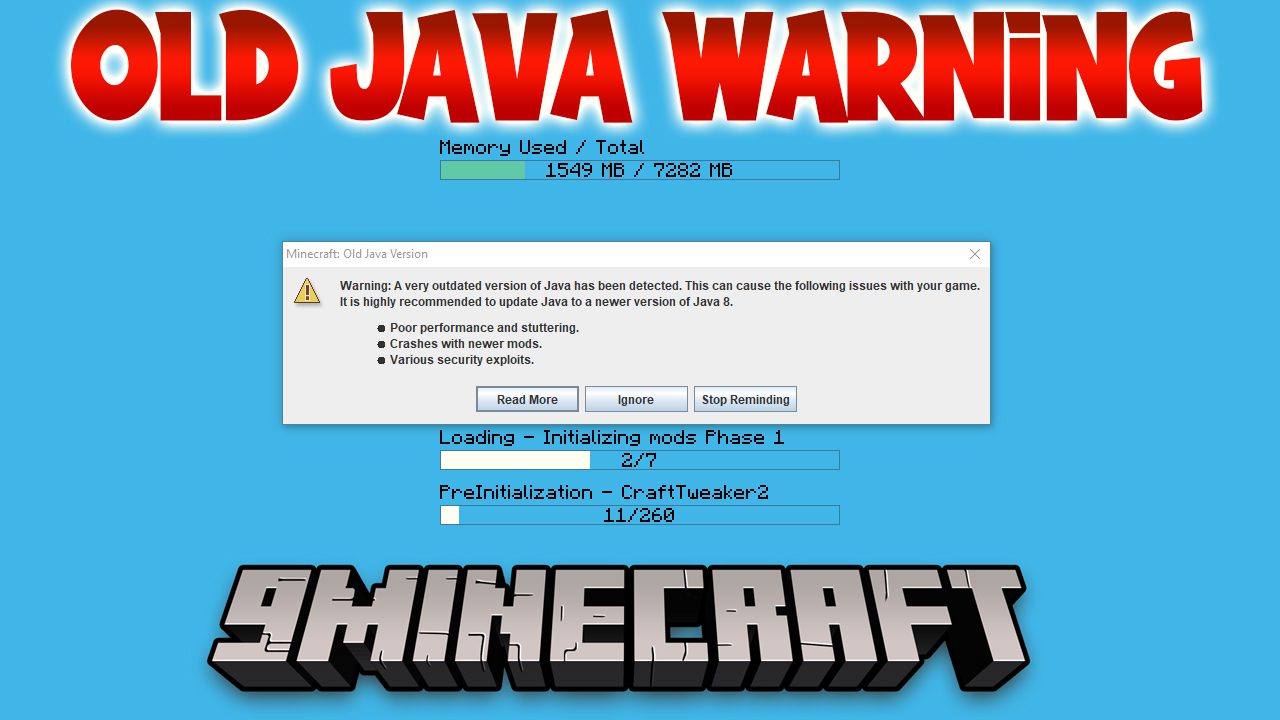
Old Java Warning Mod warns you if your version of Java is outdated. This is very helpful for modpacks, as old Java can cause performance issues and security problems with newer mods. The mod also alerts you if you have installed the 32-bit version of Java on a 64-bit computer, which can also create issues.
Features:
- Shows a warning message with three options when an old Java version is detected.
- Includes a “Read More” button that opens a link with information on how to update.
- Lets you click “Ignore” to close the warning for the current session, but it will show up again on the next launch.
- Provides a “Stop Reminding” option to disable the mod and its warnings completely.
Old Java Warning Mod Download Links
For Minecraft 1.16.5
Forge version: Download from Server 1 – Download from Server 2
For Minecraft 1.15.2
Forge version: Download from Server 1
For Minecraft 1.14.4
Forge version: Download from Server 1
For Minecraft 1.12.2
Forge version: Download from Server 1 – Download from Server 2
Quick facts
- Edition: Minecraft Java
- File type: .jar
- Minecraft version listed: 1.16.5
- How to install: Install the matching mod loader (Forge, Fabric or NeoForge) for your Minecraft version. → Download the .jar. → Put it in the .minecraft/mods folder and launch that loader profile.
- Where to get it: In MC Java Mods, or directly above on this page.
Install steps are the general flow for this file type — How to install Minecraft Java mods & modpacks walks through it step by step.
Verified by MCModsHub
- Downloads as 202765.mcaddon
- Download size: 9 KB
- Download link checked 29 Jul 2026 — working
- Mirrored on our own servers — the download does not depend on the original host
These come from our own check of the pack file, not from the source page.