Chat Colors Mod introduces text features into Minecraft’s chat box. With this mod installed, you can add text text effects like bold, italic, strikethrough and underline to the messages you send in chat. These effects are achieved by strategically using symbols like (*), (~) and (_). These effects can also be combined to send text messages with multiple effects on the piece of text. Furthermore, you can also add color to your text by using the hex value of your required color. It is also possible to combine the text effects with the coloured text.
Features:
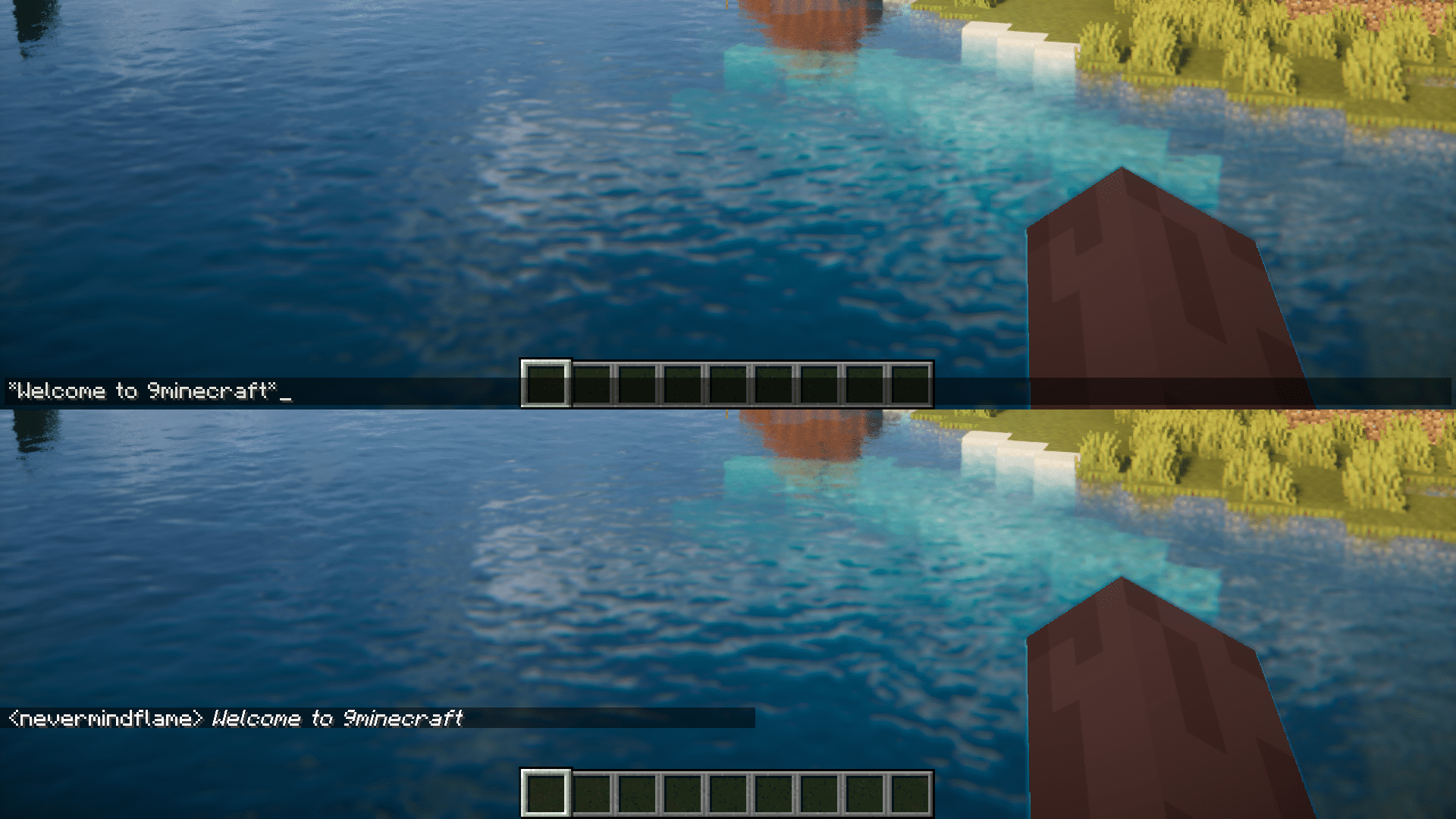
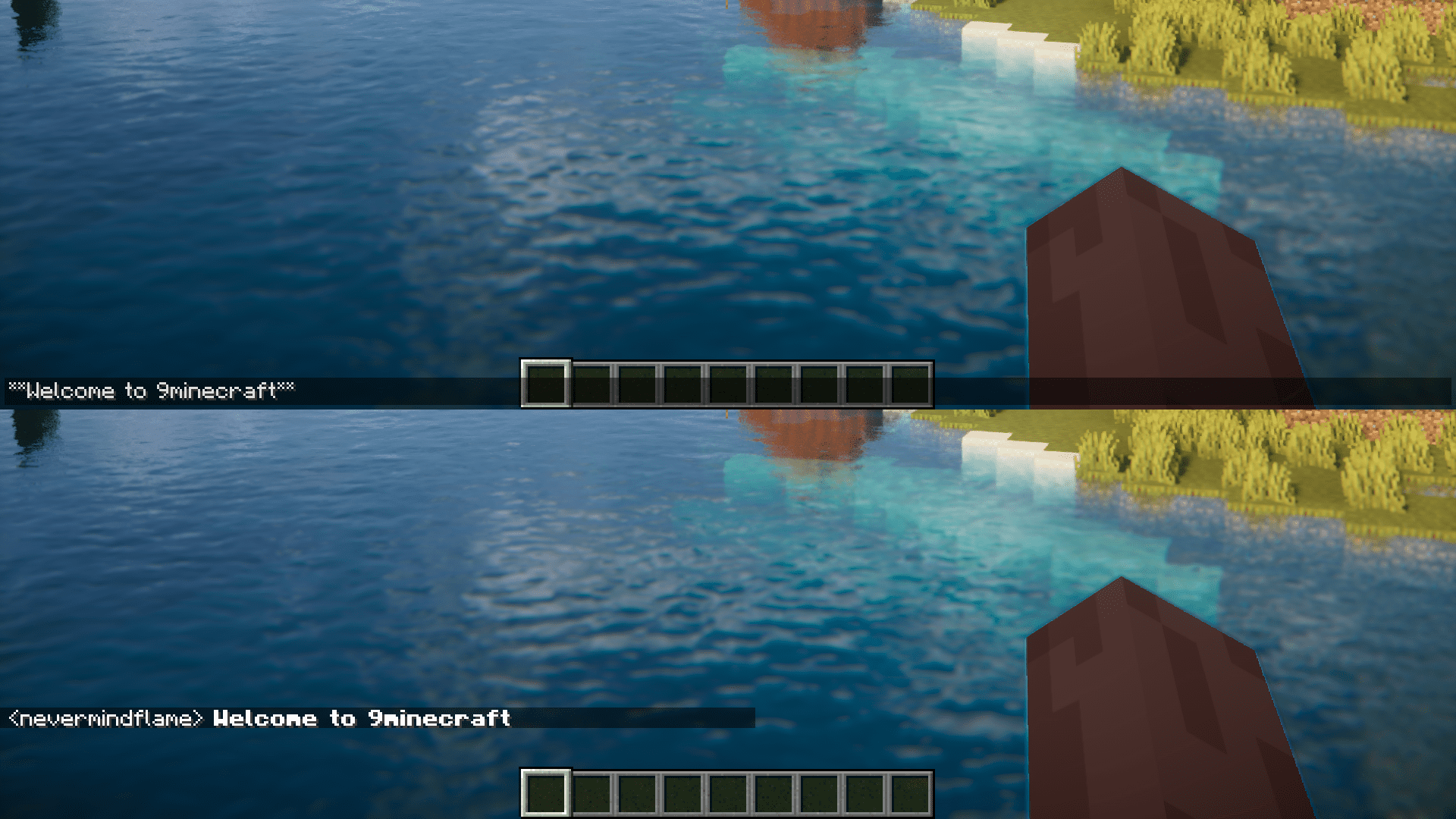
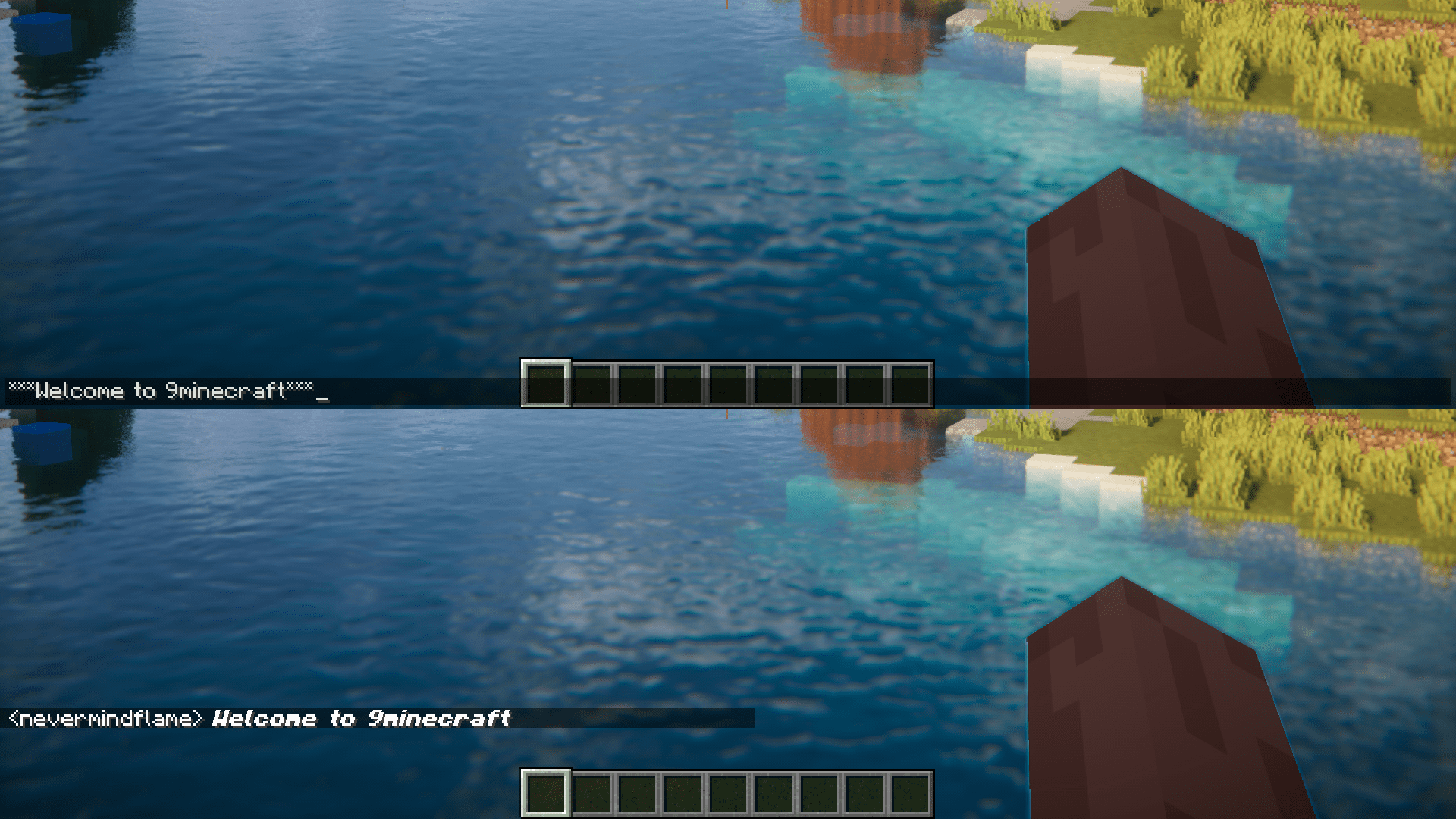
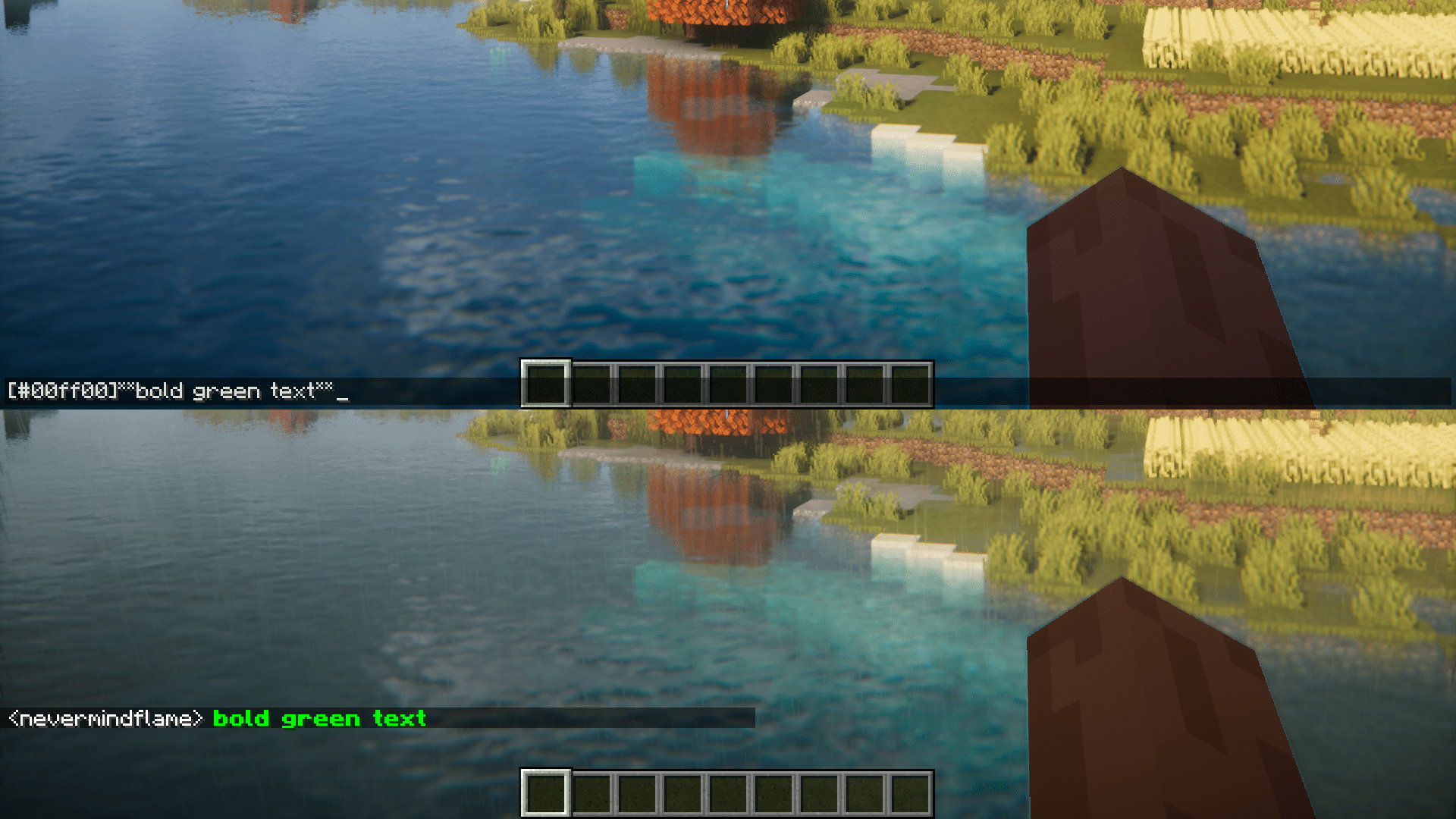
The images given below show how different symbols can be used to achieve different text effects and colors.
Italics
Bold
Bold-Italic
Strikethrough
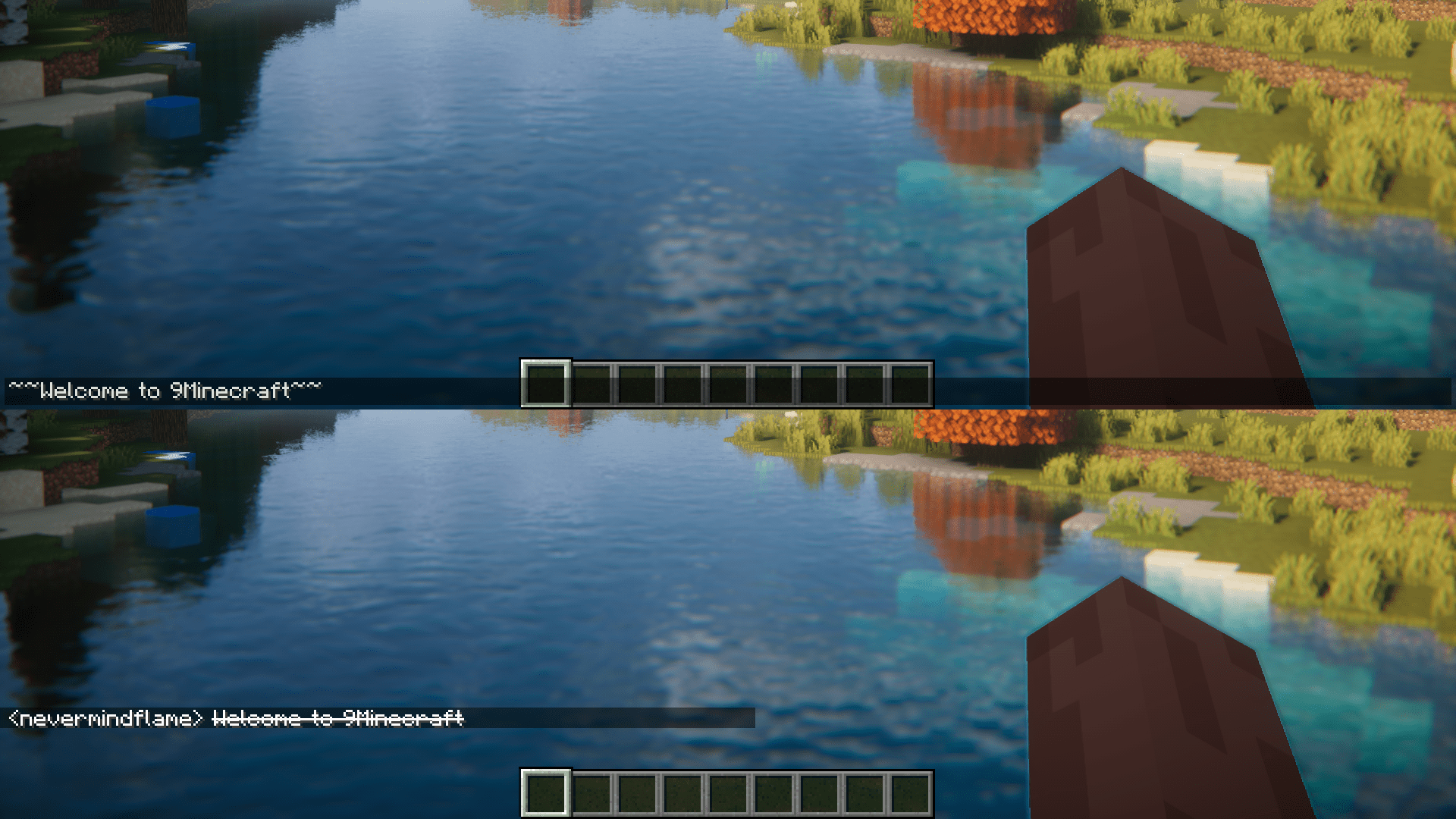
Underline
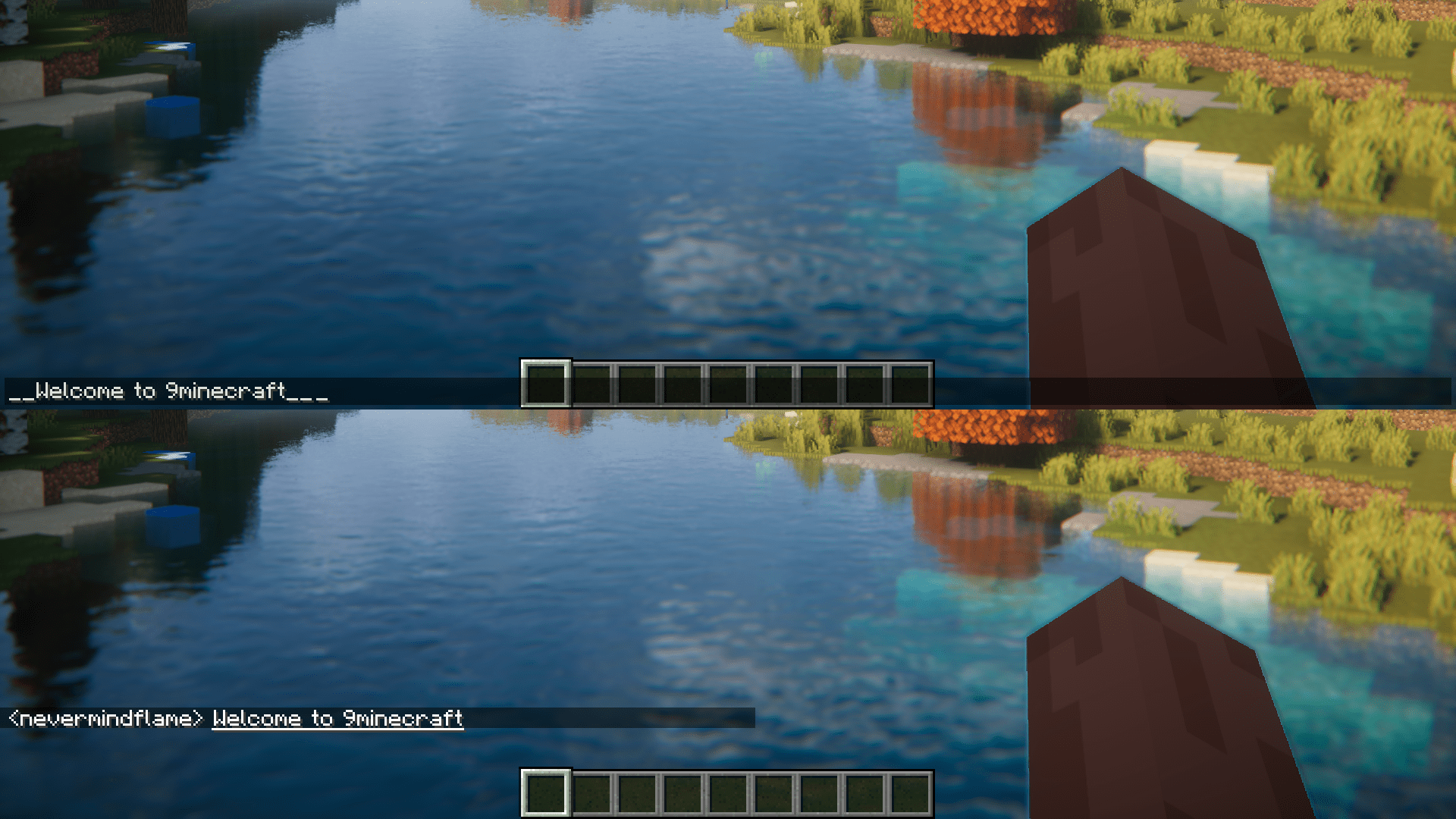
Mixed Effects
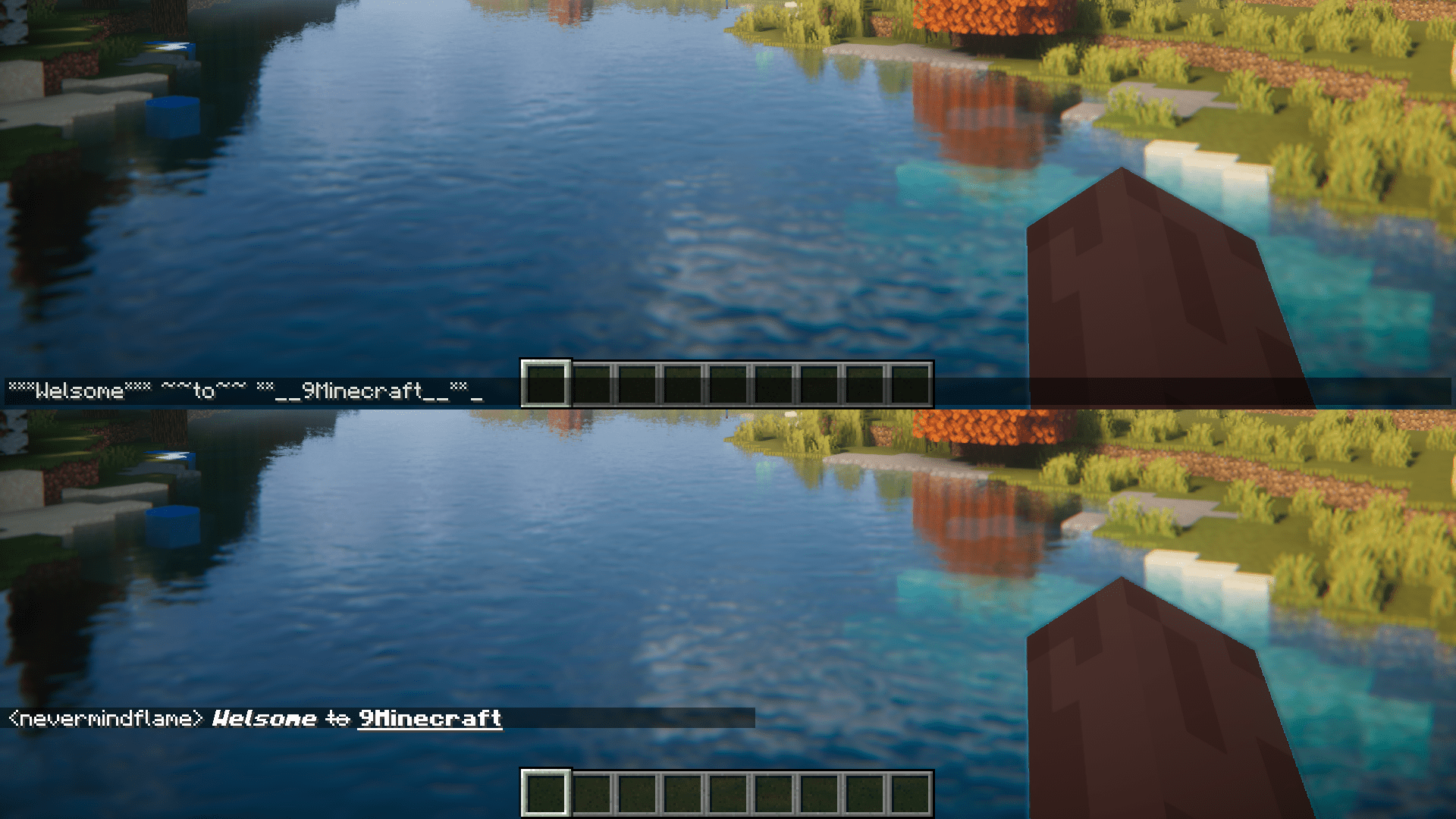
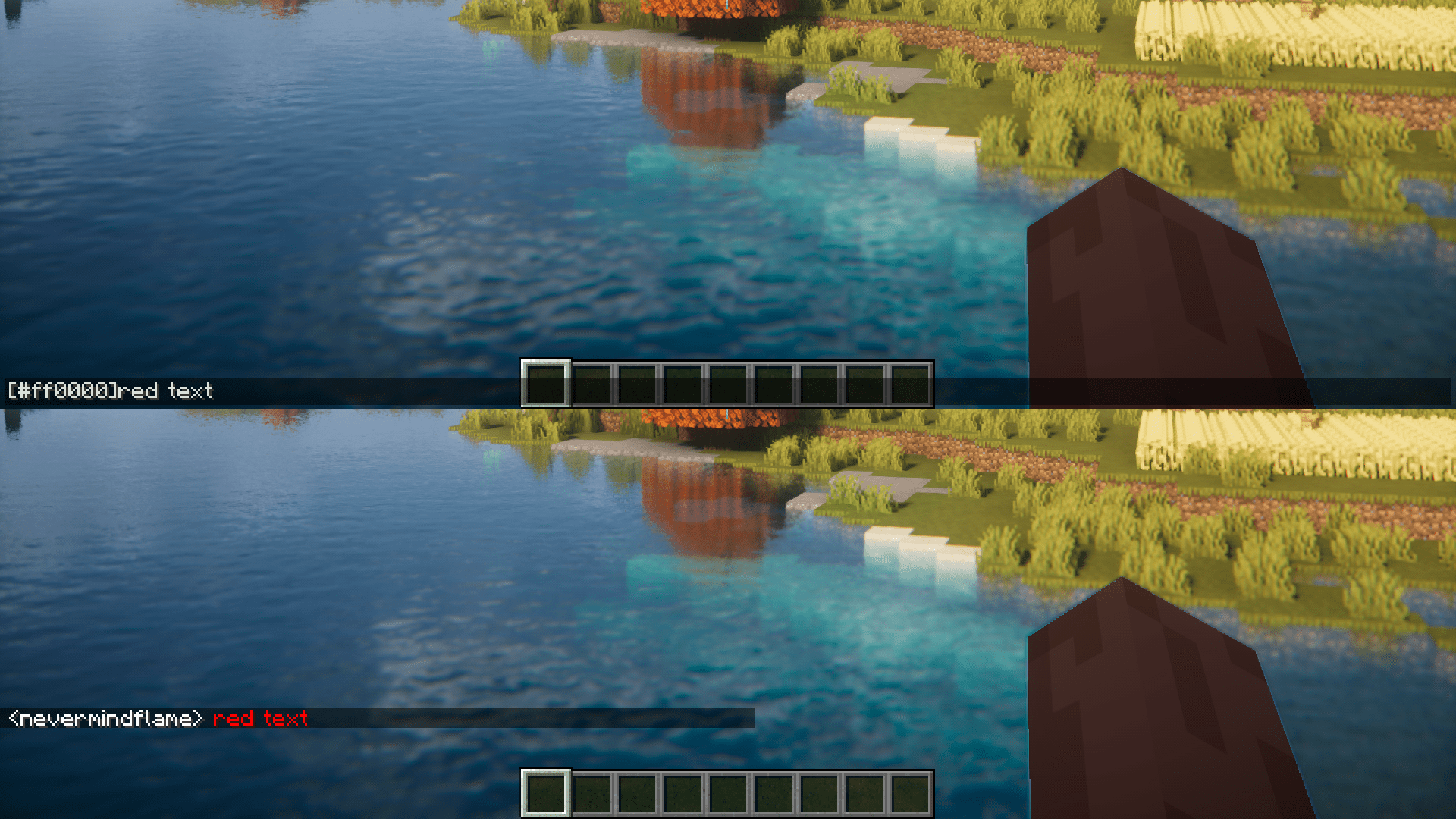
Colored Text (Red)
Colored Text (green) combined with Bold effect.
Chat Colors Mod Download Links
For Minecraft 1.20.4
Forge version: Download from Server 1 – Download from Server 2
For Minecraft 1.20.2
Forge version: Download from Server 1 – Download from Server 2
For Minecraft 1.20.1, 1.20
Forge version: Download from Server 1 – Download from Server 2
For Minecraft 1.19.4
Forge version: Download from Server 1 – Download from Server 2
For Minecraft 1.19.2
Forge version: Download from Server 1 – Download from Server 2
For Minecraft 1.18.2
Forge version: Download from Server 1 – Download from Server 2
For Minecraft 1.16.5
Forge version: Download from Server 1 – Download from Server 2
- Edition: Minecraft Java
- File type: .jar
- Minecraft versions listed: 1.20.4, 1.20.1
- How to install: Install the matching mod loader (Forge, Fabric or NeoForge) for your Minecraft version. → Download the .jar. → Put it in the .minecraft/mods folder and launch that loader profile.
- Where to get it: In MC Java Mods, or directly above on this page.
Install steps are the general flow for this file type — How to install Minecraft Java mods & modpacks walks through it step by step.
- Downloads as 203495.mcaddon
- Download size: 16 KB
- Download link checked 30 Jul 2026 — working
- Mirrored on our own servers — the download does not depend on the original host
These come from our own check of the pack file, not from the source page.