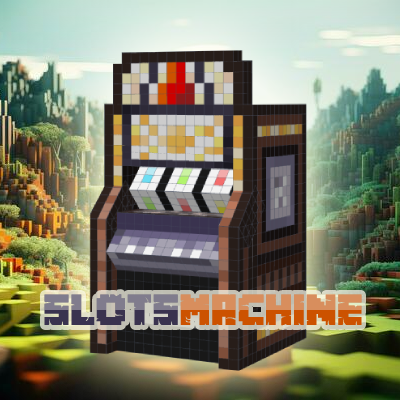
Slots Machine
This mod adds a Slots Machine to Minecraft where you can gamble your emeralds or a configured item to make a profit or have a loss.
⬇ Download on CurseForge
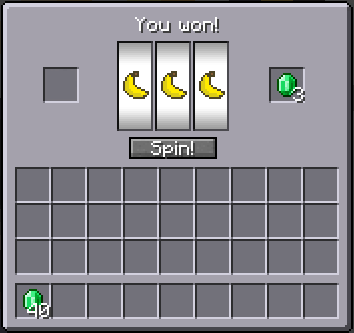
This mod adds a new block called a Slots Machine, this machine can be configured in the config settings file to accept an item you specified, by default this will work with Coins. You can put up to a stack of coins into the input slot on the left and you can start playing by simply clicking the "Spin!" button to start spinning the wheels and you can press stop to stop the wheels and if you are lucky enough you might make a profit or if unlucky a loss.
The mod is configurable to set the payout chances, win amounts and which item you want to let players use within the config.
NOTE: If you prefer to use emeralds or diamonds instead of the coins (which are uncraftable by default), please modify the config file to have "minecraft:emerald" or "minecraft:diamond" instead.
There is support for FTBChunks to allow other players to access the slots machine inside claims.
Slots Machine Interface:
The Owner Interface (Can be accessed by the player who palced down the Slots Machine by Shift+RightClicking):
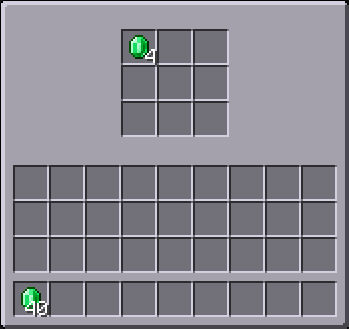
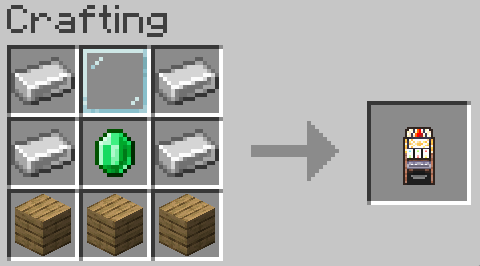
The Crafting Recipe (This can always be overwritten with a datapack or KubeJS/CraftTweaker):
If you have additional questions feel free to ask in the comments.
You can use this mod freely in your modpacks.
- Edition: Minecraft Java
- File type: .jar
- Minecraft versions listed: 1.20.1, 1.21.1
- How to install: Install the matching mod loader (Forge, Fabric or NeoForge) for your Minecraft version. → Download the .jar. → Put it in the .minecraft/mods folder and launch that loader profile.
- Where to get it: Opens on CurseForge — not every file is mirrored on our own servers.
Install steps are the general flow for this file type — How to install Minecraft Java mods & modpacks walks through it step by step.
Slots Machine is a free Minecraft Java mod. Compatible with Minecraft 1.20.1, 1.21.1. Downloaded 243,147 times (via CurseForge). Download it and open it directly in the game.