
BetterLooting
I don't know my version or loader
Better Looting
📦 Overview
Say no to "vacuum cleaner" looting and experience immersive RPG-style loot management.
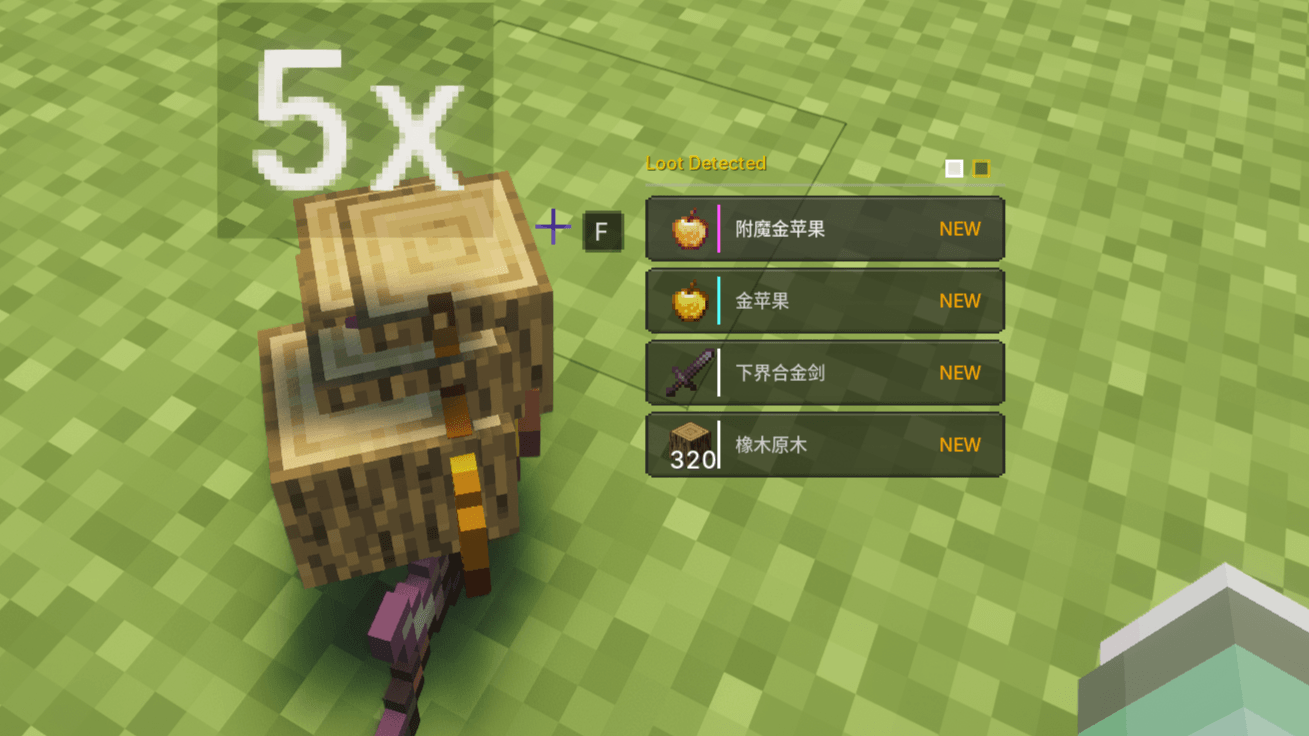
Better Looting completely overhauls Minecraft's dropped item interaction mechanics. When you approach dropped items, they will no longer automatically fill your inventory. Instead, they are displayed in an elegant HUD floating window. Just like in various RPGs and games, you can calmly choose the loot you truly need and say goodbye to the annoyance of a cluttered inventory.
✨ Core Features
💎 Immersive HUD Interaction
- Smart floating window: An item list automatically appears on the screen when you approach dropped items;
- Free selection: Browse up and down with the mouse wheel, press [F] (default) to precisely pick up the selected item;
- One-click collect all: In a hurry? Hold [F] to pick up all nearby dropped items instantly;
- Visual optimization:
- Supports visual stacking display for more than 64 items (maximum pick-up per stack is still 64);
- Smart sorting: Rarer items are automatically placed at the top of the list, so you can spot valuable items at a glance.
🧹 Smart Filter, Whitelist & Blacklist
- One-click filter: Press [Left Alt] to toggle "Filter Mode". By default, this mode only displays rare items (such as tools, armor, etc.) and automatically hides junk blocks like cobblestone and dirt;
- Custom whitelist & blacklist: Open your inventory and press [Left Alt] to open the filter panel. Add items you want to keep visible, or blacklist items you never want to see;
- Deep JEI integration: Fully compatible with JEI! Click items directly in the JEI list to add them to your whitelist or blacklist for effortless operation.
🚀 Super Stacking & Performance Optimization
Break vanilla limits and eliminate lag caused by massive amounts of dropped items:
- Break limits: Similar dropped items ignore the vanilla 64-stack limit and are automatically "compressed" into a single entity;
- Smart refill: Extra items automatically refill the stack to maxStackSize each tick, ensuring full compatibility with other mods' pickup systems;
- Conveyor-safe: Automatically skips merging on transport blocks (belts, chutes, funnels, depots) — fully compatible with Create and similar tech mods;
- Highly controllable: Toggle on/off and freely adjust the X/Z/Y absorption radius in the config.
🎨 Highly Customizable UI
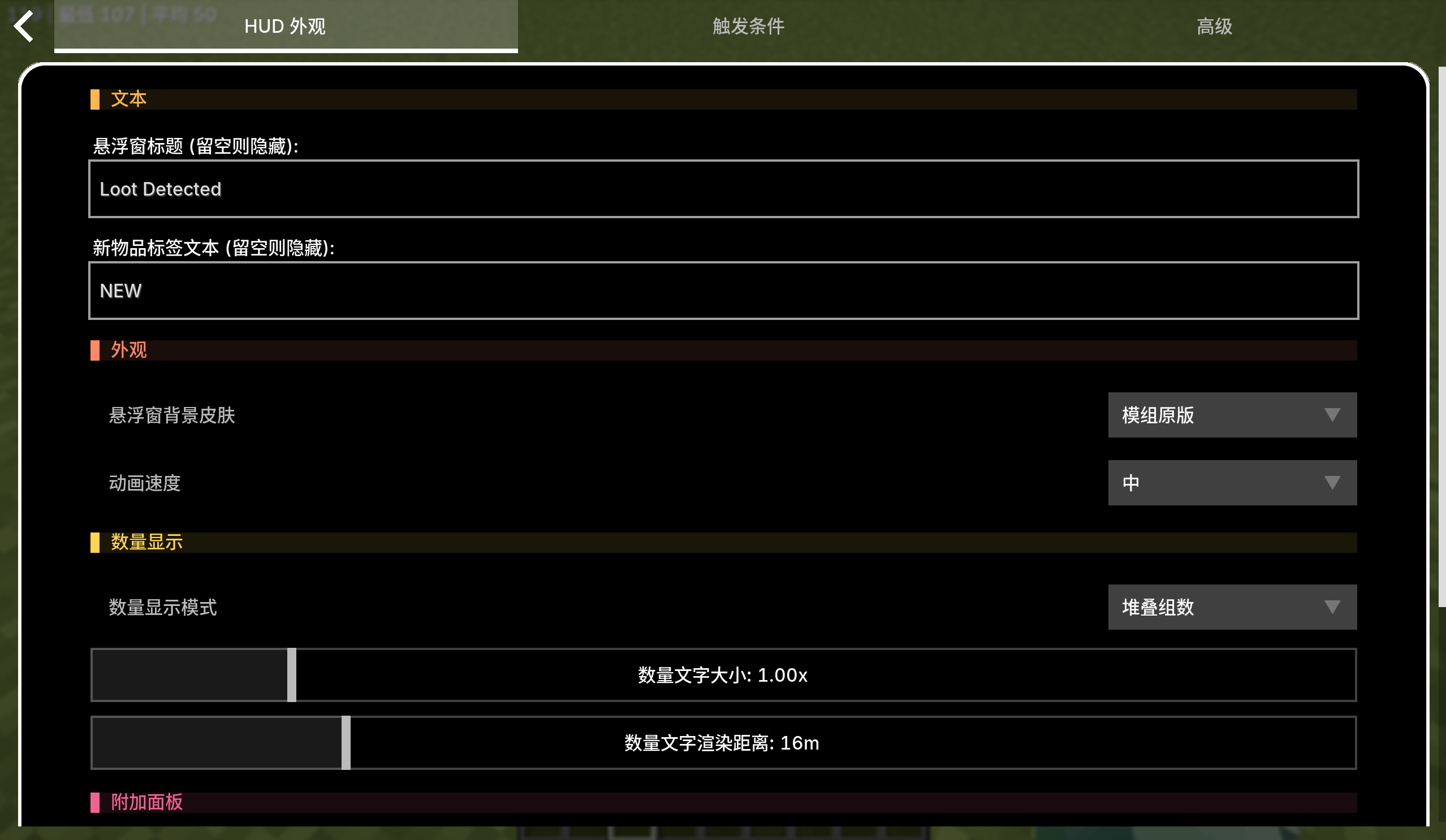
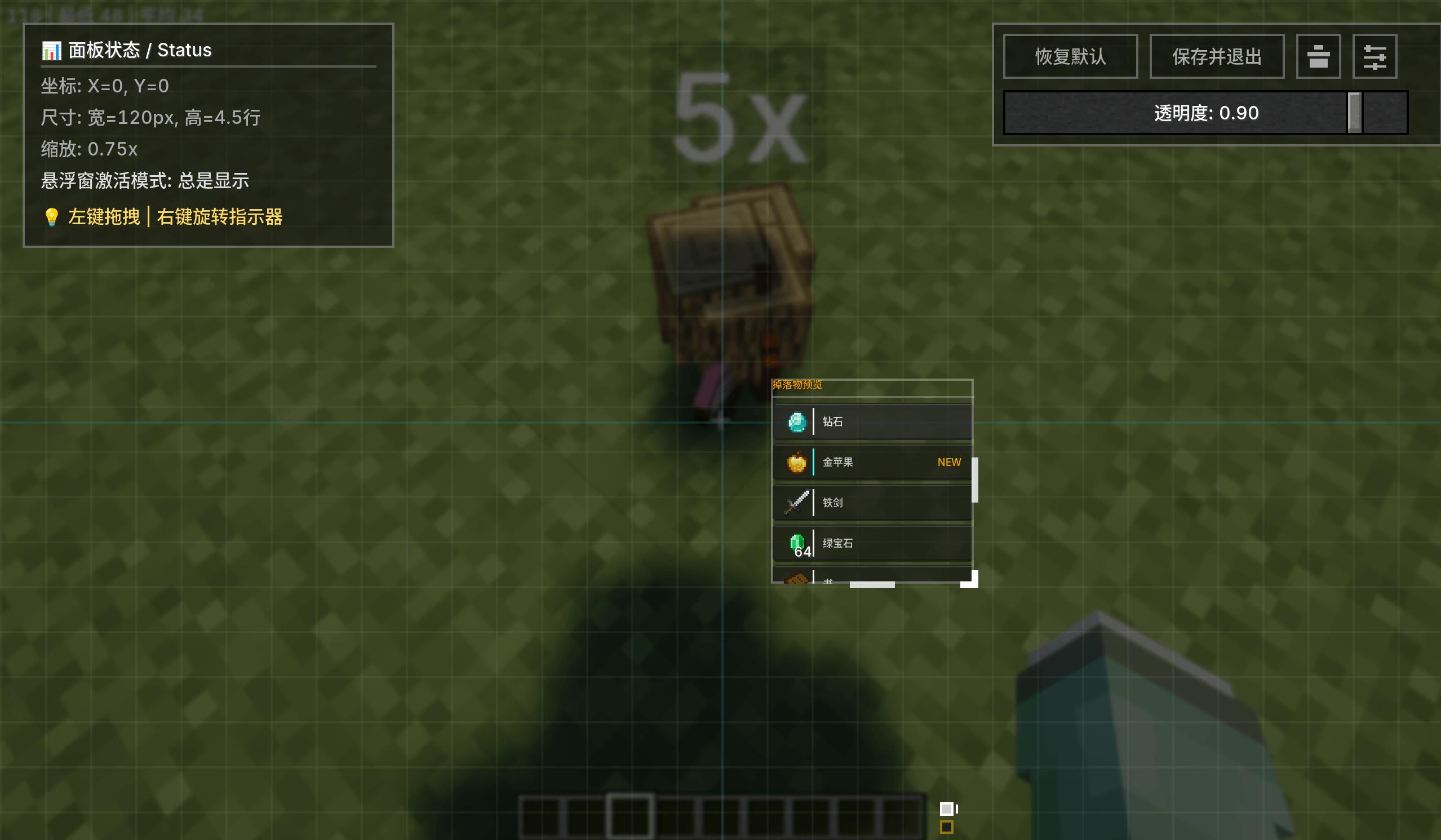
No more obstructed views — you are in full control. Freely adjust the position, size, and transparency of the floating window. Supports multiple display conditions:
- Always Display: Visible at all times;
- Look-Down Display: Maximum immersion! The list only appears when you look down at the ground (trigger angle is fully adjustable);
- Stationary Display: Only visible when the player is standing still;
- Key-Controlled Display: Only visible when holding or toggling a specific key.
🖌️ Custom HUD Skins
Change the look and feel of the loot HUD with built-in or custom skins:
- Built-in skins: Vanilla, Stardew Valley, and Terraria styles to choose from;
- Custom skin support: Create your own skin by placing two PNG images (row and selected-row backgrounds) plus a JSON config file into
config/better_looting/skins/. Fully customizable text colors, rarity bar groove, and "NEW" label color; - Instant reload: Edit your skin files and reopen the config screen to see changes — no game restart required.
📦 In-Inventory Loot List
- When you open your inventory, nearby dropped items appear in a panel on the left side;
- Scroll through items, click to pick up, or click-and-drag to place items into specific inventory slots;
- Independent position, scale, transparency, and width settings.
🎮 Flexible Anti-Misoperation Options
Customize mouse wheel behavior to prevent accidental inputs during combat:
- Always enabled;
- Require key activation;
- Only enabled when stationary.
⌨️ Controls
| Key | Function | Notes |
|---|---|---|
| F | Pick up selected item | Default key, configurable |
| Hold F | Pick up all items nearby | Quick looting |
| Mouse Wheel | Switch selected item | Navigate up and down |
| Left Alt | Toggle Filter Mode | Enable/disable junk block hiding |
| Inventory + Left Alt | Open Filter Panel | Edit whitelist & blacklist |
| K | Open Config Screen | Visual WYSIWYG settings |
| V | Toggle Auto-Pickup Mode | One-key switch |
⚠️ Warnings & Compatibility
❌ Compatibility Warning: This mod has built-in dropped item merging optimization. It is incompatible with some item merging/stacking optimization mods (e.g., Staaaaaaaaaaaack). Using them together may cause display or pick-up errors.
Feedback: Feel free to leave comments to point out issues or discuss ideas! If you have features you want to see added, please let me know, and you can also message the author directly for special requests.
- Edition: Minecraft Java
- File type: .jar
- Minecraft versions listed: 1.21.1, 1.20.1
- How to install: Install the matching mod loader (Forge, Fabric or NeoForge) for your Minecraft version. → Download the .jar. → Put it in the .minecraft/mods folder and launch that loader profile.
- Where to get it: Opens on CurseForge — not every file is mirrored on our own servers.
Install steps are the general flow for this file type — How to install Minecraft Java mods & modpacks walks through it step by step.
- Ships as better_looting-1.20.1-1.0.0-beta.1.jar — drop this file into the mods folder
- Download size: 90 KB
- Download link checked 27 Aug 2026 — working
These come from our own check of the pack file, not from the source page.