Lettuce’s Dyed Planks Mod (1.20.1, 1.19.4) – Colorful Wood Items
Java mod listed for Minecraft 1.19–1.20. Downloads from the MC Java Mods app on Android.
Minecraft's default building blocks are fantastic, but sometimes you crave a bit more variety to truly make your structures stand out. Lettuce’s Dyed…
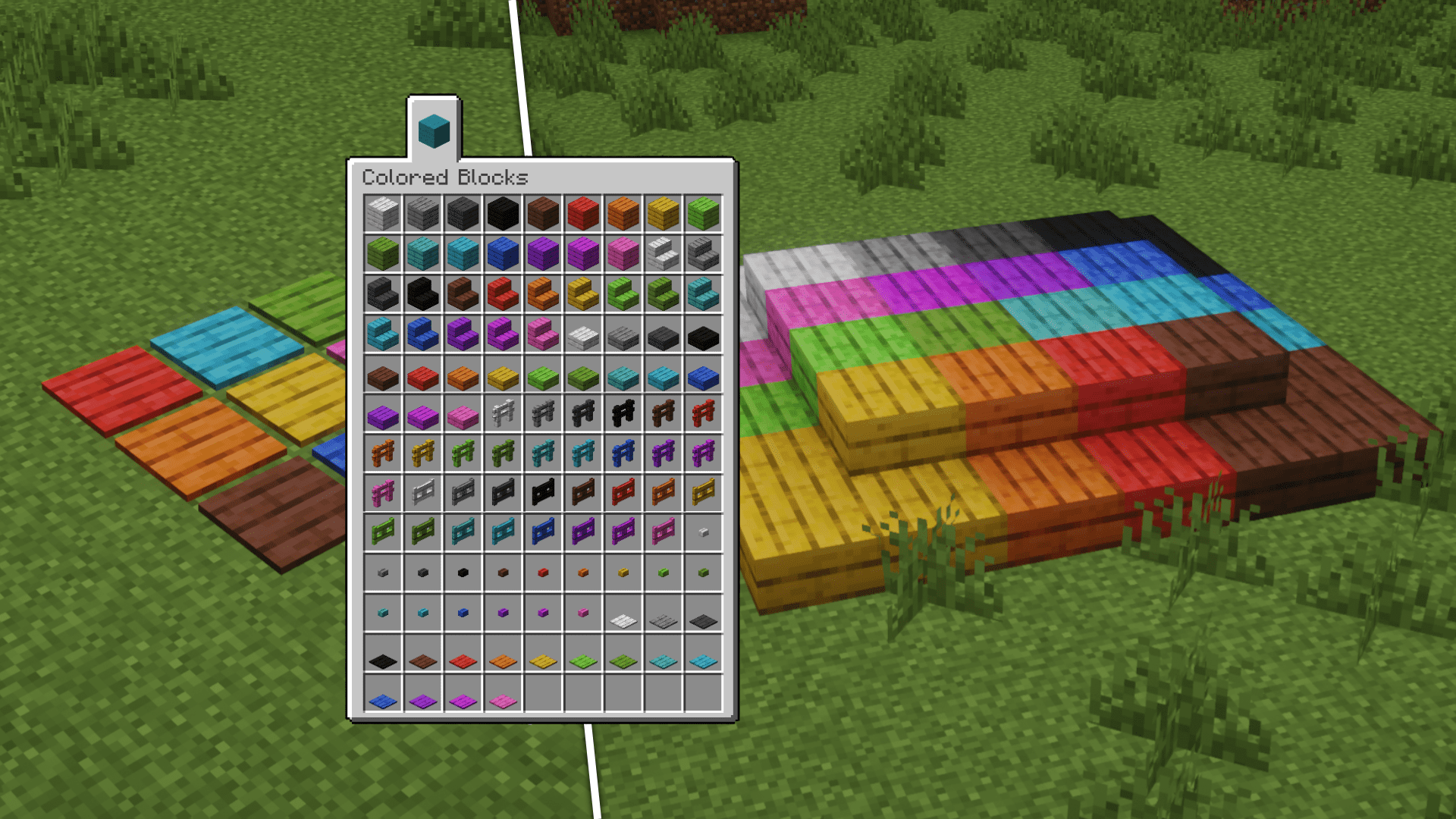
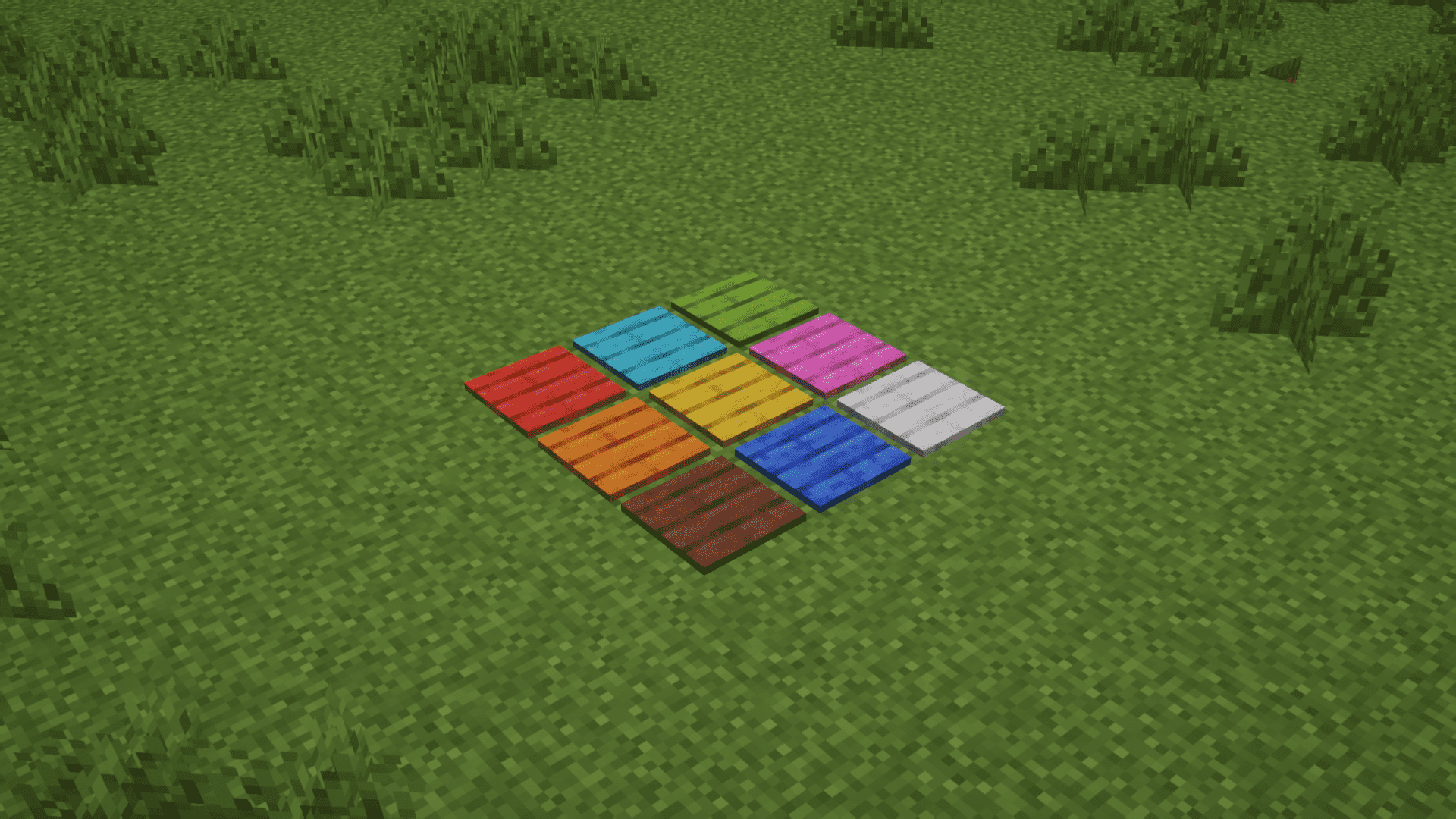
⬇ DownloadMinecraft’s default building blocks are fantastic, but sometimes you crave a bit more variety to truly make your structures stand out. Lettuce’s Dyed Planks Mod does just that, offering you a stunning array of over 100 vibrant dyed blocks to choose from. Whether you’re constructing a modern cityscape, a rustic village, or an epic fantasy castle, these colorful planks allow you to infuse your world with personality and style.
Features:
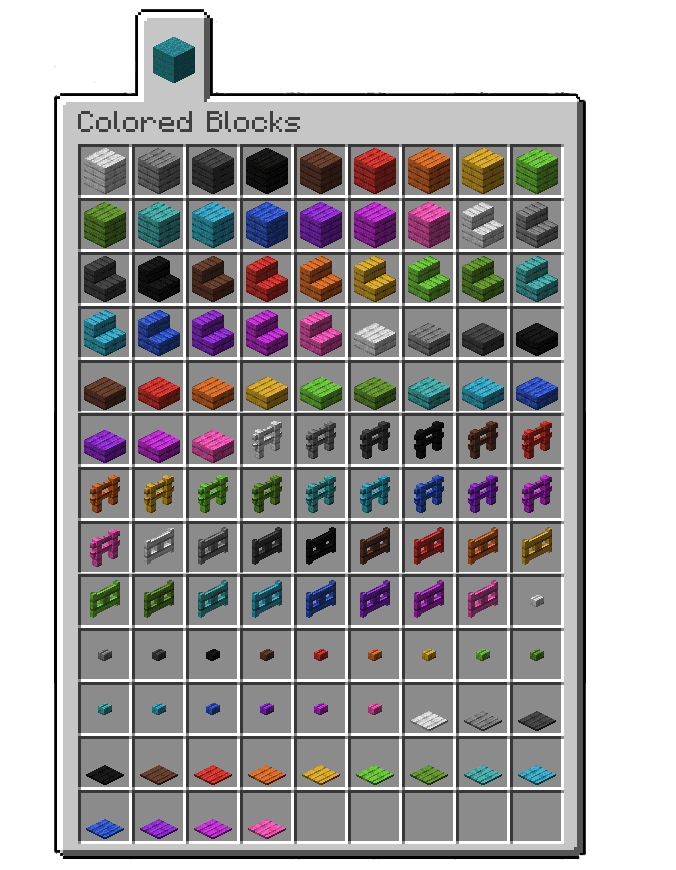
- Vibrant Variety: The mod introduces over 100 colorful dyed planks, ranging from rich blues to vibrant oranges, providing a diverse palette to enhance your Minecraft builds.
- Crafting in Survival Mode: All dyed plank variations, including stairs, slabs, fences, gates, buttons, and pressure plates, are fully obtainable through crafting in survival mode, eliminating the need for creative mode access.
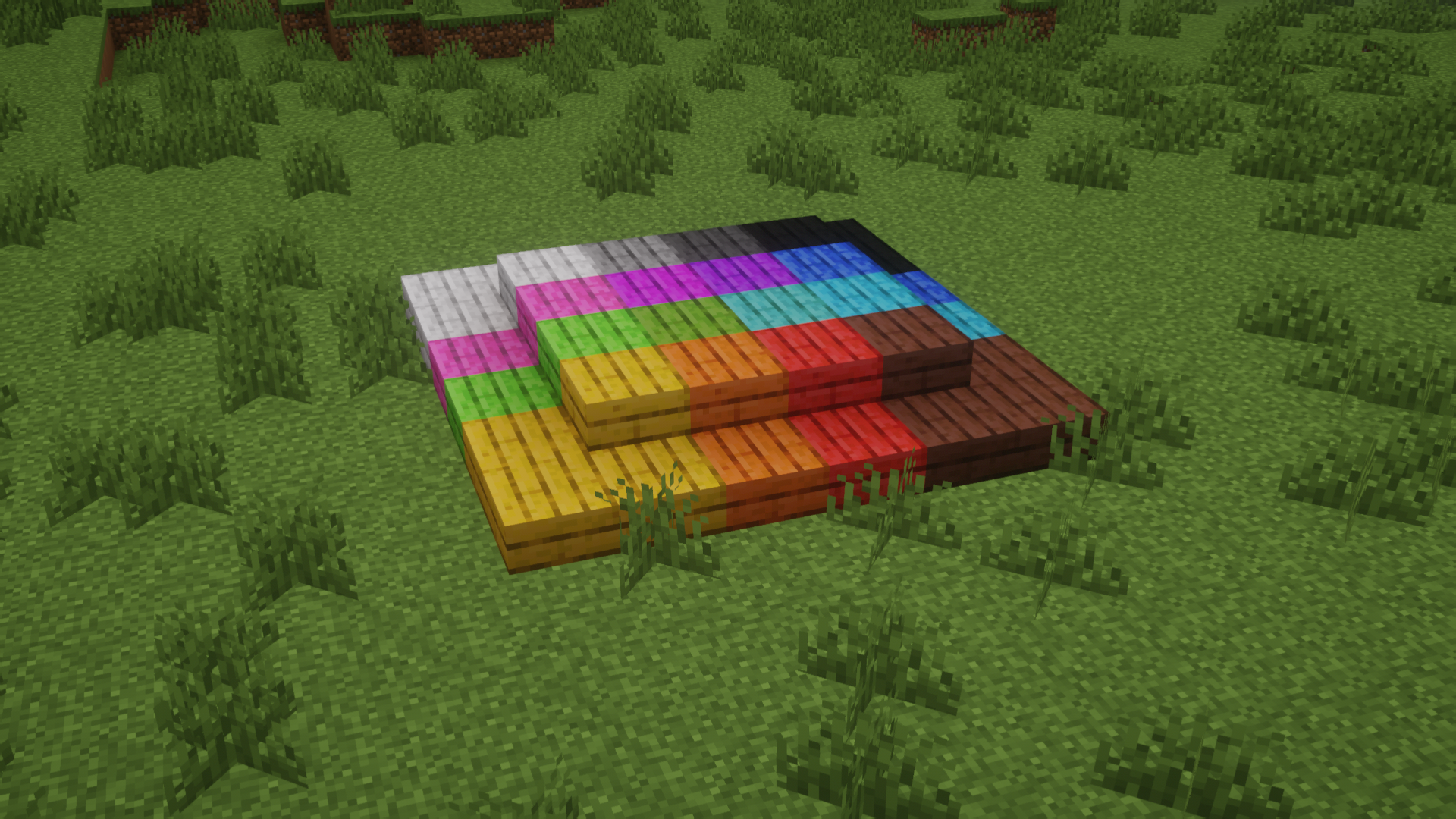
- Unleash Creativity: The mod empowers players to infuse their builds with unique personality and style, allowing for intricate mosaic patterns, grand entrances, and a wide range of combinations that were previously impossible.
- Substitute for Vanilla: The colored variants of planks can be used to craft anything that requires regular wooden planks. The game treats all planks the same.
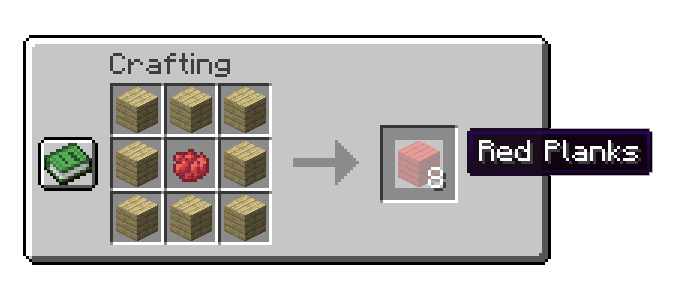
Crafting Recipes:
Screenshots:
Lettuce’s Dyed Planks Mod Download Links
For Minecraft 1.20.1
Forge version: Download from Server 1 – Download from Server 2
For Minecraft 1.19.4
Forge version: Download from Server 1 – Download from Server 2
For Minecraft 1.19.2
Forge version: Download from Server 1 – Download from Server 2
For Minecraft 1.17.1
Forge version: Download from Server 1 – Download from Server 2
For Minecraft 1.16.5
Forge version: Download from Server 1 – Download from Server 2
- Edition: Minecraft Java
- File type: .jar
- Minecraft versions listed: 1.20.1, 1.19.4
- How to install: Install the matching mod loader (Forge, Fabric or NeoForge) for your Minecraft version. → Download the .jar. → Put it in the .minecraft/mods folder and launch that loader profile.
- Where to get it: In MC Java Mods, or directly above on this page.
Install steps are the general flow for this file type — How to install Minecraft Java mods & modpacks walks through it step by step.
- Downloads as 204755.mcaddon
- Download size: 1.6 MB
- Download link checked 30 Jul 2026 — working
- Mirrored on our own servers — the download does not depend on the original host
These come from our own check of the pack file, not from the source page.