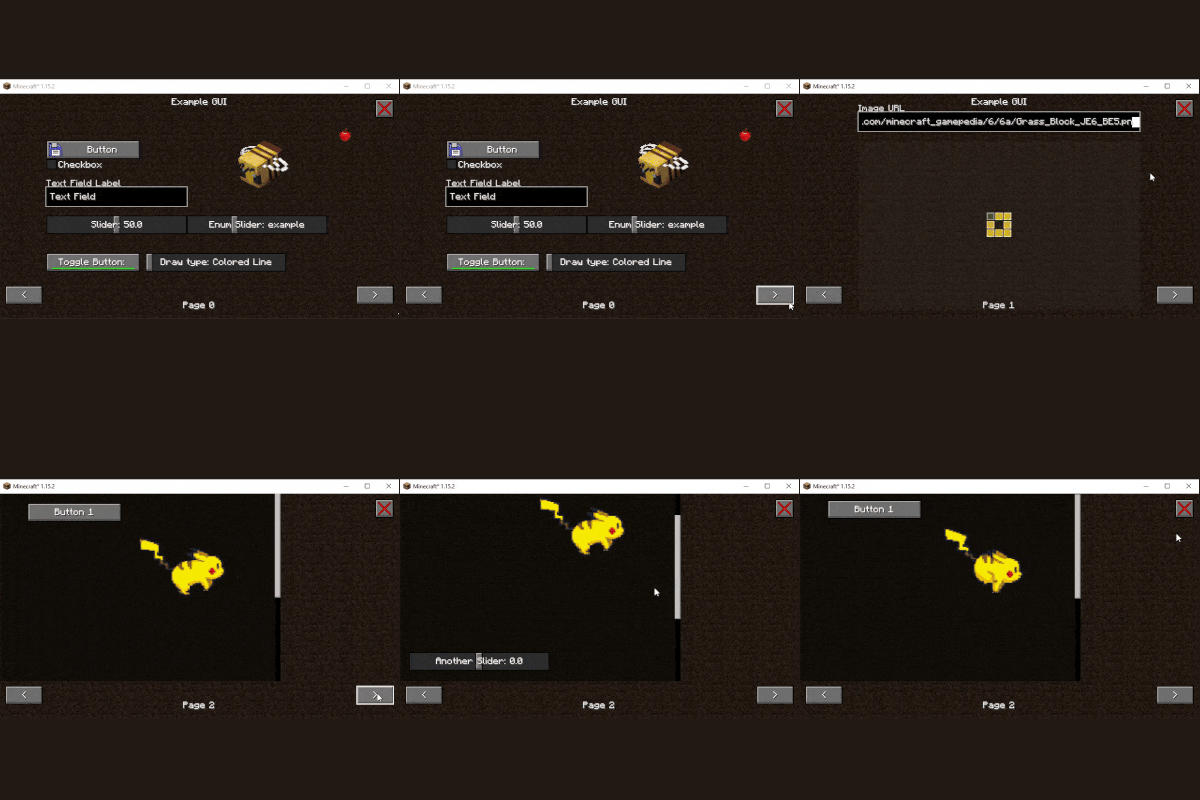
An simple library for easily creating (non-inventory!) GUIs.
It also allows adding images from URLs or Files to a GUI.
The 1.16 version also allows registering config GUIs which can be opened in the mod list.
For Players:
You only need to install this when another mod is depending on it.
For Developers:
See the documentation for install and usage instructions.
Only 1.19 is now supported
Quick facts
- Edition: Minecraft Java
- File type: .jar
- Minecraft versions listed: 1.19.3, 1.19, 1.16.4
- How to install: Install the matching mod loader (Forge, Fabric or NeoForge) for your Minecraft version. → Download the .jar. → Put it in the .minecraft/mods folder and launch that loader profile.
- Where to get it: Opens on CurseForge — not every file is mirrored on our own servers.
Install steps are the general flow for this file type — How to install Minecraft Java mods & modpacks walks through it step by step.
Erdbeerbaer's GUI Library is a free Minecraft Java mod. Compatible with Minecraft 1.19.3, 1.19, 1.16.4, 1.16.5 and newer. Downloaded 1,316,863 times (via CurseForge). Download it and open it directly in the game.