Chat Bubbles - Neoforge
Chatbubbles is a highly customizable mod for Neoforge Minecraft that brings your conversations to life. With this mod, you show your messages right above…
⬇ Download on CurseForgeThe author built this one for Minecraft 1.21.1 on NeoForge. On other versions it may install and then do nothing.
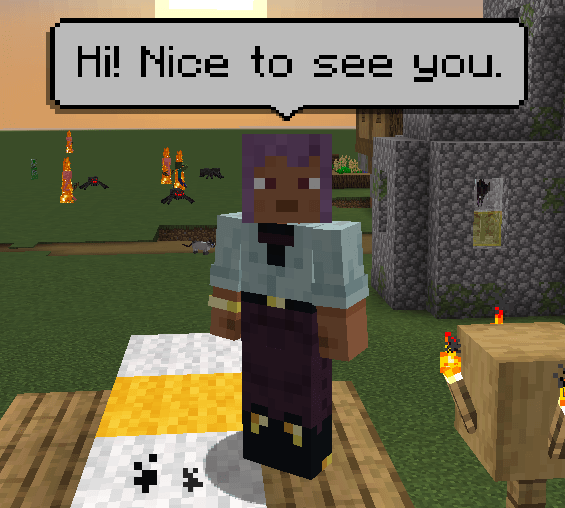
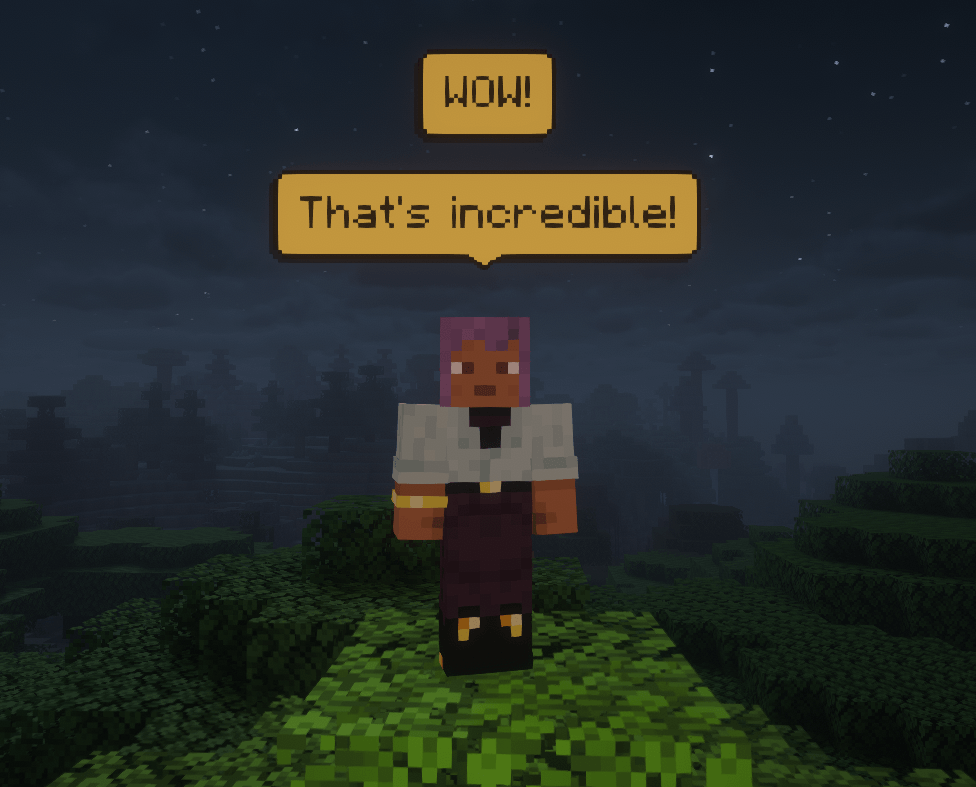
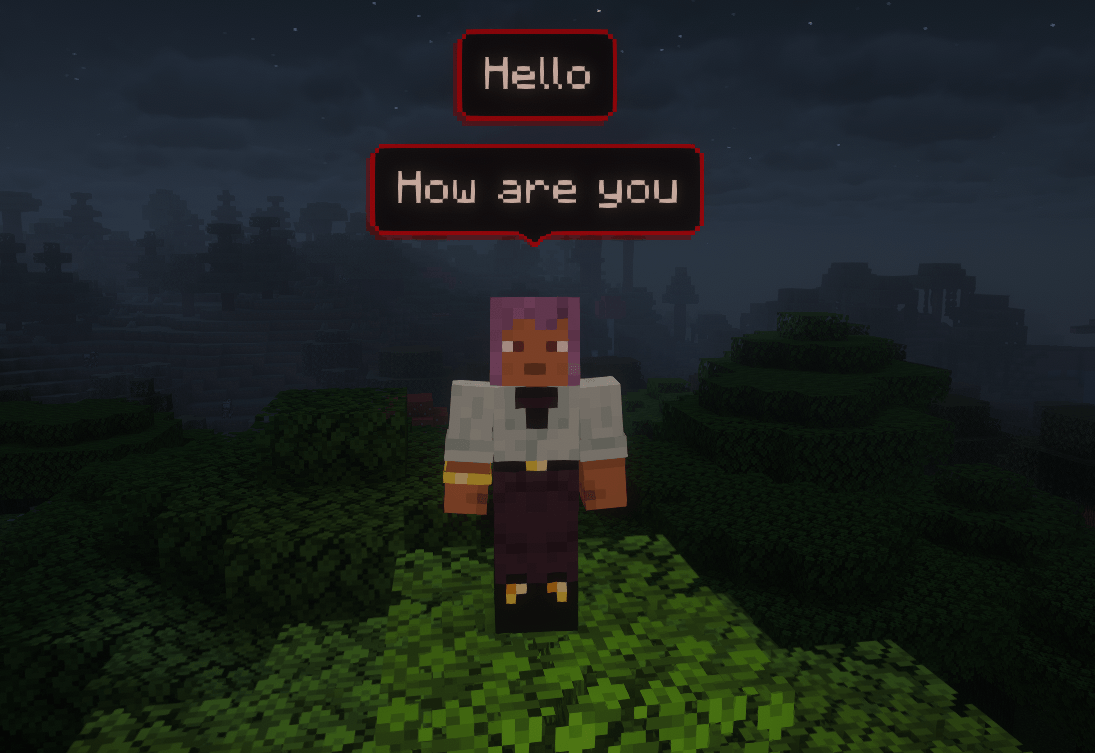
ChatBubbles is a mod that brings your chat messages to your head (literally), that means you can see any player's message on bubbles right above their head.
Perfect for roleplay server or simple SMP, this mod makes interactions more natural and immersive.
ChatBubbles is a highly customizable mod, that means you can change your bubble's appearence or set some server-related settings.
⚠️ Note: This mod must be installed on BOTH the Client and the Server.

🌟 Latest Update: Settings GUI!
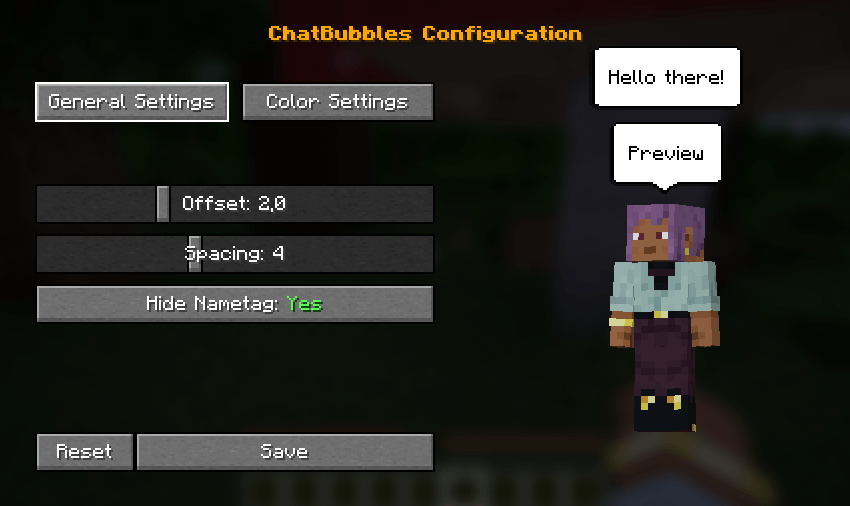
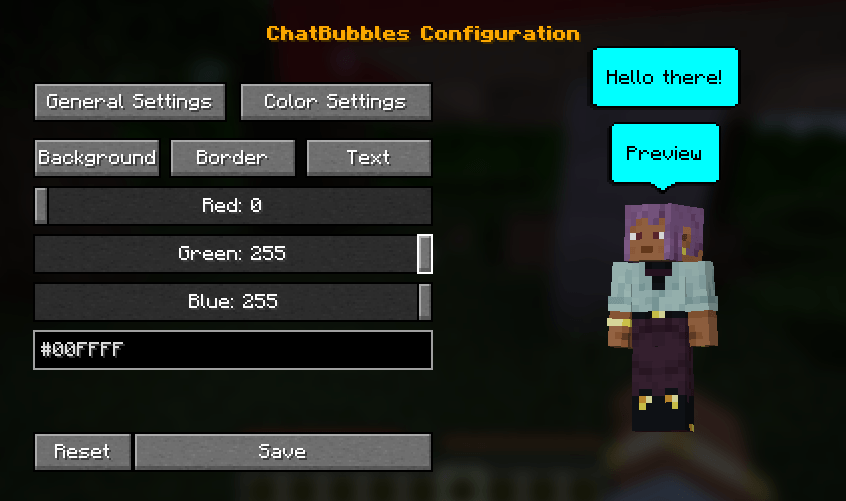
- In-Game Settings GUI: Easily configure bubble colors, spacing, and height offsets directly in-game.
- Live Preview: See your chat bubble changes update in real-time while tweaking the settings.
- Open the configuration menu using the default "C" keybind (can be changed in the controls menu) or via the
/chatbubbles settingscommand.
Features & Customization
🎨 Appearance Settings
Customizing your bubbles is easier than ever with our new in-game settings screen, which includes a live preview! Access it by pressing C (default keybind) or by typing /chatbubbles settings.
If you prefer using commands, you can still customize everything via chat:
- Color Customization: Change your bubble's colors to match your style.
/chatbubbles bgColor <hexCode>(Background color)/chatbubbles borderColor <hexCode>(Border color)/chatbubbles textColor <hexCode>(Text color)- Note: Do not include the
#symbol in the hex code (e.g., useFFFFFF).
- Height Offset: Adjust the distance between the bubble and your head.
/chatbubbles offset <value>- Note: Can be negative, but 2.0+ is recommended. Negative values are useful for custom models smaller than the vanilla player.
- Bubble Spacing: Control the distance between multiple active bubbles above your head.
/chatbubbles spacing <value>- Note: Value must be between 1.0 and 10.0.
- Hide Nametag: Choose to hide your vanilla nametag while a bubble is active for a cleaner look.
/chatbubbles hideNametag <true/false>
⚙️ Server-Side Settings
- Max. of bubbles above the players' head;
- Default values for offset, spacing and hideNametag;
- Bubble's padding;
- Duration of a bubble.
- Edition: Minecraft Java
- File type: .jar
- Minecraft version listed: 1.21.1
- How to install: Install the matching mod loader (Forge, Fabric or NeoForge) for your Minecraft version. → Download the .jar. → Put it in the .minecraft/mods folder and launch that loader profile.
- Where to get it: Opens on CurseForge — not every file is mirrored on our own servers.
Install steps are the general flow for this file type — How to install Minecraft Java mods & modpacks walks through it step by step.
- Ships as chatbubbles-1.1.1+1.21.1.jar — drop this file into the mods folder
- Download size: 67 KB
- Download link checked 18 Sept 2026 — working
These come from our own check of the pack file, not from the source page.