
ModsJava
OpenSecurity Mod (1.12.2, 1.10.2) – Code Your Own Base Security
Minecraft Java mod. Downloads from the MC Java Mods app on Android.
⬇ DownloadOpenSecurity Mod is an addon for OpenComputers that adds new security-focused parts. With this mod, you can build advanced systems to protect your base using items like RFID cards, alarms, and special entity detectors.
Features:
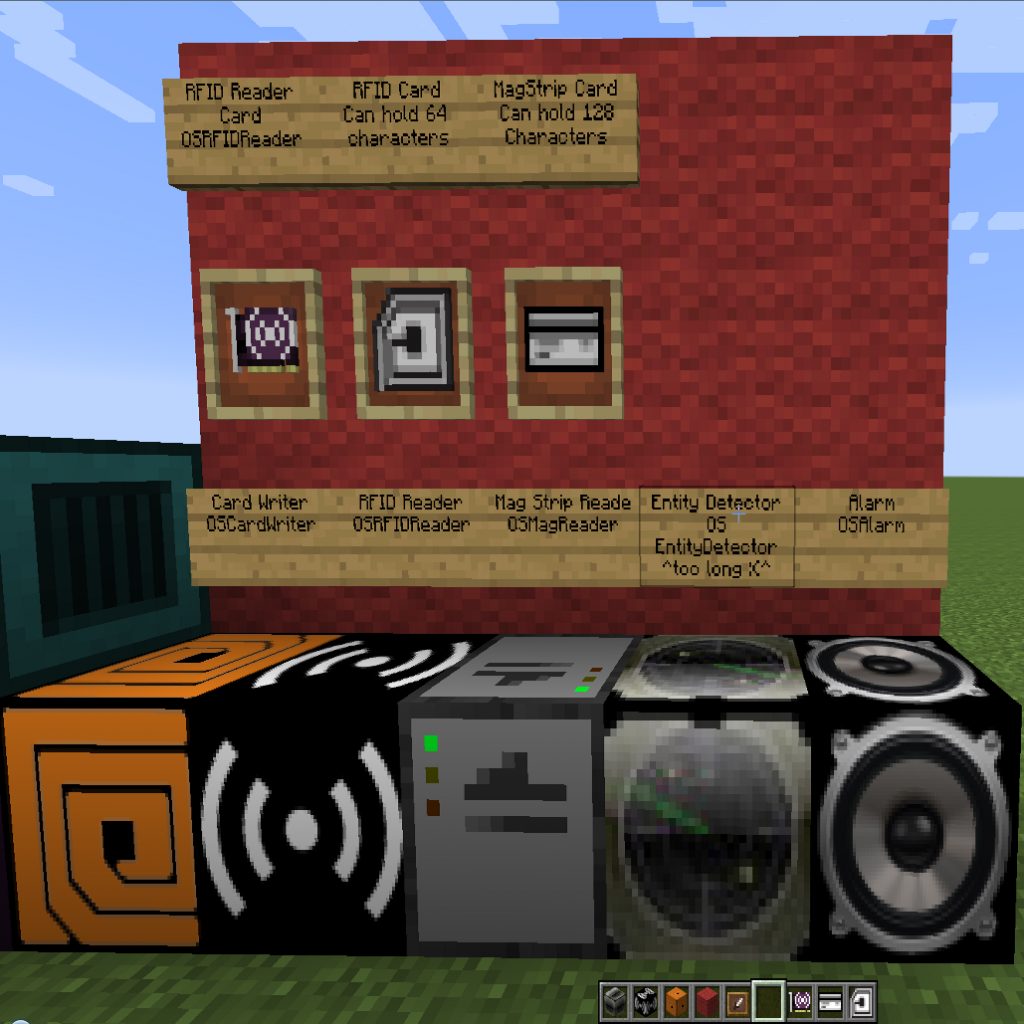
- Adds an alarm that you can control with a computer or Redstone signal.
- Use an RFID Reader Block to scan RFID Cards in a player’s inventory.
- The Card Writer lets you write data to RFID Cards, MagCards, and EEPROMs.
- Read Mag Cards by right-clicking them on the Mag Card Reader.
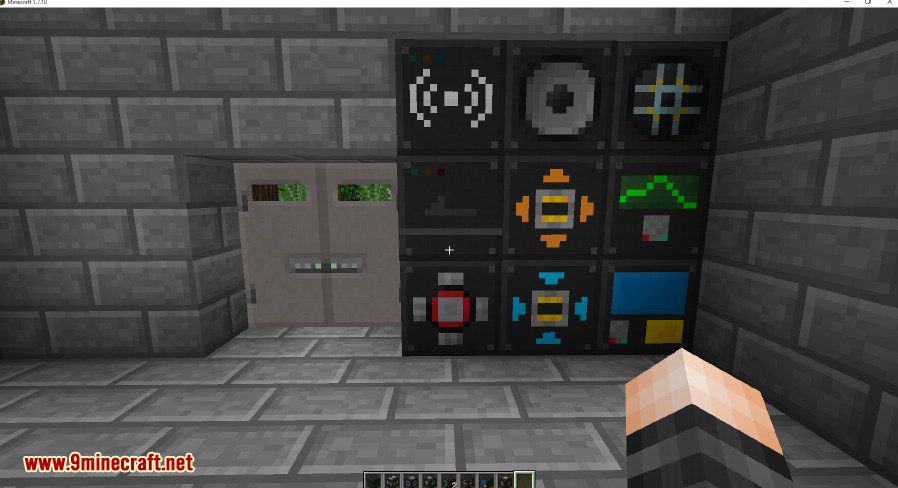
- Control a special Security Door with a Door Controller. Only the person who placed it or a Creative mode player can break it.
- Use a Data Block, which works just like a Data Card but in block form.
- Disconnect parts of your network using the computer-controlled Switchable Hub.
- A KVM Switch lets you connect multiple computers to a single monitor and keyboard.
- Adds a Keypad with buttons that send signals to attached computers.
- Build an Energy Turret that uses OpenComputers energy to shoot at targets.
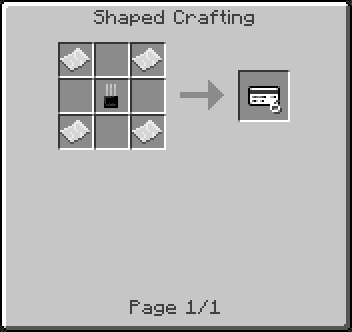
- Includes RFID and Mag Cards that can store data and be locked to prevent rewriting.
How to Use:
To set up the security operating system:
- Craft the SecureOS Disk with a blank OpenComputers disk and a Mag Card.
- Insert the disk into a computer and boot from it.
- Log in with the username “root” and the password “root”.
- Follow the prompts to complete the installation.
Crafting Recipes:
Blocks:
OSAlarm
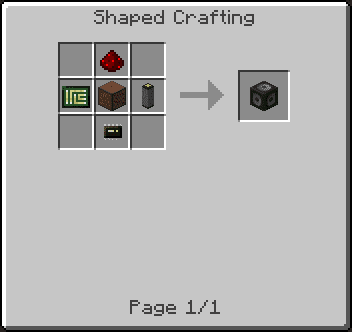
RFID Reader Block
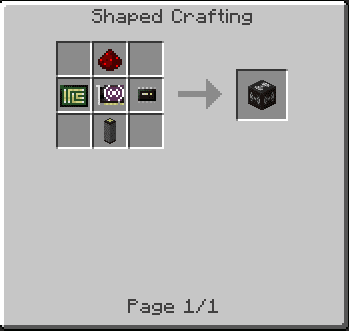
Card Writer
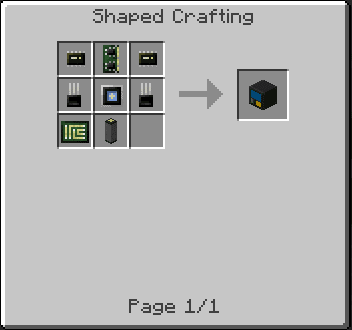
Mag Card Reader
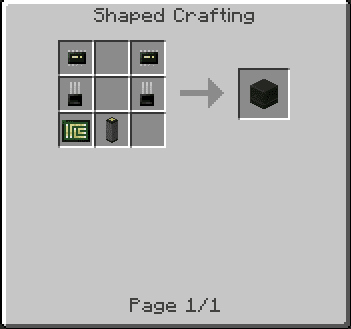
Door Controller
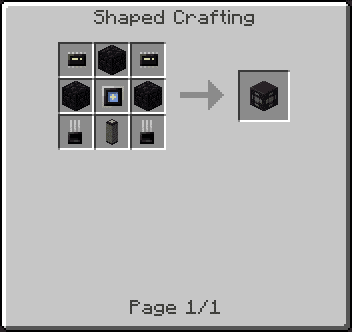
Security Door
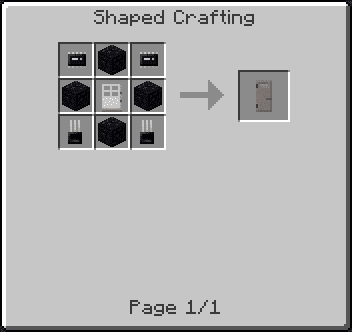
Data Block
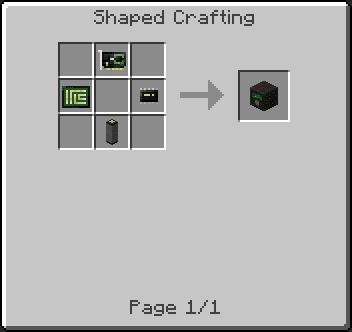
Switchable Hub
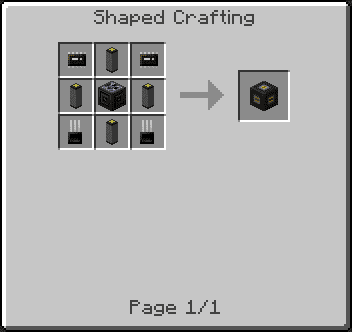
KVM Switch
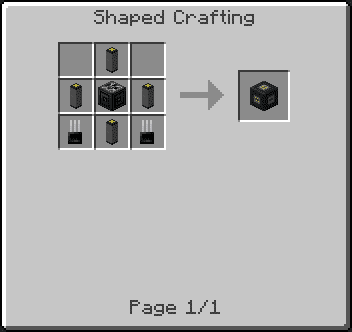
Keypad
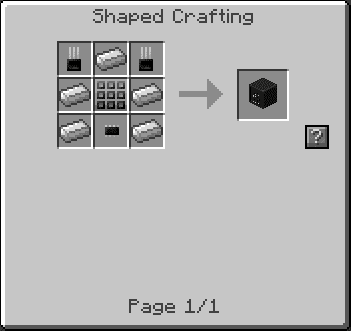
Items:
RFID Reader Card
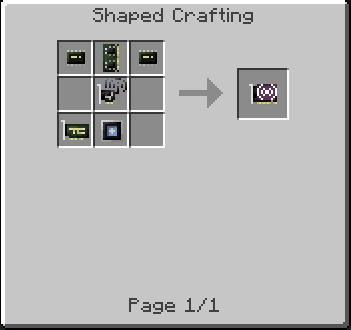
RFID Card
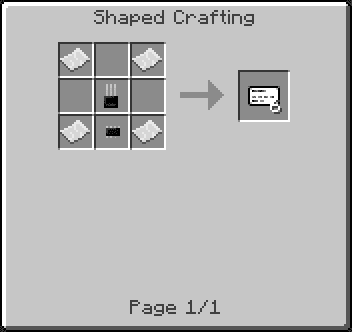
Mag Card
Screenshots:
OpenSecurity Mod Download Links
For Minecraft 1.7.10
For Minecraft 1.10.2
For Minecraft 1.12.2
Quick facts
- Edition: Minecraft Java
- File type: .jar
- How to install: Install the matching mod loader (Forge, Fabric or NeoForge) for your Minecraft version. → Download the .jar. → Put it in the .minecraft/mods folder and launch that loader profile.
- Where to get it: In MC Java Mods, or directly above on this page.
Install steps are the general flow for this file type — How to install Minecraft Java mods & modpacks walks through it step by step.
File checked by MCModsHub
- Downloads as 207741.mcaddon
- Download size: 549 KB
- Download link checked 27 Jul 2026 — working
- Mirrored on our own servers — the download does not depend on the original host
These come from our own check of the pack file, not from the source page.