Primitive Crafting Mod 1.12.2 adds a new way of crafting items directly in your inventory. By default, you can only craft items that consist of only two crafting components, like torches or sticks. However, there is also a config option that enables crafting with all recipes that have at most two different components.
How to use:
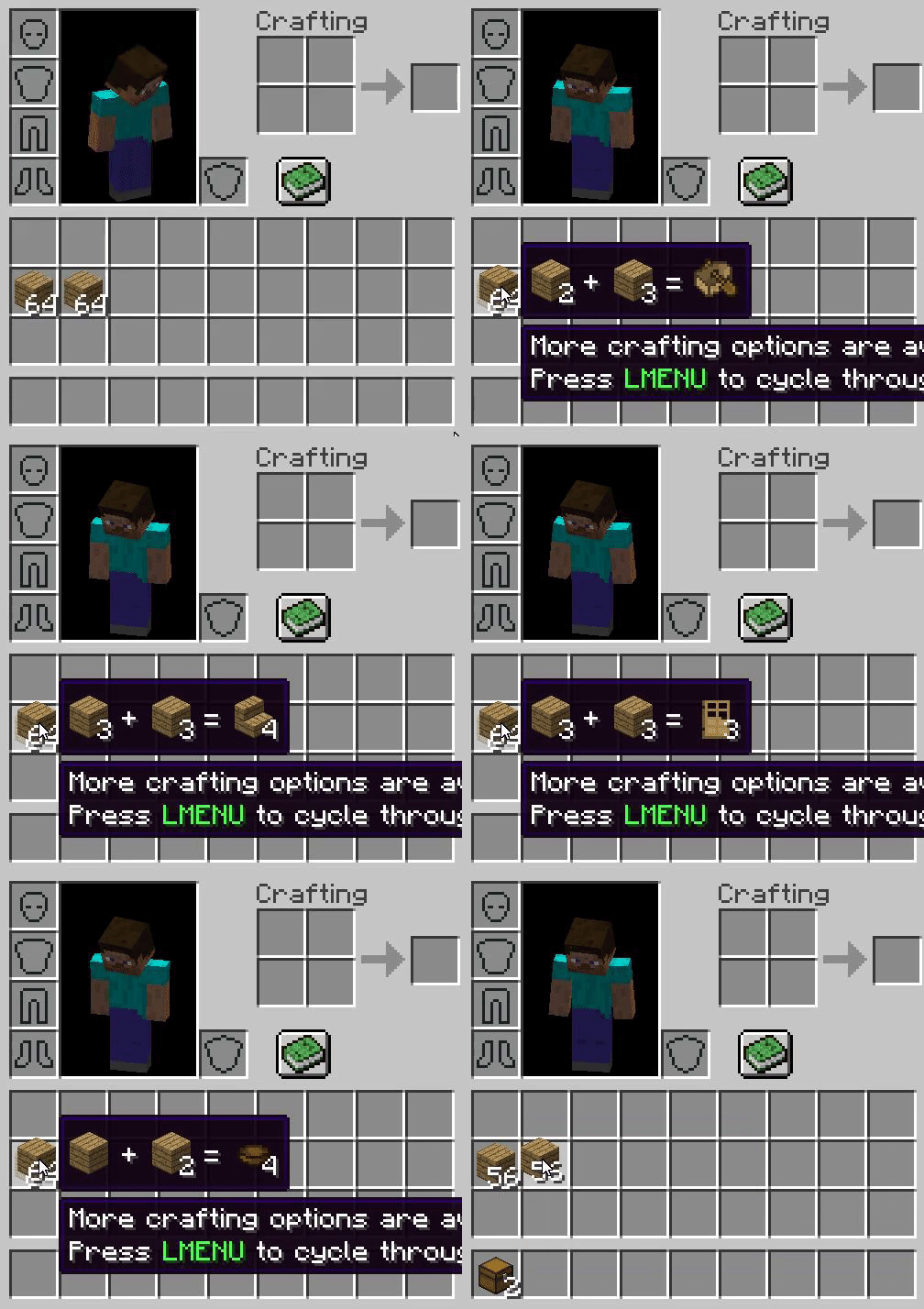
To start crafting, pick up a stack and hover over another stack in your inventory, then press shift. If you want to craft, left click.
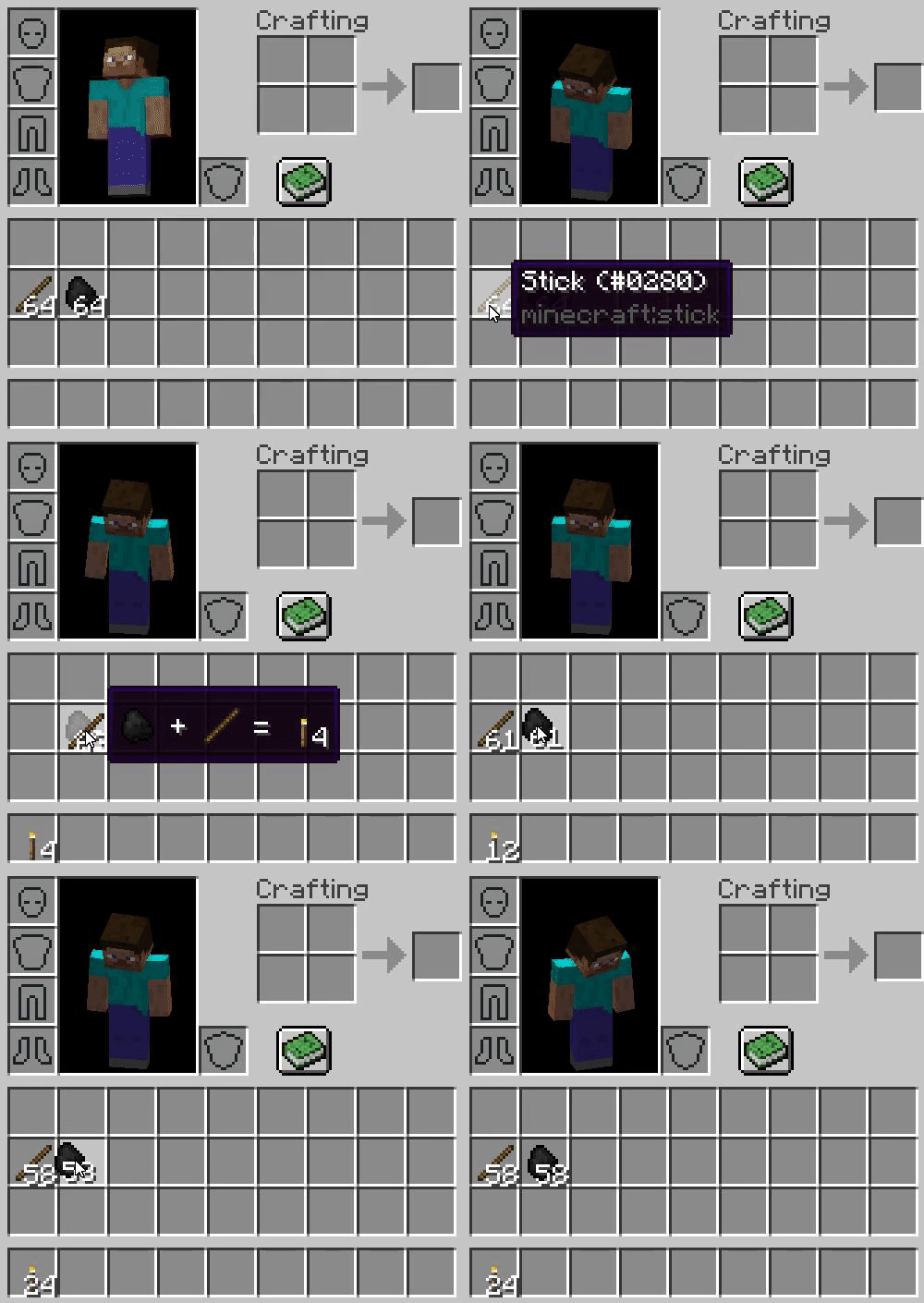
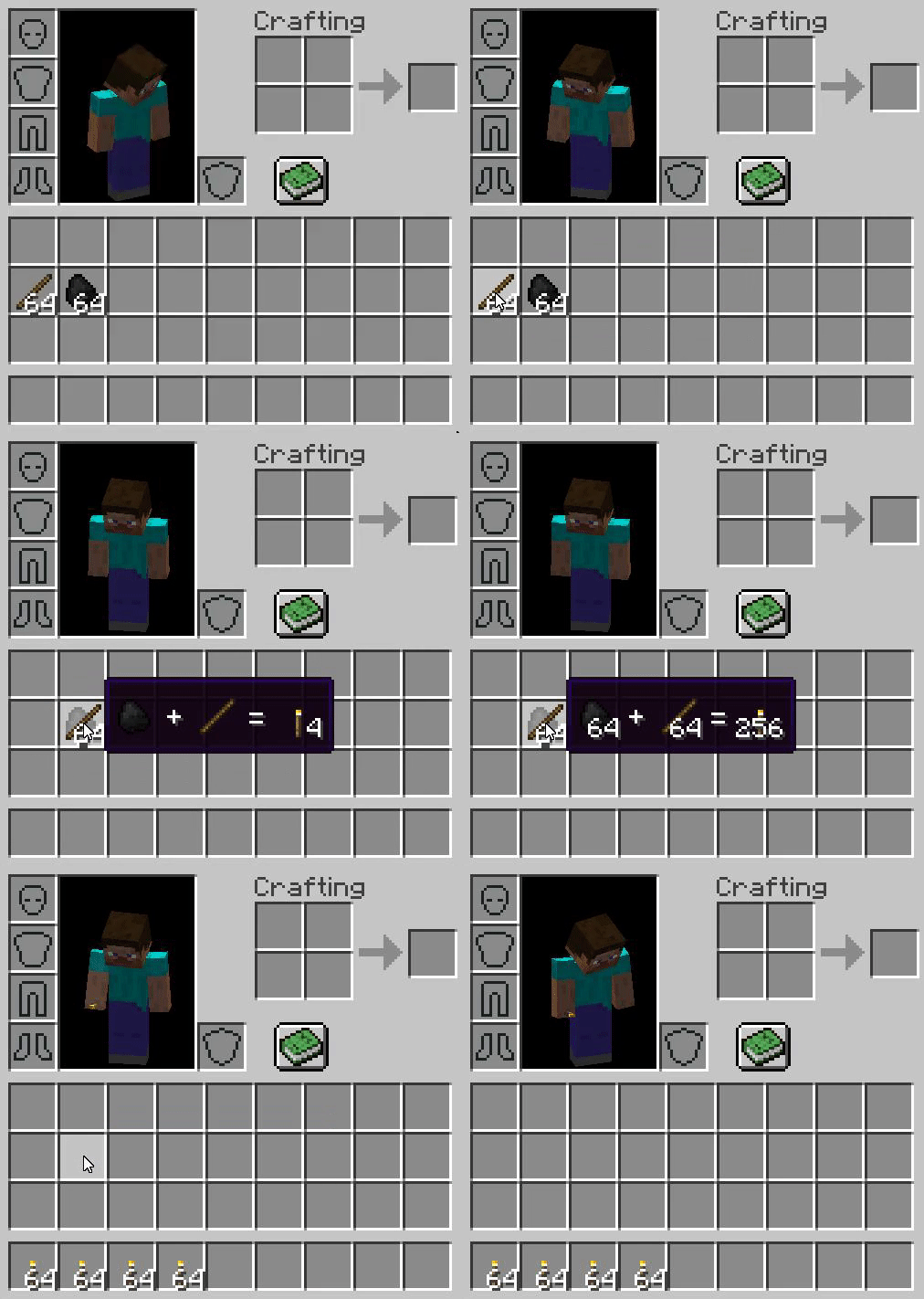
You can also craft the entire stack at once. To do that, also hold space while holding shift, then left click.
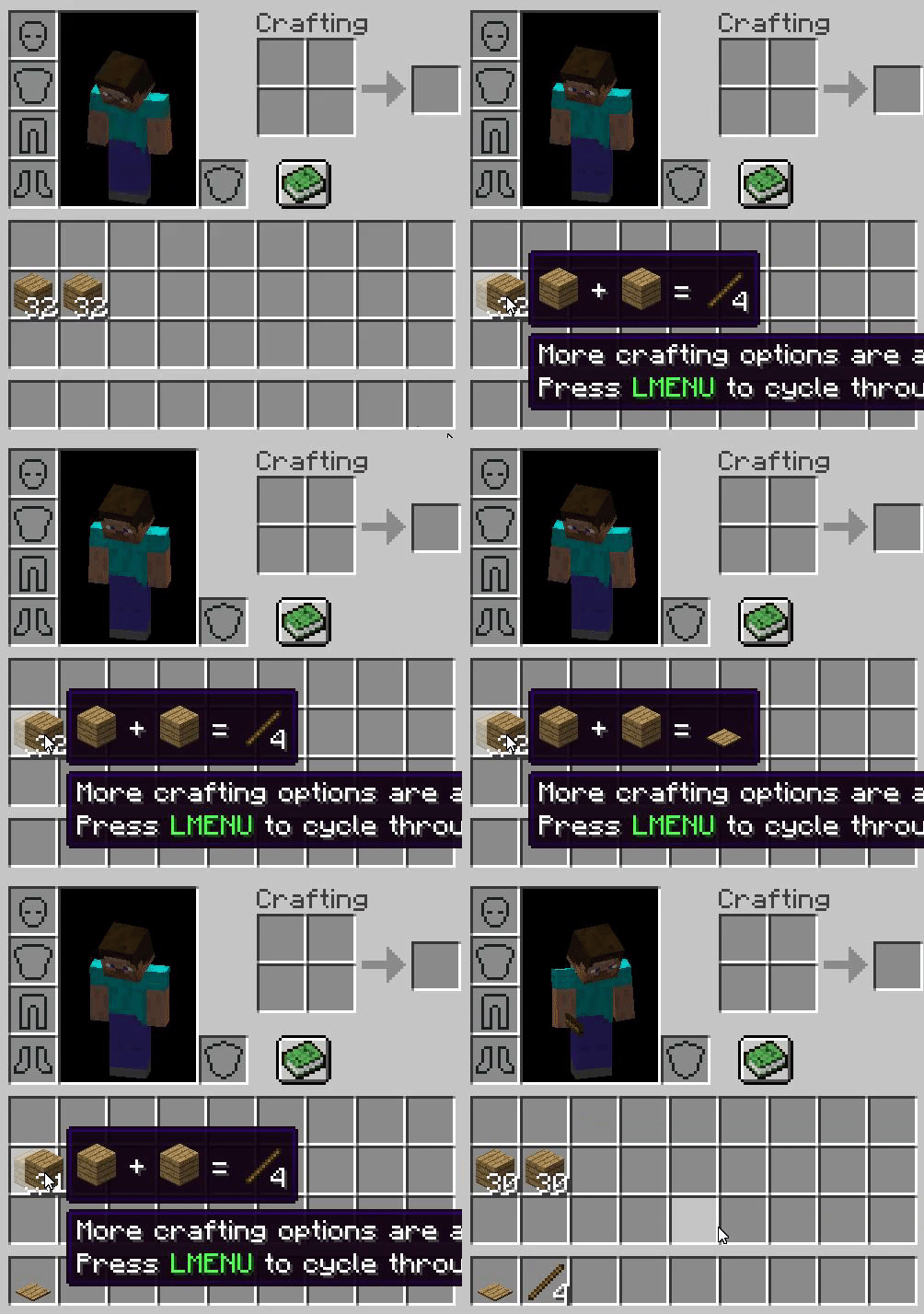
Sometimes, a recipe can have more than one output. One such example is the recipe for sticks and wooden pressure plates. To select the recipe that you want, press left alt (LMENU) to cycle through the recipes.
If you enable the config option “recipesWithMultipleIngredients”, you will be able to craft items that need more than two ingredients, as long as there are at most two different ingredients in the recipe. All Keybinds can be rebound.
Customizability:
- In the config, recipe registration can be enabled and disabled. You can also add (or remove) recipes using CraftTweaker Mod.
- The inventory crafting grid can be enabled again in the config or using Gamestages Mod.
- If you’re making a modpack, you can also disable the inventory crafting grid in the config.
Primitive Crafting Mod 1.12.2 Download Links
For Minecraft 1.12.2
- Edition: Minecraft Java
- File type: .jar
- How to install: Install the matching mod loader (Forge, Fabric or NeoForge) for your Minecraft version. → Download the .jar. → Put it in the .minecraft/mods folder and launch that loader profile.
- Where to get it: In MC Java Mods, or directly above on this page.
Install steps are the general flow for this file type — How to install Minecraft Java mods & modpacks walks through it step by step.
- Downloads as 207838.mcaddon
- Download size: 81 KB
- Download link checked 22 Jul 2026 — working
- Mirrored on our own servers — the download does not depend on the original host
These come from our own check of the pack file, not from the source page.