Vanilla Delight
Java mod listed for Minecraft 1.20–1.21. Downloads from the MC Java Mods app on Android.
I don't know my version or loader


Attention
All content marked as Legacy Block will be permanently removed in version 1.0.8. The current version is 1.0.6. Modern alternatives are available so it is recommended to replace Legacy Blocks with their alternatives.
📜 Essence
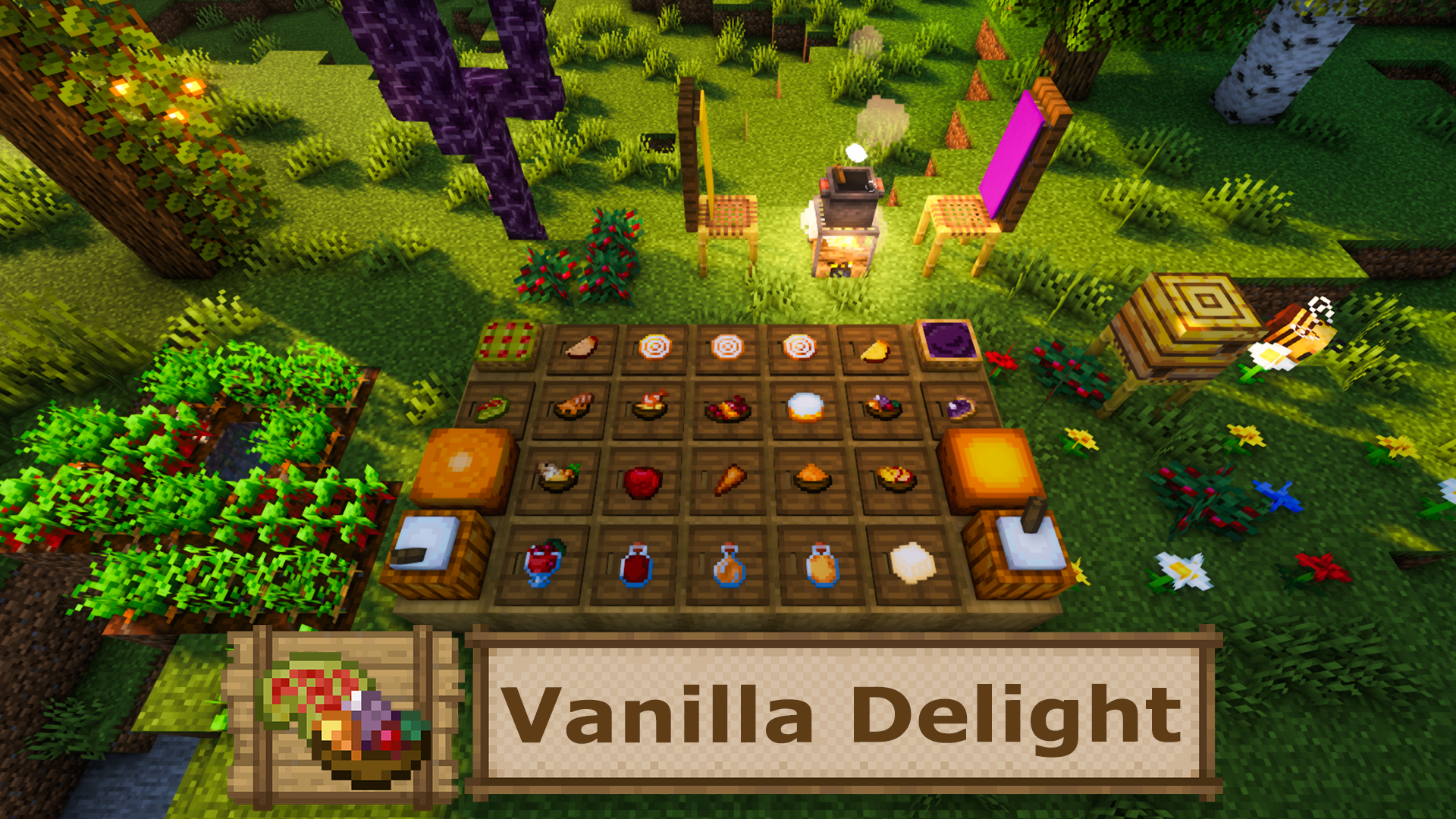
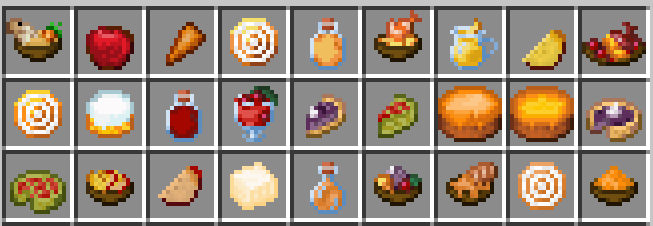
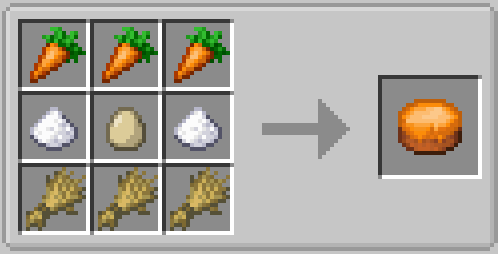
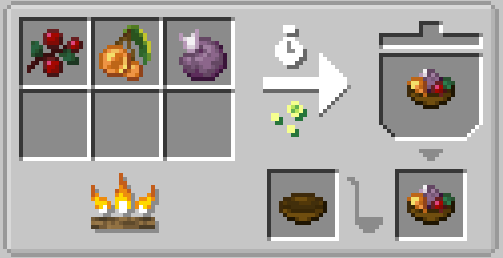
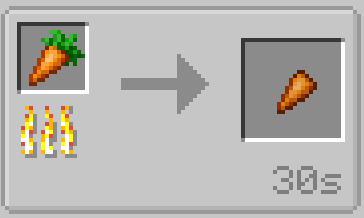
This mod expands Farmer’s Delight by adding 40+ new food items — all made using only vanilla Minecraft ingredients. It gives more variety to survival cooking without adding anything outside the base game. It also brings more decorative variety for the Cooking Pot, Stove, Stone Cabinet, and different Cutting Board variants.
🎯 Features
- 30+ new food items crafted fully from vanilla resources.
- Full Farmer’s Delight integration: cutting, cooking, crafting.
- Balanced recipes that feel natural in Minecraft survival.
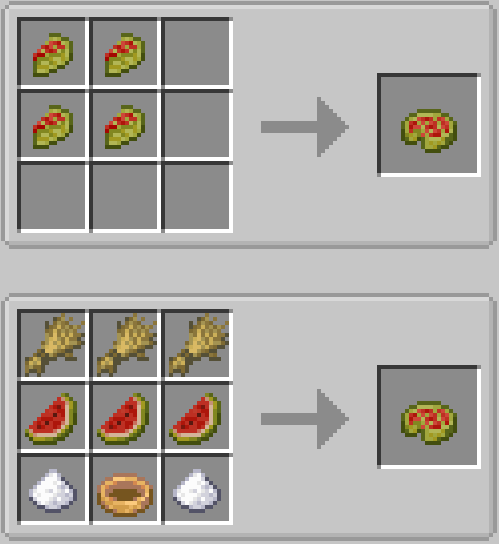
- Creative use of common ingredients like melon, honey, and berries.
- Meals range from simple snacks to big feasts.
- Clean and simple — no extra mods or new crops needed.
- Feature to recolor the Cooking Pot
- Expanded set of decorative Stove, Stone Cabinet, Cutting Board variants
📝 Description
Vanilla Delight is for players who love the simplicity of Minecraft’s vanilla world but want more food variety. This mod brings over 40 new recipes, all made with the stuff you already know — no new crops, no strange ingredients, just fresh ways to use what’s there.


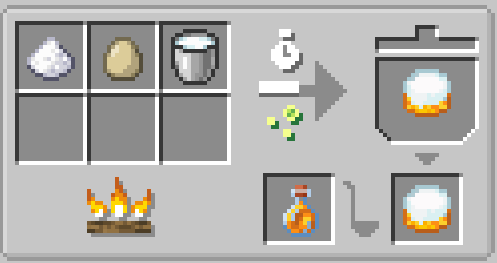
With Farmer’s Delight’s cooking system, you can turn basic items like melon slices, honey bottles, and sweet berries into tasty dishes like Melon Pie, Honey Pudding, and Sweet Berry Custard. Each recipe has been balanced to feel right for survival, giving you better hunger and saturation without breaking the game’s natural flow. By using any of the 16 dyes on a Cooking Pot, you can tint it into the matching shade.
Modular Cabinets, Patterned Cabinets, Modular Stoves, and Modular Cutting Boards can be customized after placement. Cabinet and stove parts can use different block materials which can be applied by right clicking the appropriate section with a block. Existing materials can be replaced with Sneak + Right Click. Cabinets and stoves also support multiple visual styles, patterns or flame styles that can be cycled with Sneak + Right Click using an empty hand. Modular Cutting Boards can have patterns applied by right clicking them with a Cutting Board Pattern consuming the pattern when used.
🙏 Credits
- Big thanks to the Farmer’s Delight team for making Minecraft’s food system so flexible and inspiring.
- Special thanks to Ext_Ramen496 for the Chinese language support ❤️
- Special thanks to Skff1 for the Russian language support ❤️
- Special thanks to Ch1sho for the Ukrainian language support ❤️
- Shoutout to everyone in the community who shared ideas or gave feedback.
🗒️ Notes
- This mod idea came from wanting more cooking options without needing extra mods or crops.
- Edition: Minecraft Java
- File type: .jar
- Minecraft versions listed: 1.20.1, 1.21.1
- How to install: Install the matching mod loader (Forge, Fabric or NeoForge) for your Minecraft version. → Download the .jar. → Put it in the .minecraft/mods folder and launch that loader profile.
- Where to get it: Opens on CurseForge — not every file is mirrored on our own servers.
Install steps are the general flow for this file type — How to install Minecraft Java mods & modpacks walks through it step by step.
- Ships as vanilladelight-1.21.1-1.0.6.jar — drop this file into the mods folder
- Download size: 1.8 MB
- Download link checked 8 Oct 2026 — working
These come from our own check of the pack file, not from the source page.