
ModsJava
Light Level Overlay Reloaded Mod (1.14.4, 1.12.2) – See Exactly Where Mobs Spawn
Minecraft Java mod. Downloads from the MC Java Mods app on Android.
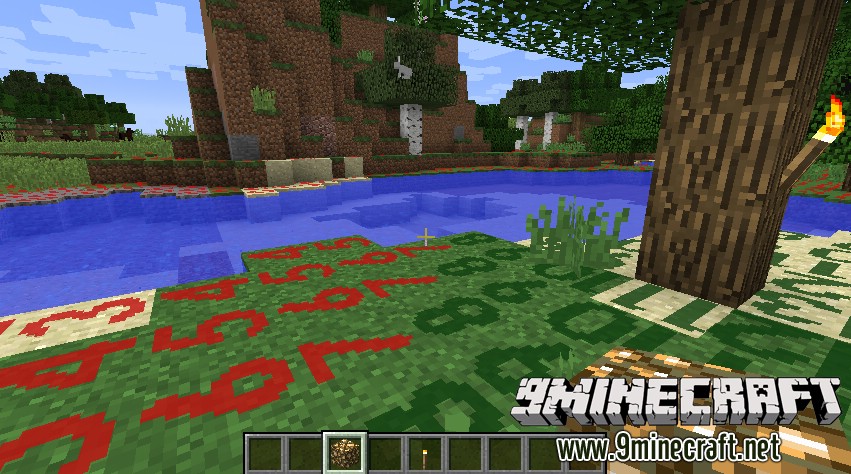
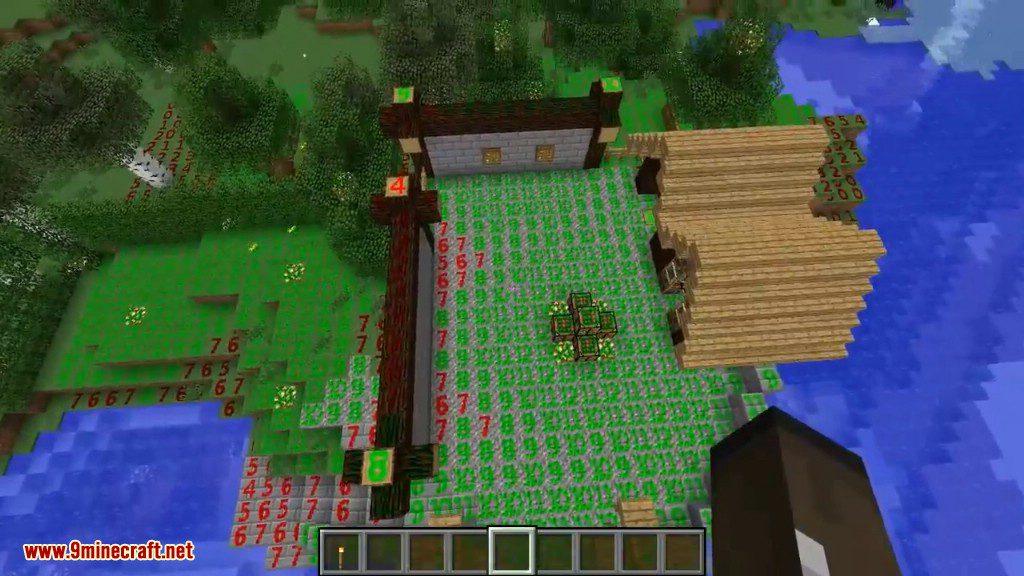
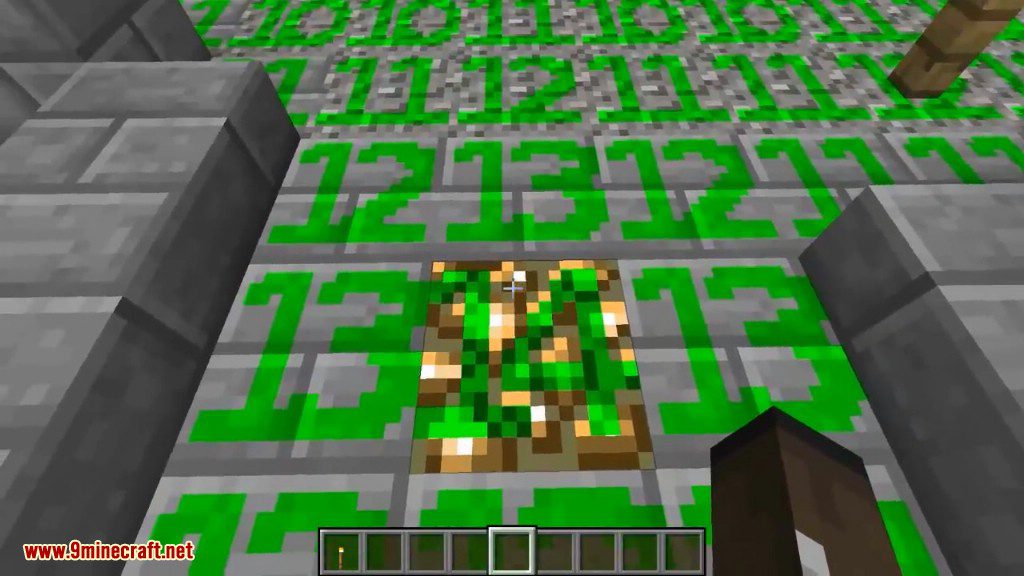
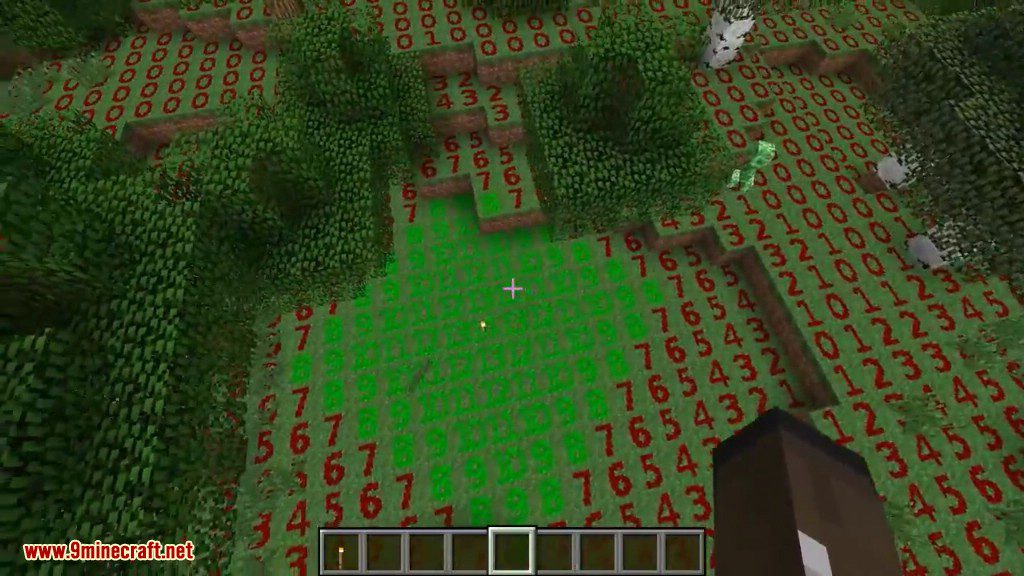
⬇ DownloadLight Level Overlay Reloaded shows you the light level on top of nearby blocks. This mod displays a number on each block, making it easy to see where monsters can spawn in the dark. You will know exactly where you need to place torches to keep your base safe.
Features:
- Displays the light level as a number on top of blocks.
- Helps you easily find dark areas where hostile mobs might appear.
- Toggle the overlay on and off with a simple key press.
- Switch between different display modes to see the information you need.
- Customize the key bindings in the standard Minecraft controls menu.
- Allows the overlay’s textures and appearance to be changed using texture packs.
How to Use:
- Press the F4 key by default to turn the light level overlay on and off.
- Hold Shift and press F4 to cycle through the different display modes.
- If you want to use different keys, you can change them in the Options > Controls menu.
Screenshots:
Light Level Overlay Reloaded Mod Download Links
For Minecraft 1.7.10
For Minecraft 1.8.0
For Minecraft 1.8.9
For Minecraft 1.10.2, 1.9.4
For Minecraft 1.11.2
For Minecraft 1.14.4
For Minecraft 1.12.2
For Minecraft 1.13.2
Quick facts
- Edition: Minecraft Java
- File type: .jar
- How to install: Install the matching mod loader (Forge, Fabric or NeoForge) for your Minecraft version. → Download the .jar. → Put it in the .minecraft/mods folder and launch that loader profile.
- Where to get it: In MC Java Mods, or directly above on this page.
Install steps are the general flow for this file type — How to install Minecraft Java mods & modpacks walks through it step by step.
File checked by MCModsHub
- Downloads as 208911.mcaddon
- Download size: 13 KB
- Download link checked 30 Jul 2026 — working
- Mirrored on our own servers — the download does not depend on the original host
These come from our own check of the pack file, not from the source page.