C.E.L.L.S
Minecraft Java mod. Downloads from the MC Java Mods app on Android.
An AE2-UEL addon providing additional storage cells with extended capacity and special features. This mod is primarily focused on performance.
⬇ Download on CurseForge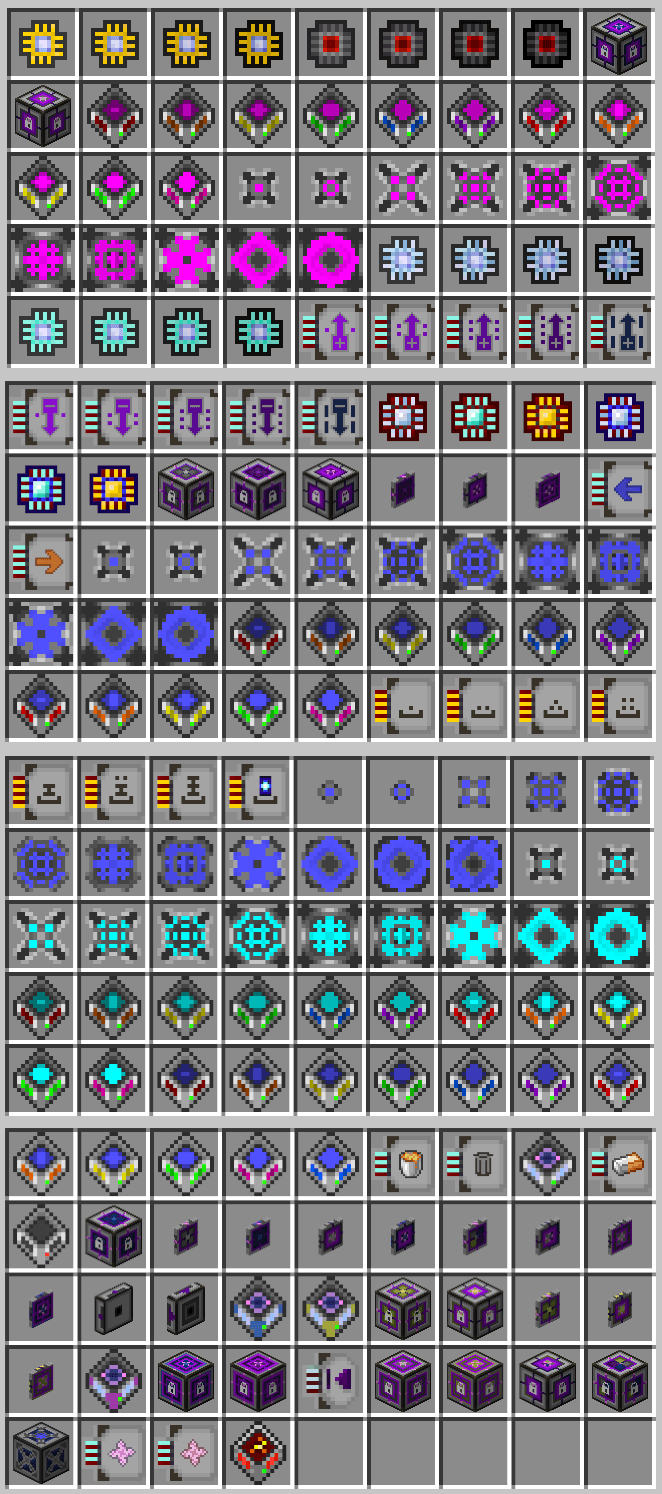
Compacting/Extra Large Lattice Storage (C.E.L.L.S.)
FAQ
My Compacting Cells are not refreshing in the ME Chest's GUI until I reopen it
This is a limitation of the ME Chest's implementation, which doesn't listen for changes on the network. It only listens to what the player manually inserts, which doesn't work well with the virtual items of the Compacting Cells. This issue is purely visual, and resolves itself when leaving the GUI and reopening it.I have 9.2+ Quintillion items but the terminal shows way less than that
It may be that your version of AE2 does not handle Long overflows (so far, AE2-UEL 0.56.7 doesn't), causing the count to wrap around and show incorrect values. This is purely a display issue, and your items are safe in the cells. Cell Terminal should show the correct values as it does not accumulate the content of multiple cells, but rather shows each cell separately.How do I easily transfer the content of a cell to another?
What mods does C.E.L.L.S. support?
The mod requires AE2-UEL. It also has support for:- MixinBooter: Allows C.E.L.L.S.'s Storage Cells to stack to 64. Without it, allowing them to stack enables a duplication exploit with the ME Chest. Also provides the item count display for the JEI Cell Preview.
- JEI: Import Interface drag-and-drop and quick-add features, Creative Cell drag-and-drop feature, and JEI Cell Preview feature
- Thaumic Energistics: Configurable Cell components, Creative Cell, Export/Import Interface
- Mekanism Energistics: Configurable Cell components, Creative Cell, Export/Import Interface
- ProjectEX: EMC Cell
Why does the Essentia Import Interface require a Pull Card?
Because Thaumcraft's essentia transport system is pull-based: anything importing needs to pull and anything exporting is passive. Tubes pull every few ticks and jars pull from tubes all the same. Doing that would basically be the same as using the Pull Card, but with either more lag or less throughput. The Pull Card allows the interface to pull in a more optimized and controlled way.
Why such heavy warnings on increasing number of types?
Because of limitations in Minecraft and AE2 :- Let's take the default packet size of 2MB. It's what you are fixed to unless you use a mod to increase it. An enchanted piece of armor can take 100s-1000s of bytes of NBT data, a normal drive can store 10 cells, so 2MB / 1000B / 10 cells = a measly 200 different items before you hit the limit. That's really not a lot!
- If a chunk contains more than that limit across all machines/containers, the chunk will fail to load and kick all players trying to load it. This is a vanilla Minecraft limitation. That's why you should isolate and separate your NBT-heavy content into different chunks and networks, to avoid chunk-banning yourself. Getting stuck in that chunk will result in a crash loop until you manually move your player with an NBT editor to a different chunk, or remove the offending machines. There are ways to avoid this issue, but they come at a performance cost and do not solvee the issue below, which is inherent to AE2's design.
- AE2 will kick you from the network if the total NBT size of the network's storage exceeds this limit. This means the total combined NBT size of all your cells on a single network. Of course, making a separate network can alleviate this issue, but not solve the root of it. Hyper-Density Cells are not much bigger than regular cells in terms of NBT size, as the extra capacity is negligible compared to the NBT size of the items themselves.
- TL;DR: The item count itself doesn't matter, what you store does.
Features
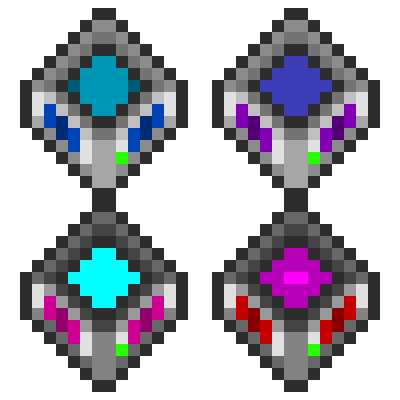
 Import Interface (Item, Fluid, Gas, Essentia)
A block that acts as a filtered interface for importing content into the ME network. It needs to be configured to allow specific content, and can be used to import items/fluids into the network from machines that don't necessarily have a filtered export capability (Woot, Ultimate Mob Farm, etc). It does not have any pulling, exporting/stocking, or crafting capabilities, and only works as an import interface.
The top part of each slot is used for the filter, while the bottom part is used for the actual import. The size of the slots can be configured in the GUI, allowing higher/lower amount of each item/fluid to be kept in the interface if the export targets are full (up to max long, external I/O is capped to max int by Minecraft). The polling rate can also be configured, allowing content to be imported at a fixed interval (in ticks) instead of AE2's adaptive rates.
The Import Interface works best with machines that do not try to merge items stacks, as the insertion slot has no impact on where the item goes. Only being part of the filter and the remaining space in its dedicated slot matters.
These interfaces hold 36 slots, expandable up to 5x with capacity cards.
Export Interface (Item, Fluid, Gas, Essentia)
The counterpart to the Import Interface, allowing content to be exported from the ME network to any outside piping. Slot size and polling rate apply all the same as the Import Interface.undefined
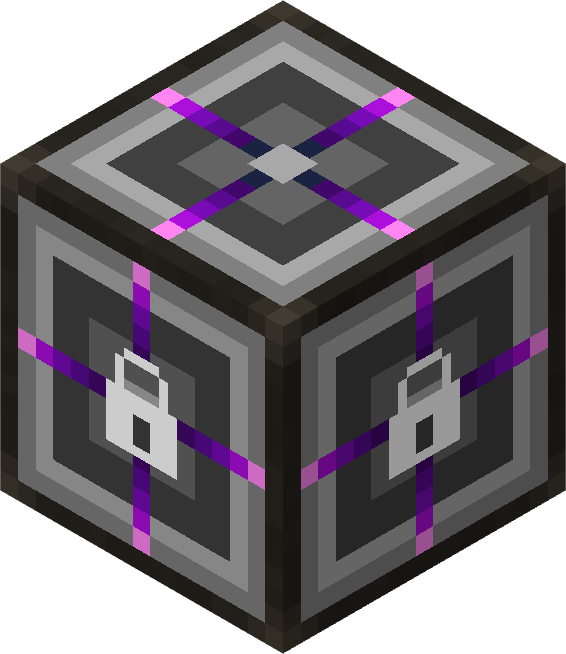
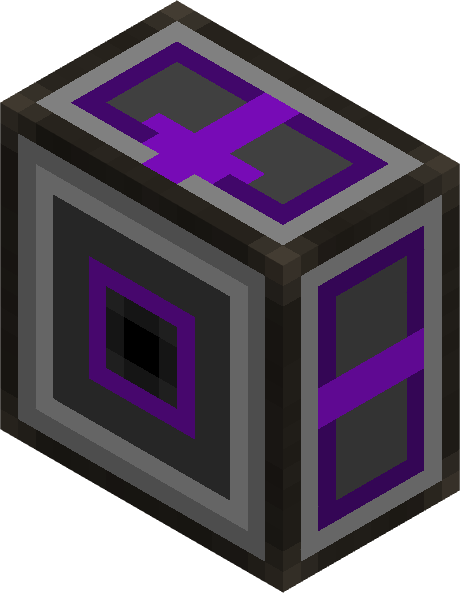 Subnet Proxy
A two-block multipart that bridges two ME networks together with a configurable, filtered window. Unlike the classic AE2 Subnet bridge (Storage Bus on Interface), the Subnet Proxy has :- No looping guarantees: the proxy network automatically detects and prevents loops, so that looping topologies like
A → B → Awill not cause ghost items or force updates. - No multi-hop guarantees: the proxy only gives the main network 1-hop visibility into the subnet's local storage, and does not chain through other proxies on the subnet. This means that, with
B → A → C → D, C will see A and B, but D will not see B's content through A. This prevents events from inflating exponentially in complex subnet topologies, keeping the performance impact manageable. - Up to 25 * 63 filter slots: the filter is paginated and can be expanded with capacity cards (up to 24 upgrade slots with config), allowing you to share a large portion of a subnet if needed.
- On-way or two-way operation: by default, the proxy is read-only (the main network can see and pull from the subnet, but cannot push back). This design is intentional to spare the network from having every single inserted item checking insertions against the filter of every single Subnet Proxy, even if they are only intended for exposing content one-way. However, you can add an Insertion Card to the Subnet Proxy that exposes the content to make it two-way, allowing the main network to also push items back into a subnet through the Proxy (still respecting the filter, of course).
- Universal resource support: the same Subnet Proxy works for items, fluids, gases, and essentia. Use the Resource Type cycling button in the filter GUI to switch between item/fluid/gas/essentia "encoding" modes for the filter slots. The encoding mode has no impact on what the proxy can expose from the subnet, it is only used when actually adding things to the filter. For controlling what types of resources the proxy exposes, you can use the side buttons to enable/disable channels (default to all disabled, to opt-in to exposing specific channels).
- Filtered event forwarding: the proxy only forwards changes that match the filter, so that the network only sees what you want it to see. This also means that if something changes in the main network but doesn't match any filter, no subnet will see it, and thus no unnecessary updates will be triggered on the subnets' side.
What it is
The Subnet Proxy comes as a pair of cable parts that have to be placed facing each other across one block boundary, like a storage bus aimed at an ME interface:- Subnet Proxy (Back): sits on the cable of the the network whose content you want to share. This is your "source" side.
- Subnet Proxy (Front): sits on the cable of the the network that should see the content. This is your "destination" side and the one that owns the GUI.
Once both halves are placed, the front part starts publishing a filtered view of the back's network into the main network, exactly like an extra cell on a drive would.
- Sharing storage across networks without merging them. You can keep two networks on separate channel budgets while still letting the main network read (and optionally write) a subset of the subnet's contents.
- Black-boxing a machine or system. You can put a machine behind a subnet and only expose the relevant items/fluids/gases/essentia to the main network, without letting it see the internal workings of the subnet. A looping design (e.g.
A → B → A) can be used to let the subnet see the main network's content as well, without merging the two networks. The subnet only know of theA → Bconnection, and the main network only knows of theB → Aconnection, so they stay logically separate and independent. If the
- Craft the Subnet Proxy item and place the Back part then the Front part facing each other across a block boundary, like a storage bus aimed at an ME interface. The order of placement does not matter, but they have to be placed facing each other. The proxy will automatically detect the connection and start working, no configuration needed for it to start sharing the subnet's content with the main network.
- Right-click any of the 2 parts to open the filter GUI. The filter works like a Storage Bus filter:
- Drag items, fluids, gases, or essentia into the filter slots to whitelist them. Inventory/JEI dragging and quick-add keybind work, as well as the '+' button in JEI, which will add the inputs of a recipe to the filter. The
- Use the Filter Mode button (top-right) to switch between Item / Fluid / Gas / Essentia modes for what the filter slots convert to.
- Add a Capacity Card to unlock additional pages of filter slots; navigate with the page arrows.
- Add a Fuzzy Card to enable fuzzy matching (damage / NBT-tolerant).
- Add an Inverter Card to invert the filter (everything except the listed items passes through).
- Click the wrench button (top-left of the filter GUI) to open the standard AE2 priority screen. The proxy honors priority on both directions just like a drive does:
- Higher priority means the main network prefers extracting from this proxy first when multiple sources have the requested item.
- Higher priority means the main network prefers inserting into this proxy first (when an Insertion Card is installed).
- (Optional) Add an Insertion Card to make the bridge two-way. Without it the proxy is read-only (the front network can see and pull from the back network, but cannot push back). With it, items matching the same filter that land on the front network can be routed back into the back network through the proxy.
Behavior notes & guard-rails
- One hop only. The proxy gives the main network 1-hop visibility into the subnet's local storage (drives, ME chests, storage buses on vanilla inventories). It deliberately does not chain through other passthrough storage buses on the subnet, so chains like
A → B → C → Donly ever expose one hop at a time and cannot inflate events exponentially over complex topologies. - No write loops. Insertions cannot chain through more than one Subnet Proxy in the same operation. Even if you have insertion cards on both
A → BandB → A, the second proxy sees that the call is already inside an insertion and refuses to forward, so you cannot accidentally build a duplication or stack-overflow loop. - Listing matches extraction. Anything visible in the main network's terminal is extractable, and anything not listed will not be silently extracted. Listing and extract use the exact same source set, so terminals never lie about what's actually pullable.
- Networks stay independent. The two halves of the proxy do not merge their grids: channel budgets, P2P tunnels, security terminals, and crafting CPUs all stay scoped to their respective networks. Only the filtered storage view crosses the boundary.
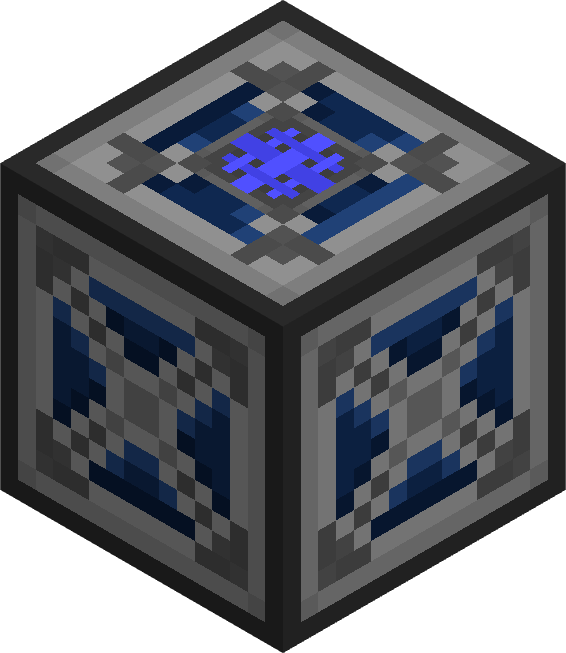 Compacting Pattern Exposer
A block that exposes compression/decompression recipes as processing patterns to the ME network, in the same way as the Compacting Cells (1 up, 1 down). It acts as an alternative to the Compacting Cell, when you need to store the content somewhere else but still want the convenience of automatic compression/decompression. Only the set of recipes defined in the GUI is exposed to the network, as to not bloat it or generate conflicting recipes. As AE2 gets confused when 2 recipes produce the same output, the GUI prevents you from adding conflicting recipes. By default, the exposed recipe only does 1 action of compression/decompression (e.g. 1 block → 9 ingots) per CPU operation (multiplied by co-processors), but you can change the multiplier on a slot, exposing the recipes as a bigger conversion (e.g. 100 blocks → 900 ingots) to save CPU time at the cost of flexibility.
 Creative Cell (Item, Fluid, Gas, Essentia)
A cell that can only be set in creative mode, providing 4.6 quintillion of each set item (up to 63 different items per cell). It is the equivalent of a Drawer with the Vending upgrade.
 Compacting Storage Cells
Storage cells that automatically expose compressed and decompressed forms of items to the ME network, similar to Storage Drawers' Compacting Drawer.
How It Works
- Partition Required: Compacting cells require a partition to be set before they can accept items.
- Compression Chain: When partitioned with an item (e.g., Iron Ingot), the cell automatically detects the compression chain:
- Higher tier: Iron Block (compressed form)
- Main tier: Iron Ingot (the partitioned item)
- Lower tier: Iron Nugget (decompressed form)
- Virtual Conversion: Items are stored in a unified pool and can be extracted in any compression tier:
- Insert 81 Iron Nuggets → Extract 81 Nuggets, 9 Iron Ingots, or 1 Iron Block
- Insert 1 Iron Block → Extract 9 Iron Ingots, 81 Iron Nuggets, or 1 Iron Block
- All conversions are lossless and instant
- Due to size limitations, the maximum capacity is ~9.2 Quintillion items of the lowest tier. This is mainly an issue with high compression chains (using compression/decompression cards)
- Single Item Type: Each compacting cell stores only one item type (with its compression variants).
- Storage Counting: Storage capacity is measured in main tier (partitioned item) units, so no need to worry about conversion factors when checking capacity.
Available Tiers
- 1k - 2G Compacting Storage Cells (normal sizes)
- 1k - 1G Hyper-Density Compacting Storage Cells (with ~2.1B multiplier per byte)
Partition Protection
- If a compacting cell contains items, the partition cannot be changed.
- Empty the cell first before changing what item type it stores.
 Hyper-Density Storage Cells
Storage cells with an internal multiplier of ~2.1 billion per displayed byte:
- 1k - 1G Hyper-Density Storage Cells (each "byte" holds ~17.2B items)
 Hyper-Density Fluid Storage Cells
Fluid storage cells with the same massive multiplier:
- 1k - 1G Hyper-Density Fluid Storage Cells (each "byte" holds ~17.2B buckets)
undefined
 Hyper-Density Compacting Cells
Combining hyper-density storage with compacting functionality:
- 1k - 1G Hyper-Density Compacting Storage Cells (each "byte" holds ~17.2B items, with compression capabilities)
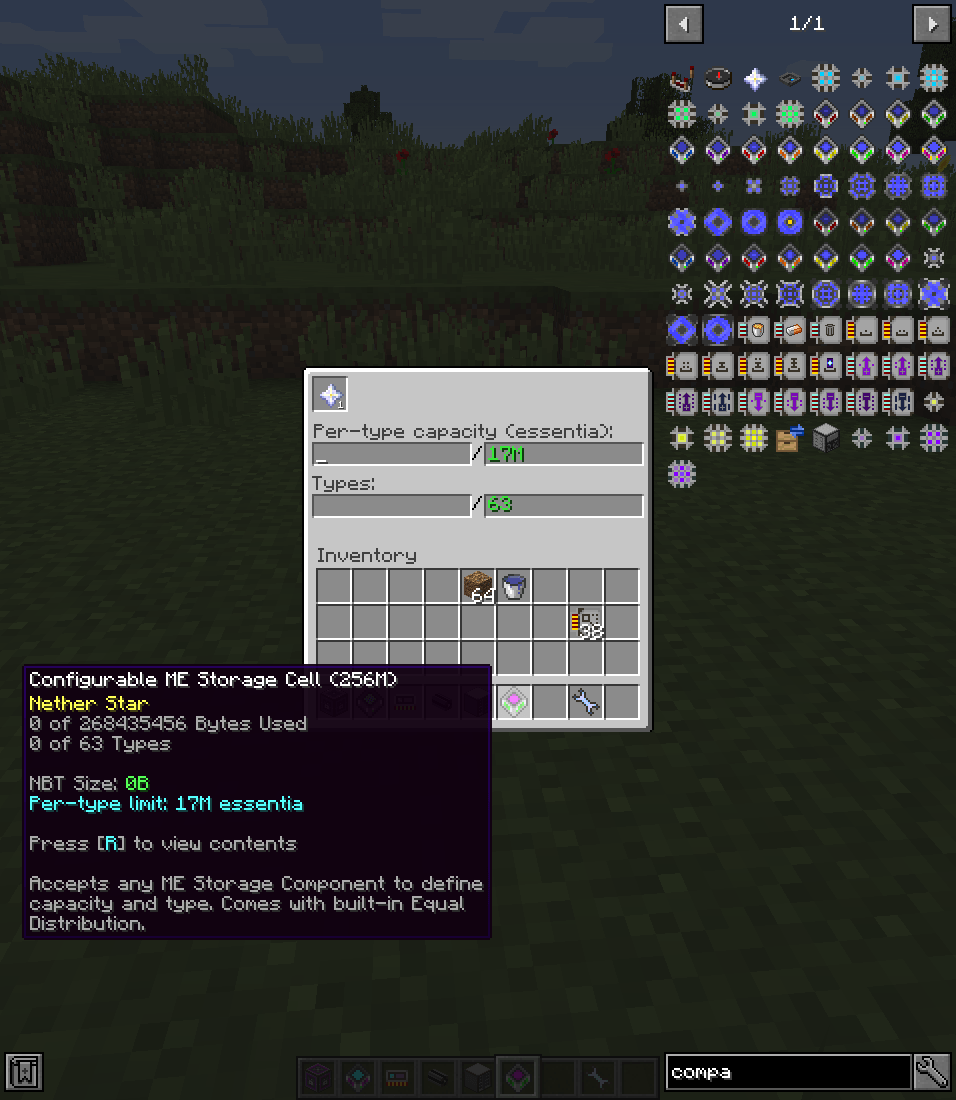
 Configurable Storage Cell
A universal storage cell that accepts a ME Storage Component to define its capacity and storage type:
- Insert a component into the Cell's GUI to configure its capacity and storage type.
- Built-in equal distribution: capacity is divided equally among all types (configurable max types, default 63). The bytes overhead is taken into account proactively, meaning the cell only has 50% of its total bytes available for storage, reserving the other 50% for overhead.
- Per-type capacity limit: configure a maximum items/mB per type via the GUI text field.
- Shift-right-click to disassemble (returns cell, component, and upgrades).
- The cell can be crafted with a component for automated insertion. The recipe is registered for all existing components in configurable_components.cfg, including custom ones.
- Components cannot be removed while the cell has content. Swapping to another component of the same type (item↔item, fluid↔fluid, etc) is allowed if the new component has enough capacity for the existing data.
Component Whitelist
The list of accepted storage components is defined in configurable_components.cfg. To add or remove supported components, place a copy of this file in your Forge config directory (config/configurable_components.cfg). The config override takes priority over the bundled file.
Each entry has the format:
registry_name@metadata = bytes,storage_type,tier_nameregistry_name@metadata: The item's registry name and damage value (e.g.appliedenergistics2:material@35)bytes: Total byte capacity of the component (e.g.1024for 1K)- storage_type:
item,fluid,gas,essentia tier_name: Used for texture selection and name (e.g.1k,64k,1g)
Use cases:
- Having cells with very limited sizes (expensive automations).
- Giving an easy upgrade path without having to empty the cell.
- Creating new components with ContentTweaker (via configurable_components.cfg).
 EMC Cell
A cell that acts like a Personal EMC Link from ProjectEX, allowing you to convert items to EMC and back. It is the strict equivalent of configured Storage Bus on an EMC Link, allowing in only the items that are whitelisted in the filter, but not with strict matching. The matching rules are the same as the ones for other ProjectEx blocks. To spare performance, accumulated EMC is only flushed to the player's network once a second (configurable).
Upgrades
 Void Overflow Card
Install in a cell's upgrade slots to void excess items when full. Useful for automated systems where overflow should be destroyed.
Compatible with: Compacting Cells, Hyper-Density Cells, Hyper-Density Compacting Cells, Configurable Storage Cells, Import Interfaces
 Trash Unselected Card
Install in an Import Interface to void items that don't match any filter. This is useful to prevent clogging the machine with leftover items, especially when used with machines that export items without filtering capabilities.
Compatible with: Import Interfaces
 Pull Card
Install in an Import Interface to pull content from adjacent inventories. This is useful for automated systems where content needs to be imported from external sources. Can set the time interval, quantity per operation, and quantity to maintain in the adjacent inventories. The quantity is per interface's filter.
Compatible with: Import Interfaces
 Push Card
Equivalent to the Pull Card, for pushing into adjvacent inventories.
Compatible with: Export Interfaces
Equal Distribution Card
Limits the number of types a cell can hold and divides capacity equally among them. Available in 7 variants:
 1x: 1 type (all capacity to one item)
 2x: 2 types (half capacity each)
 4x: 4 types (quarter capacity each)
 8x: 8 types
 16x: 16 types
 32x: 32 types
 63x: 63 types (default max)
 unbounded: inherits max types from the cell (see config)
Use cases:
- Force a cell to hold exactly one item type with maximum capacity (1x)
- Prevent one item from dominating cell storage
- Ensure fair storage distribution across multiple stored items
Compatible with: Hyper-Density Storage Cells
 Oredict Card
Install in a Compacting Cell's upgrade slots to enable oredict support for compression/decompression. When enabled, the cell will consider items in the same oredict group as equivalent. For example, if you have both Copper Ingots from mod A and mod B in the same oredict group, the cell accepts both and converts them into the partitioned item, unifying the storage. This is equivalent to the "Convertion Upgrade" from Storage Drawers, but for Compacting Cells.Compatible with: Compacting Cells
 Compression/Decompression Cards
Install in a Compacting Cell's upgrade slots to increase the number of compression tiers that are available for compression/decompression. Do note it only goes in one direction at a time (compressing or decompressing), depending on the card used.
- 3x Card: Allows compressing/decompressing up to 3 tiers (e.g., nugget → ingot → block → double block)
- 6x Card: Allows compressing/decompressing up to 6 tiers
- 9x Card: Allows compressing/decompressing up to 9 tiers
- 12x Card: Allows compressing/decompressing up to 12 tiers
- 15x Card: Allows compressing/decompressing up to 15 tiers
Compatible with: Compacting Cells
 Insertion Card
Install in a Subnet Proxy to allow the Proxy to receive content from the network it exposes to, in addition to letting it be pulled from. This makes the proxy two-way, allowing you to push items from the main network into the subnet through the proxy (still respecting the filter, of course). Without it, the proxy is read-only and only allows the main network to pull from the subnet.
Compatible with: Subnet Proxy
 Refined/Compressed EMC Cards
Install in an EMC Cell to increase the number of partition slots the cell can hold, in the same way as the Personal/Refined/Compressed EMC Links. The number of slots is configurable per card in the config, and you can even add more cards with a possibly infinite number of slots by adding custom entries in the config file, but you will need to provide textures and localization for them yourself. The first value in the config entry is the default number of slots without card.
- Refined EMC Card: 9 slots by default
- Compressed EMC Card: 54 slots by default
Compatible with: EMC Cell
Configuration
The mod includes a server-side configuration file with an in-game GUI editor:
Max Types
Configure the maximum number of types allowed per cell:
- Hyper-Density Storage Cells
- Hyper-Density Fluid Storage Cells
- Configurable Storage Cells
Idle Power Drain
Configure power drain per tick for each cell type:
- Compacting Cells
- Hyper-Density Cells
- Hyper-Density Compacting Cells
- Hyper-Density Fluid Cells
- Configurable Cells
Upgrades slots
Change the number of upgrades slots available for each cell type (will lose upgrades in extra slots):
- Compacting Cells
- Hyper-Density Cells
- Hyper-Density Compacting Cells
- Hyper-Density Fluid Cells
- Configurable Cells
Cell Toggles
Enable or disable entire cell categories:
- Compacting Cells
- Hyper-Density Cells
- Hyper-Density Compacting Cells
- Hyper-Density Fluid Cells
- Configurable Cells
Import/Export Interface
You can set the Maximum Slot Size and the Minimum Polling Rate one can set in the GUI.
NBT Debug
Enable or disable the NBT Size tooltip for all cells. This tooltip shows an upper bound estimation of the NBT size of the cell's content, to help with realizing when to move NBT-heavy content somewhere else, to avoid chunkbanning or AE2's network kick. This setting may take some performance away if your cells have items with large NBT data flickering in and out of them, but this should be rare in practice and is generally not a problem for most use cases.
Commands
/fillcell
Fill a storage cell with a specified quantity of items or fluids, for testing purposes.
- Usage:
/fillCell <item id>|<fluid id>|<essentia id>|<gas id> <count> - Supports suffixes for count: k (thousand), m (million), b (billion), t (trillion), q (quadrillion), qq (quintillion).
- The storage cell must be held in the main hand.
- Example:
/fillCell minecraft:iron_ingot 10kfills the held cell with 10,000 Iron Ingots.
/inspectSlots
Show the available slots from the block the player is looking at.
- Usage:
/inspectSlots [--handler] [arg1] [arg2] ... - The player must be looking at a block with slots (e.g., a chest or a tank).
--handlercan be used to bypass IItemRepository and show the IItemHandler slots.- Additional arguments can be passed to simulate insertions against these slots. Autocompletion is offered for these arguments.
Credits
- Chinese translation: @ZHAY10086
- Russian translation: @MrKoteo
- Hyper-Density Item/Fluid Cells'/Cell Components' textures: @ArchEzekiel
- EMC Cell's, Compacting Pattern Exposer's, insertion card's textures: @NerdySpider
- Edition: Minecraft Java
- File type: .jar
- How to install: Install the matching mod loader (Forge, Fabric or NeoForge) for your Minecraft version. → Download the .jar. → Put it in the .minecraft/mods folder and launch that loader profile.
- Where to get it: Opens on CurseForge — not every file is mirrored on our own servers.
Install steps are the general flow for this file type — How to install Minecraft Java mods & modpacks walks through it step by step.
- Ships as cells-0.5.8.jar — drop this file into the mods folder
- Download size: 1.0 MB
- Download link checked 8 Oct 2026 — working
These come from our own check of the pack file, not from the source page.