MalisisSwitches Mod (1.12.2, 1.11.2) – Flip Switches From Far Away
Minecraft Java mod. Downloads from the MC Java Mods app on Android.
⬇ DownloadMalisisSwitches Mod adds simple wireless redstone switches to Minecraft. This lets you build redstone devices that can be turned on and off from a distance, without needing any visible wires. You can link switches to various blocks and activate them from far away.
Features:
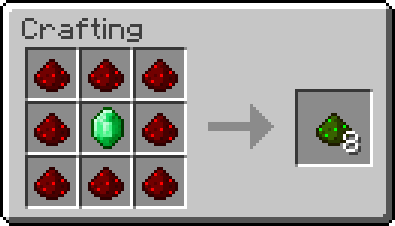
- Adds Greenstone, a new dust made from redstone and an emerald, used for wireless power.
- Craft simple wireless switches to control redstone currents from a distance.
- Use the PowerLinker tool to connect a switch to the blocks it should control.
- The PowerLinker also makes the links between switches and blocks visible.
How to Use:
- First, right-click a wireless switch with the PowerLinker tool to select it.
- Then, right-click the blocks you want the switch to send power to.
- To unlink a block, hold the Sneak key and right-click it with the PowerLinker.
Screenshots and Recipes:
Greenstone:
Green dust that comes from redstone with a bit of emerald. Makes the redstone wireless.
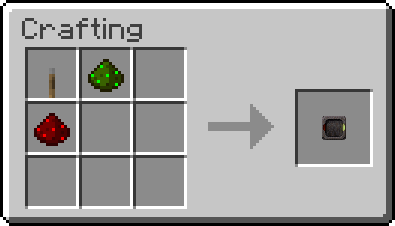
Switch:
A simple switch that can control the redstone current from a distance.
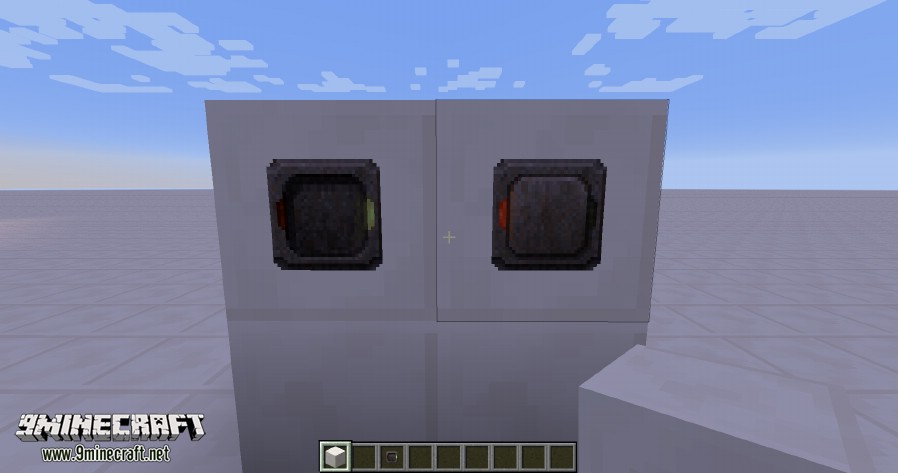
PowerLinker:
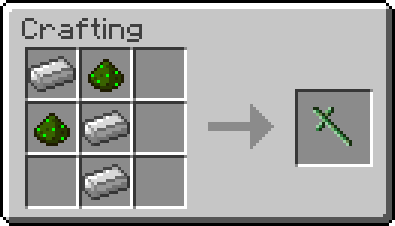
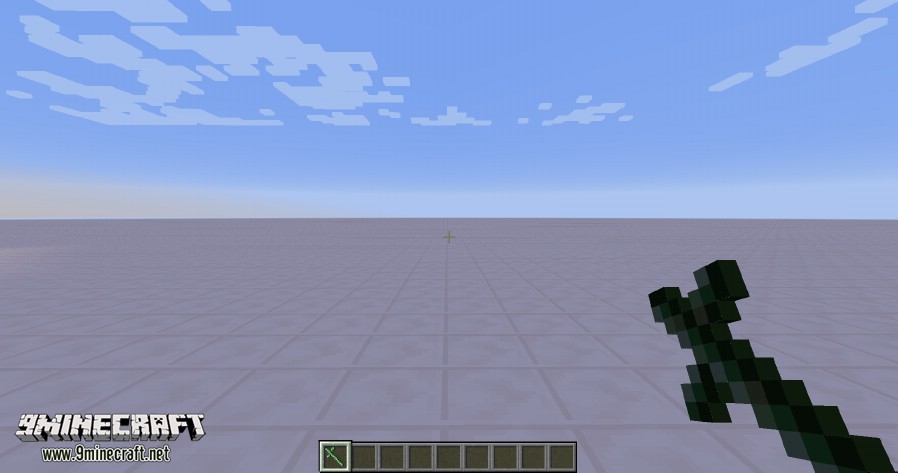
A tool that can link a Switch with the blocks it’s supposed to control. First right click the switch with the PowerLinker, then right click blocks you want the redstone current to be applied to. You can unlink locations by sneak-right clicking previously linked blocks. The tool also allows the weilder to see the links between the switches and the blocks.
Screenshots and Recipes:
Greenstone:
Green dust that comes from redstone with a bit of emerald. Makes the redstone wireless.
Switch:
A simple switch that can control the redstone current from a distance.
PowerLinker:
A tool that can link a Switch with the blocks it’s supposed to control. First right click the switch with the PowerLinker, then right click blocks you want the redstone current to be applied to. You can unlink locations by sneak-right clicking previously linked blocks. The tool also allows the weilder to see the links between the switches and the blocks.
MalisisSwitches Mod Download Links
For Minecraft 1.8.0
For Minecraft 1.8.9
For Minecraft 1.9.0
For Minecraft 1.10.2, 1.9.4
For Minecraft 1.11.2
For Minecraft 1.12
For Minecraft 1.12.2
- Edition: Minecraft Java
- File type: .jar
- How to install: Install the matching mod loader (Forge, Fabric or NeoForge) for your Minecraft version. → Download the .jar. → Put it in the .minecraft/mods folder and launch that loader profile.
- Where to get it: In MC Java Mods, or directly above on this page.
Install steps are the general flow for this file type — How to install Minecraft Java mods & modpacks walks through it step by step.
- Downloads as 209584.mcaddon
- Download size: 89 KB
- Download link checked 24 Jul 2026 — working
- Mirrored on our own servers — the download does not depend on the original host
These come from our own check of the pack file, not from the source page.