
Create: Stock Market
Turn your server's player economy into a real-time stock exchange. Free Minecraft Java mod for 1.21.1.
⬇ Download on CurseForge
Turn your server economy into a live, player-driven stock exchange.
Create: Stock Market adds a single block — the Market Terminal.
Place it. Right-click.
You now see every shop on the server, price history, trends, and the most active traders.
No commands.
No setup.
No admin configuration.
The economy explains itself.
What this mod actually does
This mod scans the world for:
- Numismatics Vendor shops (coin prices)
- Tradeworks TableCloth shops (barter trades)
…and turns them into a live market interface similar to a stock exchange.
Players can:
- Find the best prices instantly
- See how prices change over time
- Track which items are actively traded
- Locate any shop in seconds
- Understand who controls the market
🔧 Dependencies
| Mod | Required | Why |
|---|---|---|
| Create | ✅ | Core mod |
| Create: Numismatics | ⚠️ Optional | Enables coin-priced Vendor shops |
| Tradeworks | ⚠️ Optional | Enables TableCloth barter shops |
| Xaero's Minimap | ⚠️ Optional | One-click waypoint to any shop |
The mod works even if only one shop type exists.
🖥️ Market Interface Overview
The interface scales to any GUI size and has three tabs.
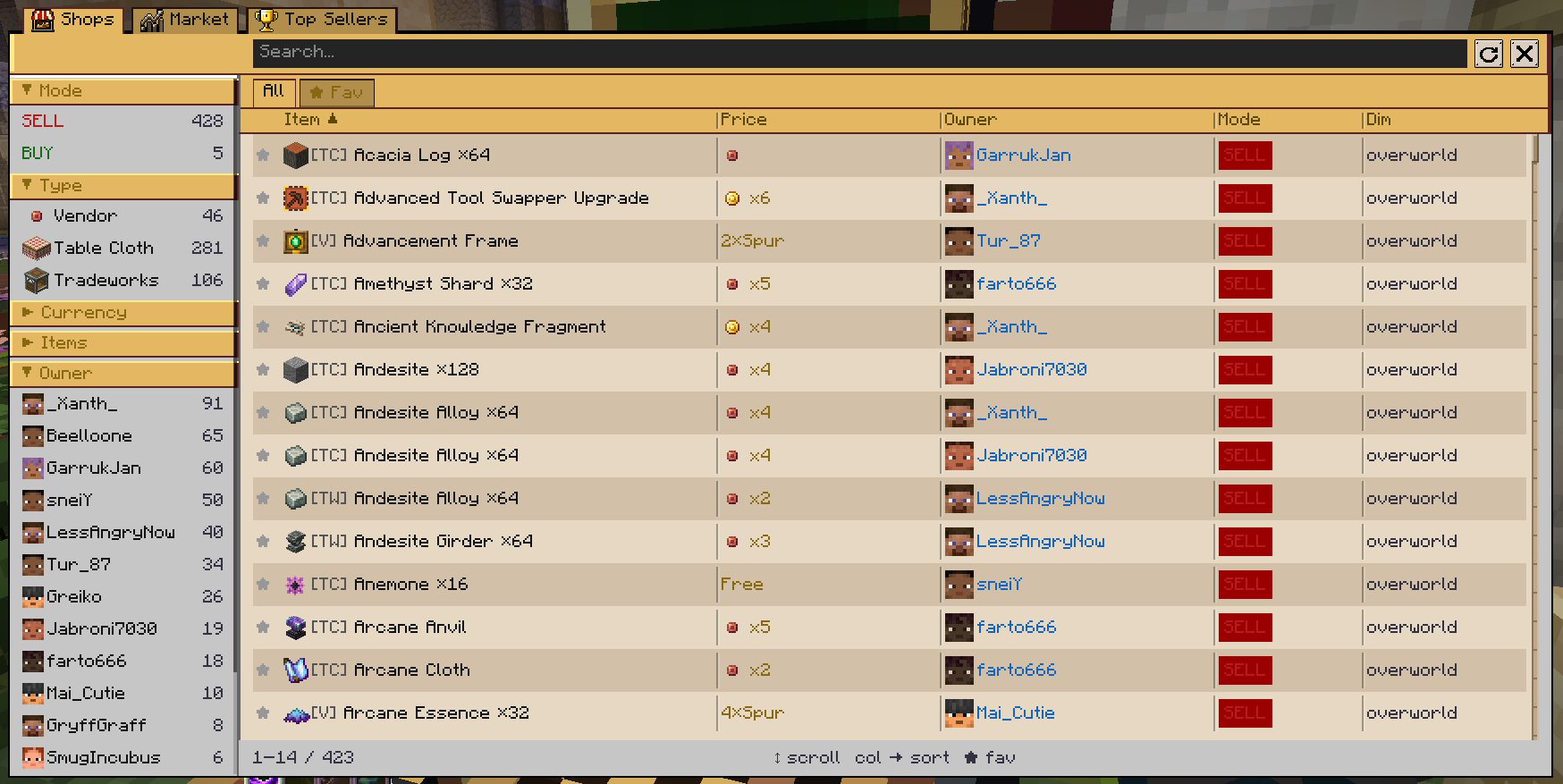
🛍️ Shops — every shop on the server
A sortable, searchable table of all active shops.
Columns
Favourite · Item · Price · Owner · Mode · Dimension
You can
- Search by item or player
- Sort by any column
- Pin favourite shops
- Filter by:
- Buy / Sell
- Vendor / TableCloth
- Currency type or barter item
- Owner
- Dimension
Hover a row → see exact coordinates.
Right-click a row → add Xaero’s waypoint.
📈 Market — aggregated by item
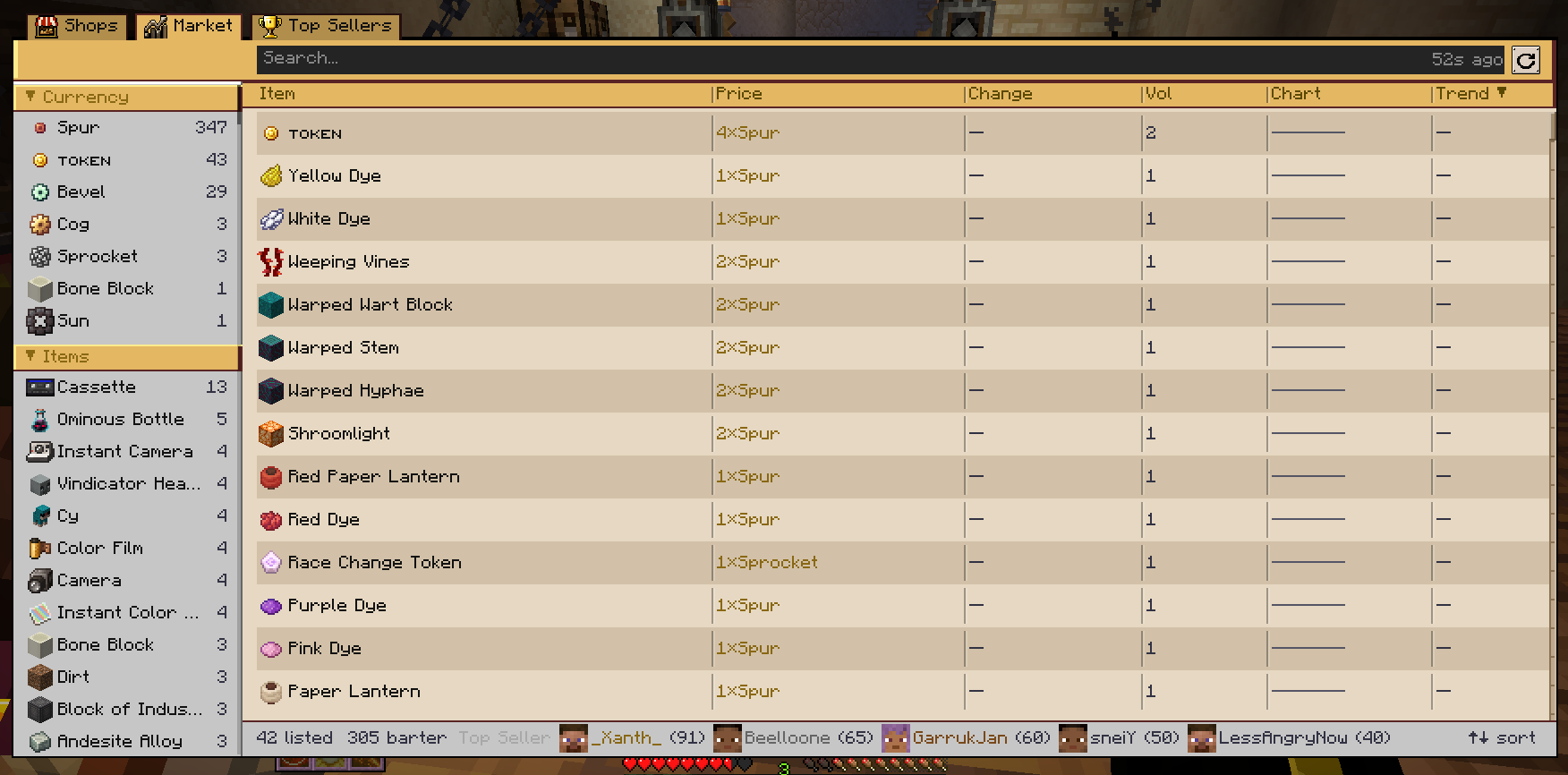
This is where it becomes a stock exchange.
Each row is an item, not a shop.
Shows
- Average price
- Price change %
- Trade volume
- Trend (rising / falling / stable)
- Sparkline chart of last 24h
Price history engine
- Snapshot every 10 minutes
- 144 snapshots stored (24h)
- Saved in world data
- Survives restarts
Highly traded items are highlighted automatically.
🏆 Top Sellers — who runs the economy
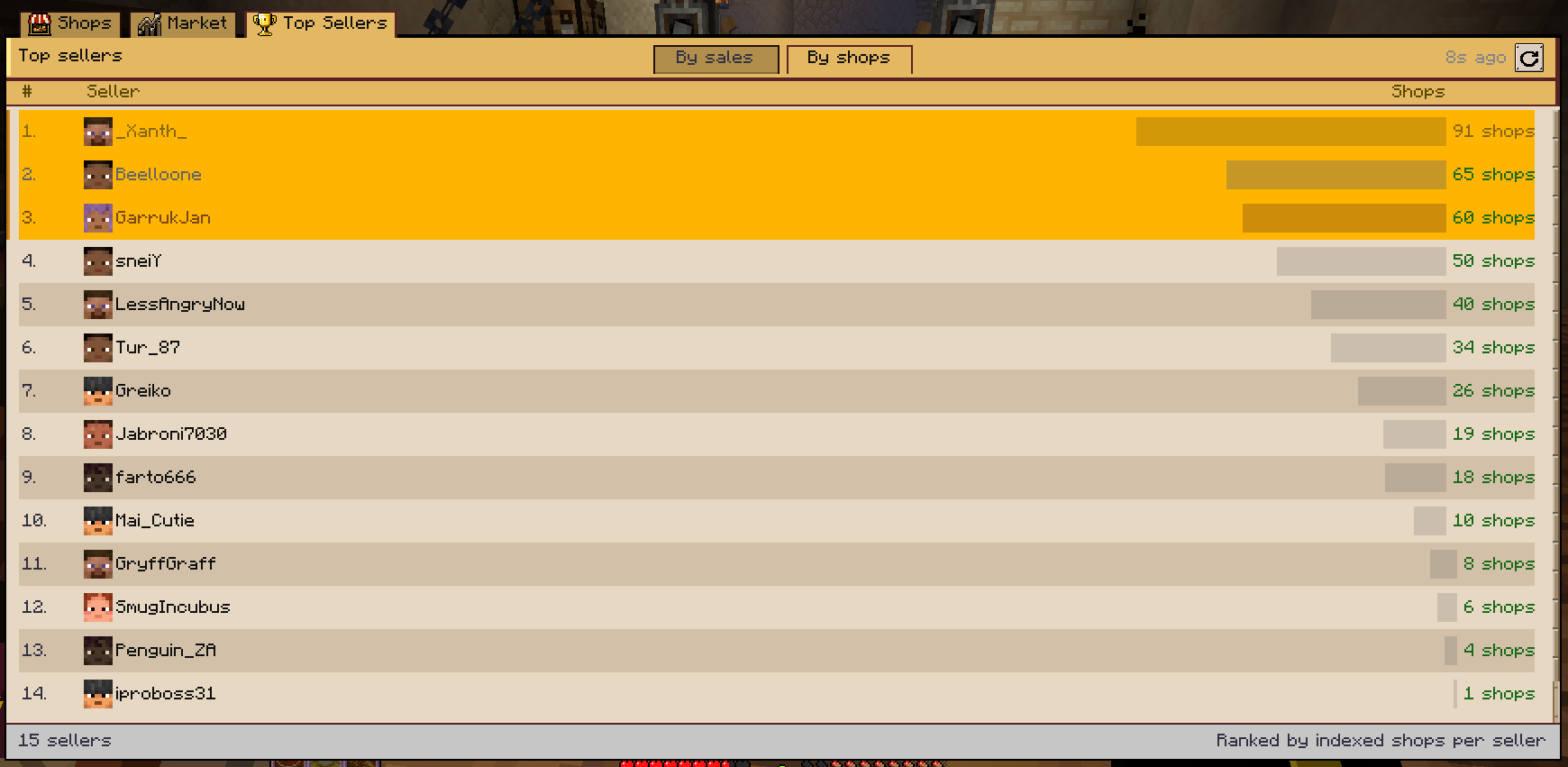
A leaderboard of the most active traders.
- Ranked by real sales if available
- Otherwise by shop count
- Top 3 get medals
- Visual activity bars per player
You immediately see who dominates the market.
⚙️ How it works (technical)
- Shops are indexed automatically on chunk load and block updates
- Data is sent only when UI opens (no background spam)
- Fully serverside logic
🐛 Issues, suggestions, ideas
Report here:
https://github.com/Deokma/create-stockmarket/issues
Create: Stock Market is a free Minecraft Java mod. Compatible with Minecraft 1.21.1. Downloaded 333,433 times (via CurseForge). Download it and open it directly in the game.