
3D Fly Mod 1.11.2 adds a 3D fly system to your Minecraft.
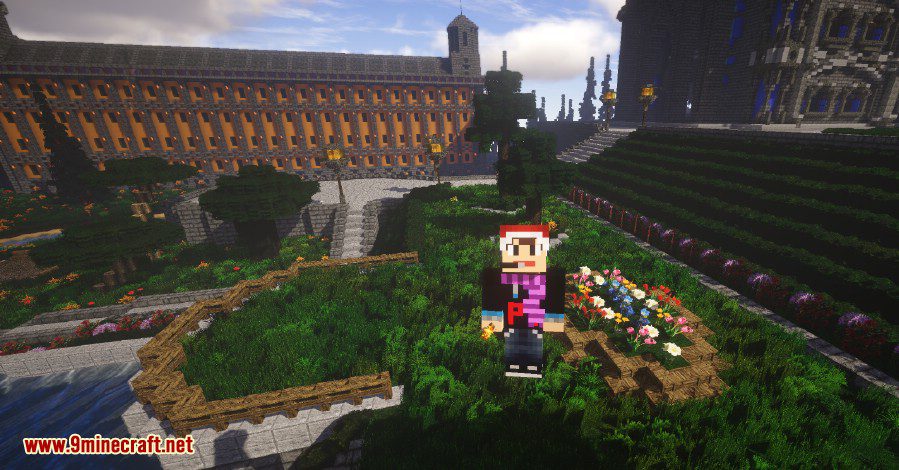
Screenshot:
Configuration:
There are two keybindings for the Mod. By default H opens the settings menu for the Mod and B enables the fly system. With the settings menu you can adjust the following settings:
- Mouse control: Enables or disables the mouse control feature. It is responsible for the 3D fly.
- Fly up/down blocks: Defines how fast you will fly upwards/downwards when using the upwards fly key (jump key) or the downwards fly key (sneak key).
- Fly speed multiplier: Defines how fast the fly speed will be when using the sprint key while flying.
- Run speed multiplier: Defines how fast you will run when you are using the sprint key.
You can also adjust the settings by editing the flymod.json in your Liteloader config directory.
3D Fly Mod 1.11.2 Download Links
For Minecraft 1.11.2
Quick facts
- Edition: Minecraft Java
- File type: .jar
- How to install: Install the matching mod loader (Forge, Fabric or NeoForge) for your Minecraft version. → Download the .jar. → Put it in the .minecraft/mods folder and launch that loader profile.
- Where to get it: In MC Java Mods, or directly above on this page.
Install steps are the general flow for this file type — How to install Minecraft Java mods & modpacks walks through it step by step.
Verified by MCModsHub
- Downloads as 211491.mcaddon
- Download size: 12 KB
- Download link checked 27 Jul 2026 — working
- Mirrored on our own servers — the download does not depend on the original host
These come from our own check of the pack file, not from the source page.