
Armor 3D
Java mod listed for Minecraft 1.20–1.21. Downloads from the MC Java Mods app on Android.
Renders the player and entity equipped armor in 3D and is compatible with most modded armor, dyes, and trims with support for 16x resource packs.
I don't know my version or loader
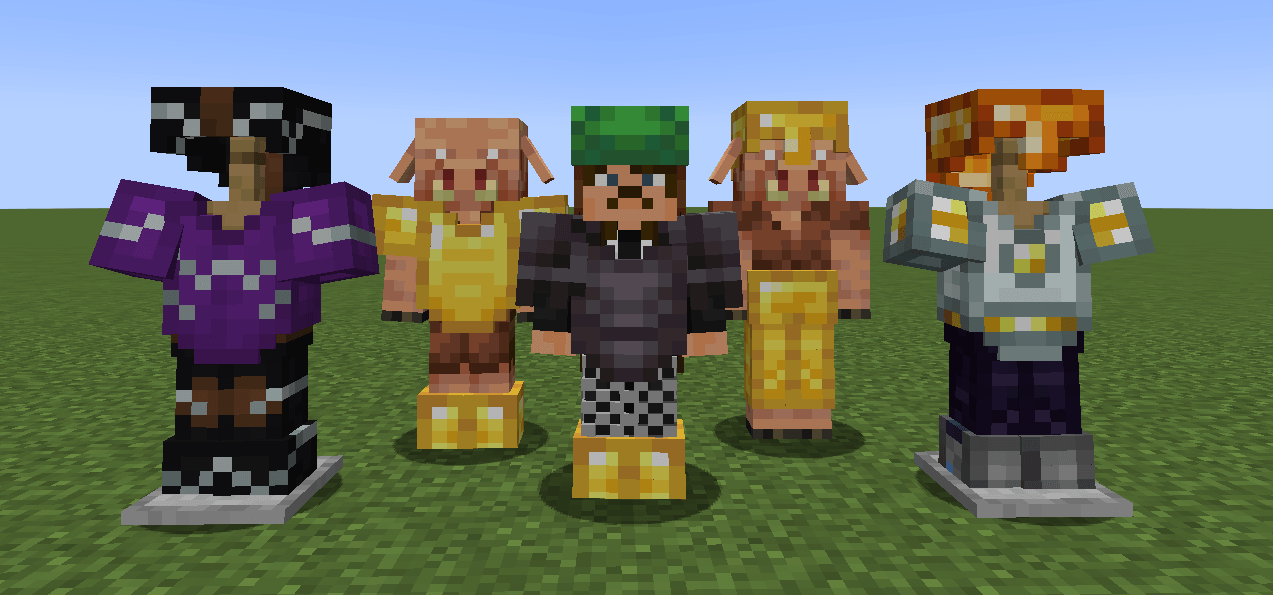
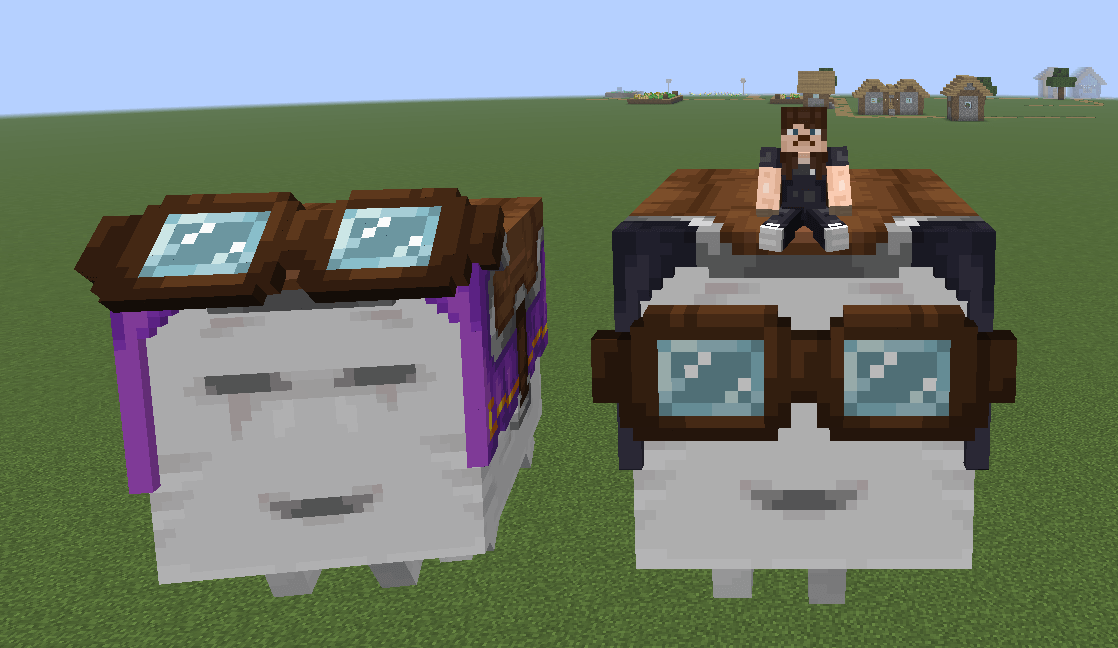
This mod enables rendering of the player and entity equipped armor/elytra/harness in 3D and is compatible with most standard armor mods, dyes, and trims with support for 16x resource packs.
This project is still a beta stage so expect few visual bugs. Although extensive precautions were taken to prevent frame rate drops, performance may decrease in areas with many armored entities. This is due to the dynamic armor model which ensures compatibility across all armors, but comes at a slight performance cost even when using optimization mods.
🟠 PLANNED FEATURES
- 3D Saddles (with modded/resource pack support)
- 3D Ghast Harness (with modded/resource pack support)
- 3D Wolf Armor (with modded/resource pack support)
- 3D Horse Armor (with modded/resource pack support)
- 3D Nautilus Armor (with modded/resource pack support)
- Better Optimization
- 32x Resource Pack Support
- Compatibility with Curios API
🔵 DEPENDENCIES
- Entity Model Features (2.4 or above)
🟢 COMPATIBILITES
⚠️ Works, but not as intended.
- 3D Skin Layers
- Fresh Animations (and all extensions)
- Fresh Player
- Better Combat
- Punchy!
- Not Enough Animations
- First-person Model
- ⚠️ Show Me Your Skin!
- Elytra Physics
- Aether (gloves and pendants)
- Expanded Combat (gauntlets)
- MmmMmmMmmMmm
- Illagers Wear Armor
- Corpse
- Paper Doll
- Easy NPC
- Straw Statues
🔴 INCOMPATIBILITES
Any mod that adds new armor layers are currently incompatible. 3D Elytra and Ghast Harness will break on all animation texture packs like Fresh Animations and Fresh Moves that require their own custom models. A patch will be released in the future!
- Edition: Minecraft Java
- File type: .jar
- Minecraft versions listed: 1.20.2, 1.21, 1.20.5
- How to install: Install the matching mod loader (Forge, Fabric or NeoForge) for your Minecraft version. → Download the .jar. → Put it in the .minecraft/mods folder and launch that loader profile.
- Where to get it: Opens on CurseForge — not every file is mirrored on our own servers.
Install steps are the general flow for this file type — How to install Minecraft Java mods & modpacks walks through it step by step.
- Ships as armor3d-0.0.5-neoforge-1.21.1.jar — drop this file into the mods folder
- Download size: 47 KB
- Download link checked 8 Oct 2026 — working
These come from our own check of the pack file, not from the source page.