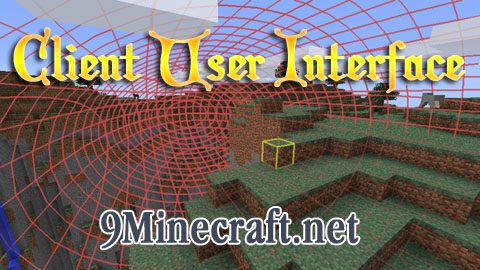
Client User Interface( CUI) Mod 1.4.6 is a client mod that adds an in-game GUI for WorldEdit. It shows your current selection in a visible, adjustable box with the corners clearly marked. This helps admins reduce errors while using WorldEdit, select more complex areas, and visualize the area that they are actually editing. It is an essential tool for any server that uses WorldEdit. It is also not currently compatible with SinglePlayerCommands, I’m working on getting it to work.
Screenshots:
Requirements:
- Modloader (NOT Forge!)
- WorldEdit
- SinglePlayerCommands (for Singleplayer)
Installation
- Download the mod, and unzip the file
- Follow the instructions in the INSTALL.txt file.
Usage
- WorldEditCUI is incredibly simple to use! Just install the mod, and it works whenever you select a point in WorldEdit!
- To clear your selection, type “//sel” into chat. This will clear your selection.
Changelogs:
- Update to Minecraft 1.4.6
- Substantial rewrite
- Separate Forge and ModLoader jars
- Put an end to tick issues (hopefully)
- Support for non-WorldEdit mods is coming
Download Links for Client User Interface Mod 1.4.6
Modloader version: https://dl.cdn9mc.com/index.php?act=dl&id=1356466779
Forge version: https://dl.cdn9mc.com/index.php?act=dl&id=1356466751
- Edition: Minecraft Java
- File type: .jar
- How to install: Install the matching mod loader (Forge, Fabric or NeoForge) for your Minecraft version. → Download the .jar. → Put it in the .minecraft/mods folder and launch that loader profile.
- Where to get it: In MC Java Mods, or directly above on this page.
Install steps are the general flow for this file type — How to install Minecraft Java mods & modpacks walks through it step by step.
- Downloads as 211925.mcaddon
- Download size: 374 KB
- Download link checked 27 Jul 2026 — working
- Mirrored on our own servers — the download does not depend on the original host
These come from our own check of the pack file, not from the source page.