
Potion Storage Mod 1.7.10
Minecraft Java mod. Downloads from the MC Java Mods app on Android.
⬇ DownloadPotion Storage Mod 1.7.10 adds a button that simply puts your active potion effects on hold. It is in the upper left of the screen. Clicking this takes any active potions you have and pauses them (saved to your player NBT data) for later. Click again to reapply.
This is great for survival for when you eat a gold apple, or say you drink an 8 minute speed potion. But then, you are done using the speed effect with 3 minutes left, and it goes to waste while you stand around crafting or fighting. Well, now you can pause that timer and turn it back on later.
In other words: If you click the button while ANY potion effects are in storage, it always gives them back to you. So, if you put some in storage and drink more, then pushing the button will put more in storage.
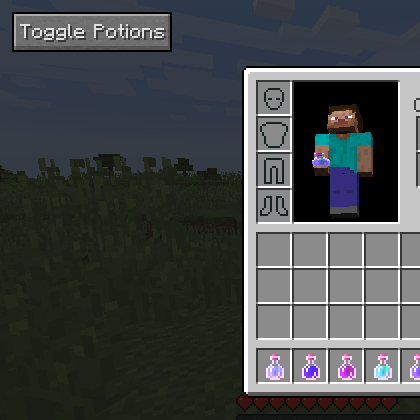
Mod Showcases:
Download Links for Potion Storage Mod 1.7.10
For Minecraft 1.7.10
For Minecraft 1.8
- Edition: Minecraft Java
- File type: .jar
- How to install: Install the matching mod loader (Forge, Fabric or NeoForge) for your Minecraft version. → Download the .jar. → Put it in the .minecraft/mods folder and launch that loader profile.
- Where to get it: In MC Java Mods, or directly above on this page.
Install steps are the general flow for this file type — How to install Minecraft Java mods & modpacks walks through it step by step.
- Downloads as 212270.mcaddon
- Download size: 10 KB
- Download link checked 27 Jul 2026 — working
- Mirrored on our own servers — the download does not depend on the original host
These come from our own check of the pack file, not from the source page.