Shield Banner Fix
Java mod listed for Minecraft 1.16–1.20. File opened and checked on 13 Oct 2026; downloads from the MC Java Mods app on Android.
I don't know my version or loader
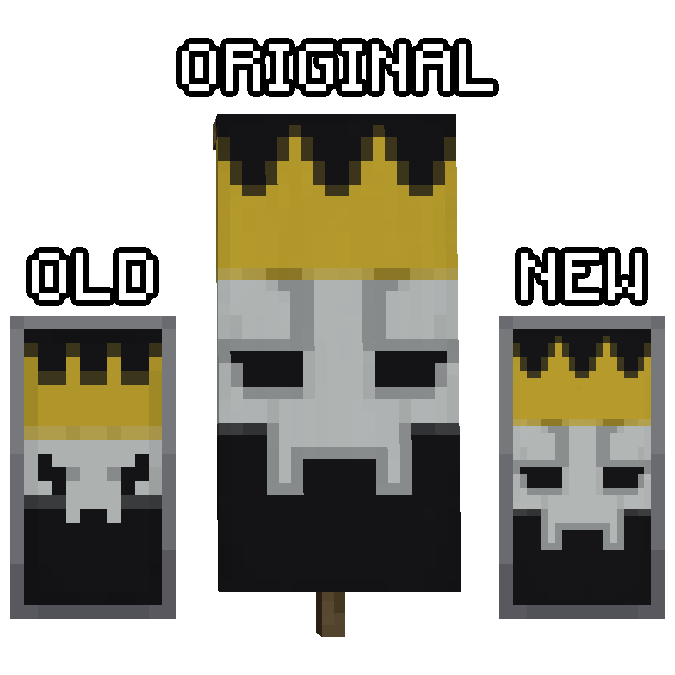
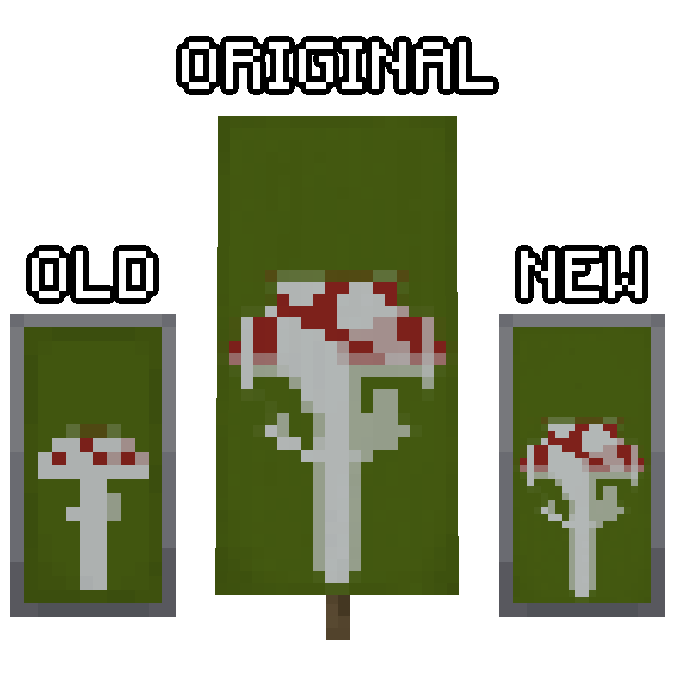
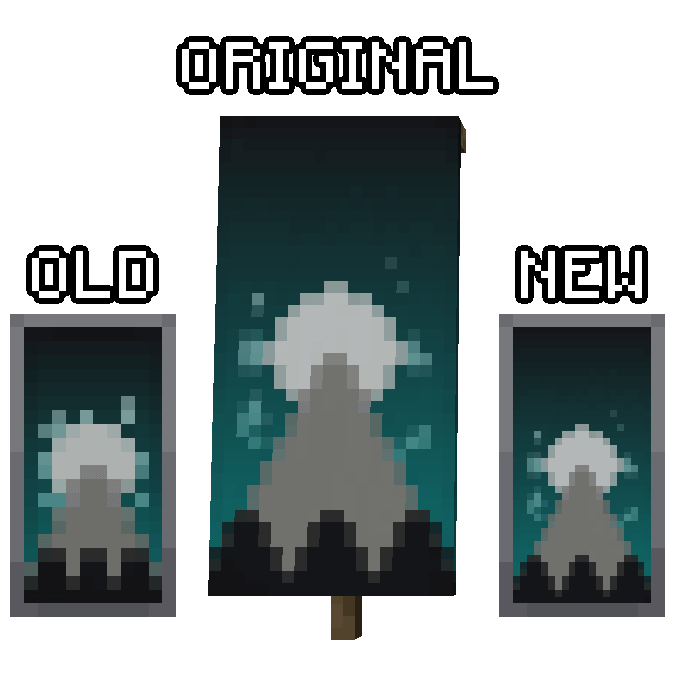
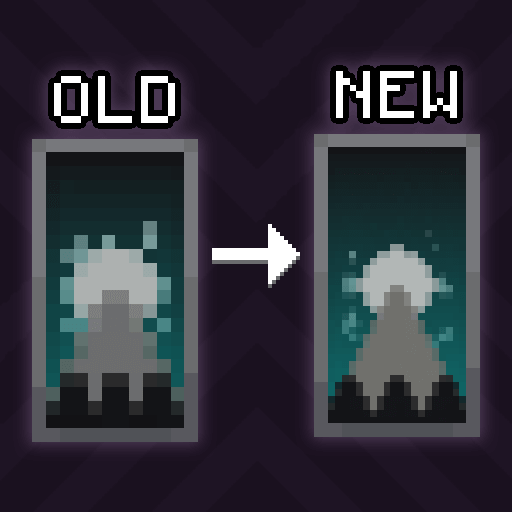
This mod fixes a long standing "bug" that causes shields with banners to display inconsistently with the banner block. With this mod installed vanilla shield patterns will be displayed in exactly the same way as the banner block and the loom preview. Installing this mod will apply the fix to all shields with banners, even those you have already crafted. This fix can also be reverted by simply uninstalling the mod.
How It Works
The Minecraft banner system defines two textures for each pattern. The block form of the banner uses a 20x40 texture while the shield uses a considerably smaller 10x20 texture. Despite being labeled a bug on their issue tracker this was an intentional decision by the developers which allows the banner to be pixel consistent with the rest of the item while sacrificing the accuracy and quality of the banner design. This mod restores that lost accuracy and quality by defining higher quality textures that match the block banners.
This mod is only required on the client but may be installed on a server without issue.
Modded Banners
Banner patterns added by mods will often include this fix built in. If you find a mod that does not, please reach out and we can include the fix in an update.
- Additional Banners - They already include the fix.
- Archaeology Banners - They already include the fix.
- Botania - Fixed by us.
- Coins JE - They already include the fix.
- Runelic - They already include the fix.
- Unown Font - They already include the fix.
Credits
This project includes textures and designs from third parties that have been modified in good faith to improve the experience for all players. These textures are redistributed in an attempt to supplement the original works and not as a substitute. These projects have been credited here however they have not officially supported or endorsed this project.
- Minecraft - Minecraft is the property of Mojang. This is not an official Minecraft product and is not approved by or associated with Mojang.
- Botania - The Botania mod was created by Vazkii.
 This project is sponsored by Nodecraft. Use code DARKHAX for 30% off your first month of service!
- Edition: Minecraft Java
- File type: .jar
- Minecraft versions listed: 1.20.4, 1.20.1, 1.20.2
- How to install: Install the matching mod loader (Forge, Fabric or NeoForge) for your Minecraft version. → Download the .jar. → Put it in the .minecraft/mods folder and launch that loader profile.
- Where to get it: Opens on CurseForge — not every file is mirrored on our own servers.
Install steps are the general flow for this file type — How to install Minecraft Java mods & modpacks walks through it step by step.
- Ships as ShieldBannerFix-Forge-1.20.1-5.0.2.jar — drop this file into the mods folder
- Download size: 43 KB
- Download link checked 8 Oct 2026 — working
These come from our own check of the pack file, not from the source page.