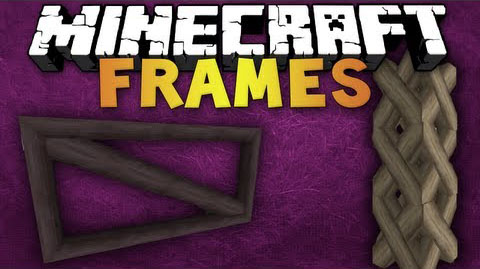
Frames Mod 1.7.10 adds in iron and wooden frames that you can decorate your world with. These have to be placed on a block but you can remove the block and then they will be free standing.
Screenshots and Usage:
Then you can place the frame on a wall and change it by right-clicking on it:
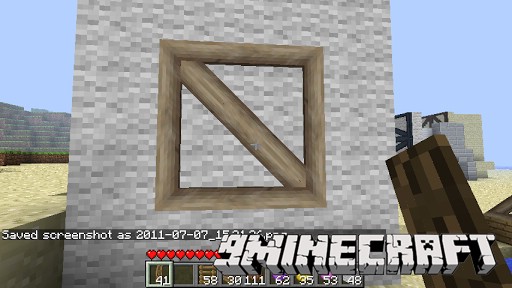
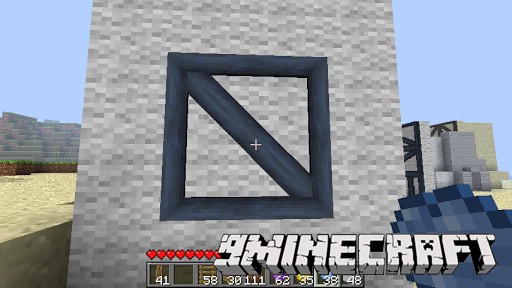
To change its color, apply a dye with right-click: White dye removes any other dye! To break them you have to use the correct tool i.e. pickaxe for iron, axe for wooden. Or you can break the wooden ones while holding a frame in your hand.
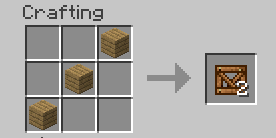
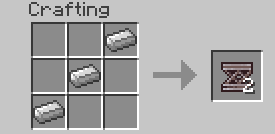
Crafting Recipes:
You first have to create beams
Download Links for Frames Mod 1.7.10
For Minecraft 1.7.2
For Minecraft 1.7.10
- Edition: Minecraft Java
- File type: .jar
- How to install: Install the matching mod loader (Forge, Fabric or NeoForge) for your Minecraft version. → Download the .jar. → Put it in the .minecraft/mods folder and launch that loader profile.
- Where to get it: In MC Java Mods, or directly above on this page.
Install steps are the general flow for this file type — How to install Minecraft Java mods & modpacks walks through it step by step.
- Downloads as 212434.mcaddon
- Download size: 115 KB
- Download link checked 27 Jul 2026 — working
- Mirrored on our own servers — the download does not depend on the original host
These come from our own check of the pack file, not from the source page.