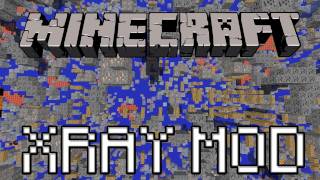
X-Ray and DTDB Mod. X-ray as the name says is a tool that makes selected blocks transparent letting you see what you want. You can use it to find needed materials, check out whats wrong with your redstone circuit and more.
The mod comes with 3 funtions:
- Xray-> “x” key
- Brightness-> “c” key ; Press once to highlight mobs or press twice for everything. 3th time resets to default
- Cave finder-> “v” key
You can change the hotkeys in the Controls menu(Yes, the games one).
You can change the blocks you want to show/hide in the menu(ctrl+x).
- Red – hidden
- Transparent – shown
- You change it with ENTER.
Forge merged files are compatible with the recommended forge release.
Download Links for X-Ray and DTDB Mod:
Quick facts
- Edition: Minecraft Java
- File type: .jar
- How to install: Install the matching mod loader (Forge, Fabric or NeoForge) for your Minecraft version. → Download the .jar. → Put it in the .minecraft/mods folder and launch that loader profile.
- Where to get it: In MC Java Mods, or directly above on this page.
Install steps are the general flow for this file type — How to install Minecraft Java mods & modpacks walks through it step by step.
Verified by MCModsHub
- Downloads as 212541.mcaddon
- Download size: 2 KB
- Download link checked 23 Jul 2026 — working
- Mirrored on our own servers — the download does not depend on the original host
These come from our own check of the pack file, not from the source page.