XtraBlocks Mod 1.7.10
XtraBlocks Mod 1.7.10: A range of mods that add a wide variety of new blocks, Lighting, slopes, liquids and items to Minecraft. Includes many blank…
⬇ DownloadOpen in MCModsHubGet it on Google Play →XtraBlocks Mod 1.7.10: A range of mods that add a wide variety of new blocks, Lighting, slopes, liquids and items to Minecraft. Includes many blank numbered blocks that you can add your own textures to.
- Have you ever wanted more texture’s without sacrificing vanilla blocks.
- Do you want more lighting options? Torches, Lamps & Light Blocks.
- How about colored and stained glass, or more variety of stairs?
- Ever wish that buttons/pressure plates would hold your doors open a bit longer… or maybe a lot longer?
- Maybe you even wanted more liquids, doors, cakes, fences and gates or multi-textured blocks?
This is a very large mod, with well over a thousand blocks. It has been designed so that you can use as few or as many as you require.
There are quite a few useful blocks that come already textured, but the vast majority of blocks have blank textures (numbered for convenience) that you need to texture yourself.
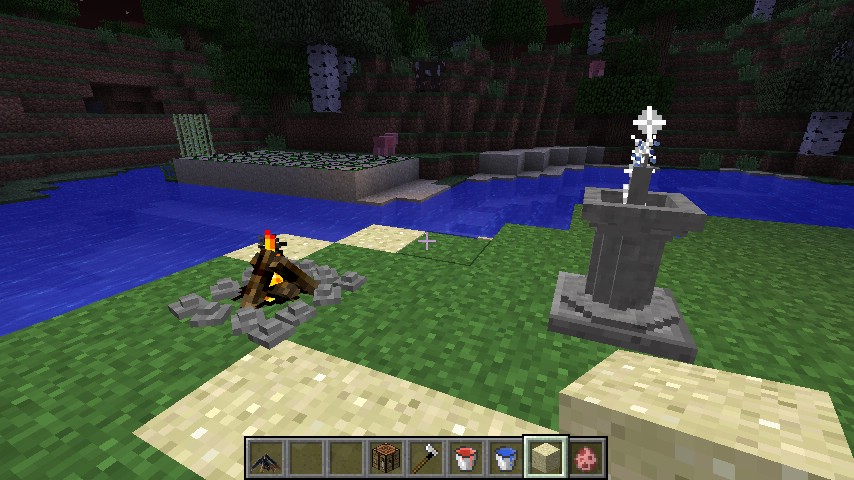
Screenshots:
Mod Spotlight:
How to disable blocks or remove specific modules:
- 1. To disable blocks. All you need to do is set the id of the block you want to disable to -1 in the config file. As a general rule, only the first block of each module can’t be disabled (this is to prevent a crash as the icon is used for the creative tabs)
Another thing to note, is that it is not recommended to disable blocks in the fences module. To enable torches to be placed on fences, they share some code that will cause crashes when one of them is not present. - 2. All of the modules are independant. To remove a module, just open the mod .zip then open the folder called “xtrablocks” and delete the folder of the modules that you don’t want. You can then remove the corresponding texture folders from the “mods” folder.
How to change block/item names:
Now you can rename any of the blocks/items whatever you like.
To use the language files, follow the simple instructions below
- To edit the names, you will need to open the XtraBlocks mod.zip and then go into the assets folder.
- Open the folder for the module you want to edit and then go into the “lang” folder.
- Just double click the en_US.language file in the zip, to open it with you text editing program.
- Change the name/names (as shown below) then save it and allow it to update the zip.
Note: If the file does not open up in your text editor of choice, just drag the language file to your desktop (or somewhere of your choosing) and change the default program that opens it. (Right click on the file and select open with, then select the default program, i.e. Notepad++ or a similar program.) Now that the file has been associated, all language files should open directly from the .zip.
To edit the language file, you need to change only the part after “name=” at the end of each string. e.g.
tile.MultiStone01.name=MultiStone 01
would be changed to.
tile.MultiStone01.name=The name of your choice
How to texture the blocks:
Textures can be edited directly from the mod .zip or you can extract the texture folders to another location for editing and then drop them back into the .zip when done.
All textures can be resized to whatever you need. rages 16 – 256 will work with minecraft alone. Sizes above that will need HD support from either Optifine or MCPatcher.
- Open the mods .zip file and then open the assets folder.
- Open the folder of the module you want to re-texture and then navigate into the textures folder.
- Open the folder that you need, be it Blocks, Items or GUI (choices vary between modules).
- Select the texture that you want to edit and open it in the texture editing software of your choice.
(Photoshop, PaintShopPro, Gimp) - Edit the texture. You can either design you own with the tools in your paint package or you can replace the texture with one from a texture pack/image hosting site.
- Save the image (making sure not to change the name) directly back to the zip, or to wherever you extracted them to. If the textures were extracted, you will now need to drop them back into the mods.zip (replacing the original texture)
How to use with resource packs:
- Just open the .zip for you resource pack and you should see an assets folder.
- Open the assets folder and drop all of the texture folders from the Xtrablocks assets folder into it. (make sure that they are just in the assets folder and not in assets/minecraft)
That’s it. now you can change textures or block names from your resources pack.
Crafting Recipes:
Wood Splitter.
Kindling.
Campfire.
Increased Bonemeal.
XtraBlocks Mod Changelogs:
v1.1.2
- Fixed wrong sound for Cloth Pavers.
- Fixed no lightning bolt when attacking with DiamondSword09.
- Changed GlowGrass back to a full block.
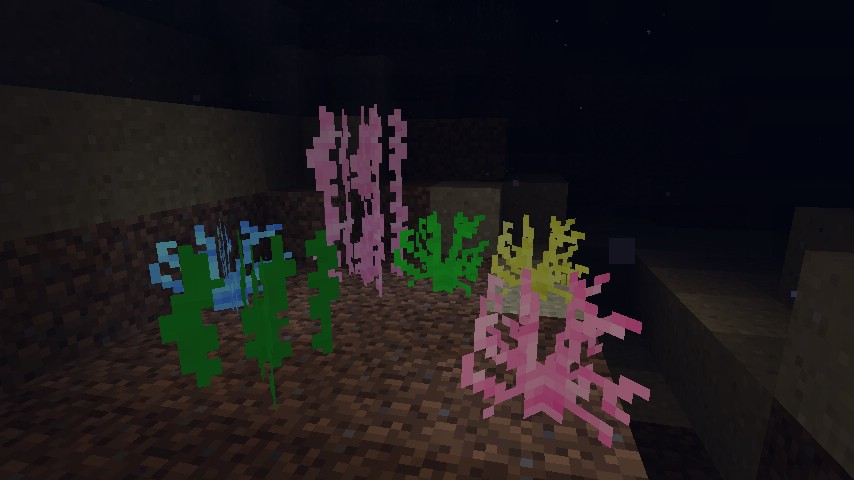
- Added DIYCoral blocks to DIYDecorations. 8 x regular, 8 x glow.
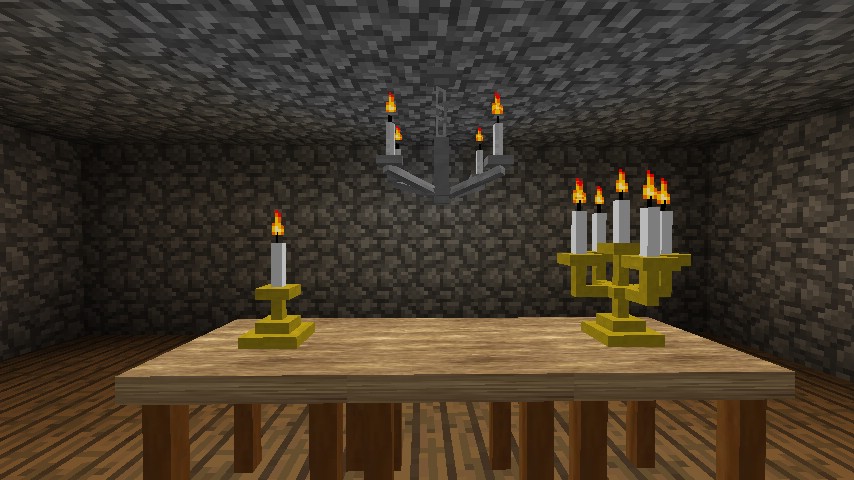
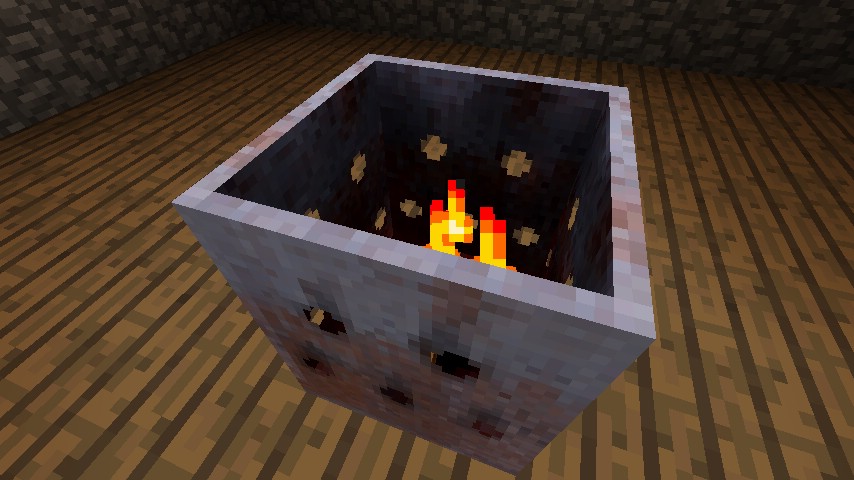
- Added CandleHolder, Candelabra, Chandelier and Brazier to DIYXtras. Brazier works the same as the Campfire and the candle blocks can be activated with the zippo/torchsnuffer.
Download Links for XtraBlocks Mod 1.7.10
For Minecraft 1.5.2
https://www.dropbox.com/s/9kujdy95pbjhvc6/1.5.2_XBEE_Beta_Test_v1.0.7b.zip
For Minecraft 1.6.2
https://www.dropbox.com/s/wj51hmp74zrbj0k/1.6.2_XBEE_Beta_Test_v1.0.1b.zip
For Minecraft 1.6.4
https://www.dropbox.com/s/6bor8tj7l3ngeoh/1.6.4_XBEEModulated_v1.1.0e.zip
For Minecraft 1.7.2
https://www.dropbox.com/s/mfslclrsf48dir4/XtraBlocks-1.7.2-1.1.2.jar
For Minecraft 1.7.10
https://www.dropbox.com/s/3n5zd7km23vrenw/XtraBlocks-1.7.10-1.1.2.jar
XtraBlocks Mod 1.7.10 is a free Minecraft Java mod. Download it and open it directly in the game.