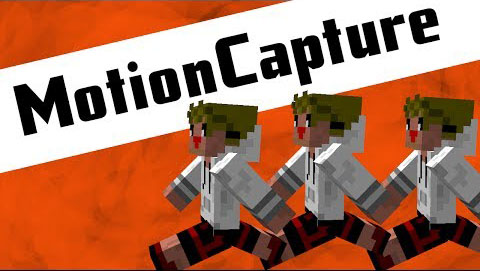
Motion Capture Mod 1.7.10 is aimed at film-makers who wish to record the motion of their character and replay it back via a scripted entity. It allows you to create a whole series of composite characters for use in your own videos without having to splash out on extra accounts or enlist help.
Demo:
Tutorial:
Mod Spotlight:
Instructions:
To record:
/mocap-rec <replayname>
This records:
- Movement + head rotation
- Item drops (q)
- All Item meta-data (books, enchants, custom names)
- Equip Items / Armor in all slots
- “Block” animation (Sword, etc)
- Shoot arrow (velocity & direction)
- Chat
- Punch
- Sprint
- Crouch
- 10fps motion record
then “/mocap-rec stop” to stop recording.
To replay the motion, set up a command block and use the command:
mocap-play <replayname> <player-skin> <entityname>
(“player-skin” is the name of any valid MC character, the mod downloads the players skin from MC.net – case sensitive).
Note: Replays are saved in worldfolder/mocaps/*.mocap
Download Links for Motion Capture Mod 1.7.10
For Minecraft 1.6.4
For Minecraft 1.7.2
Motion Capture Mod: Download from Server 1
Mocap Core: Download from Server 1
For Minecraft 1.7.10
Motion Capture Mod: Download from Server 1
Mocap Core: Download from Server 1
- Edition: Minecraft Java
- File type: .jar
- How to install: Install the matching mod loader (Forge, Fabric or NeoForge) for your Minecraft version. → Download the .jar. → Put it in the .minecraft/mods folder and launch that loader profile.
- Where to get it: In MC Java Mods, or directly above on this page.
Install steps are the general flow for this file type — How to install Minecraft Java mods & modpacks walks through it step by step.
- Downloads as 212871.mcaddon
- Download size: 31 KB
- Download link checked 27 Jul 2026 — working
- Mirrored on our own servers — the download does not depend on the original host
These come from our own check of the pack file, not from the source page.