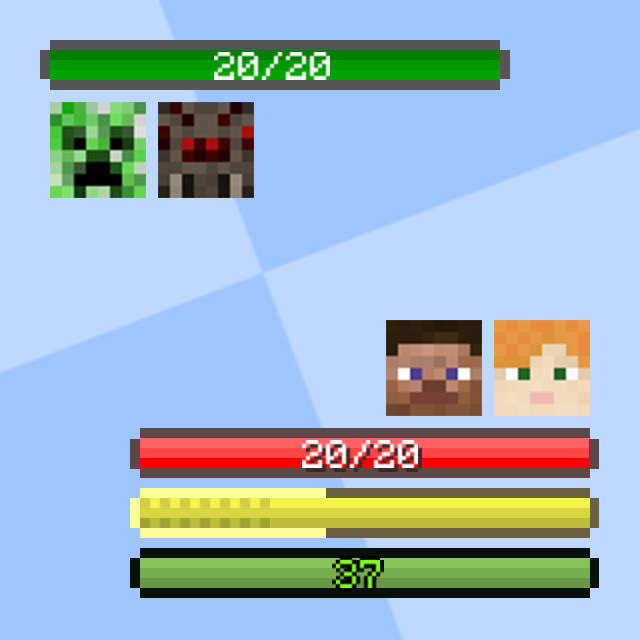
AsteorBar
Java mod listed for Minecraft 1.18–1.21. Downloads from the MC Java Mods app on Android.
⬇ Download on CurseForgeAsteorBar
A simple mod to display player's status in HUD and mob's health using slim bars.
If you have some feature requests, or some issues, you are welcomed to join my discord server.
See changelog here.
Features
HUD Overlay
- Vanilla feel. Bars can blink as vanilla hearts do(on regen health, on hurt, and so on).
- Display health, hunger, mount health and more.
- Change the color of the bars while be with regeneration, poison, wither or starvation effects. Frozen also supported.
- Won't be affected by max health. Suitable for situations with high max health.
- Display health and absorption together.
- Display saturation and exhaustion together with hunger.
- Display experience value.
- Bars will flash and shake when the player has low health or hunger.
- Use stacked bars to display health.
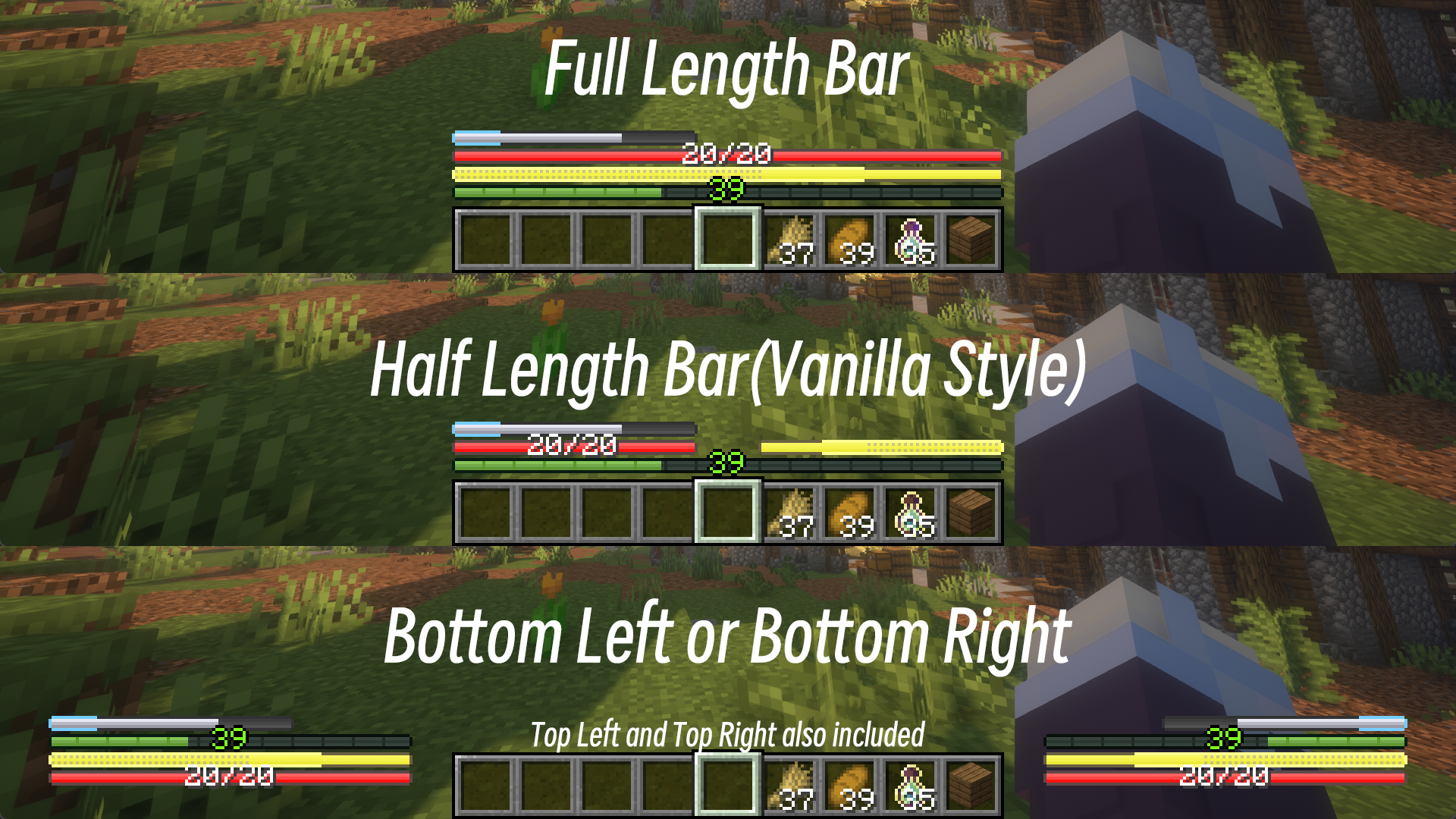
- Multiple layout, vanilla and corner included.
- Hide bars when the value has not changed for a while.
- Configurable. You can change whether to display some bars.
Entity info
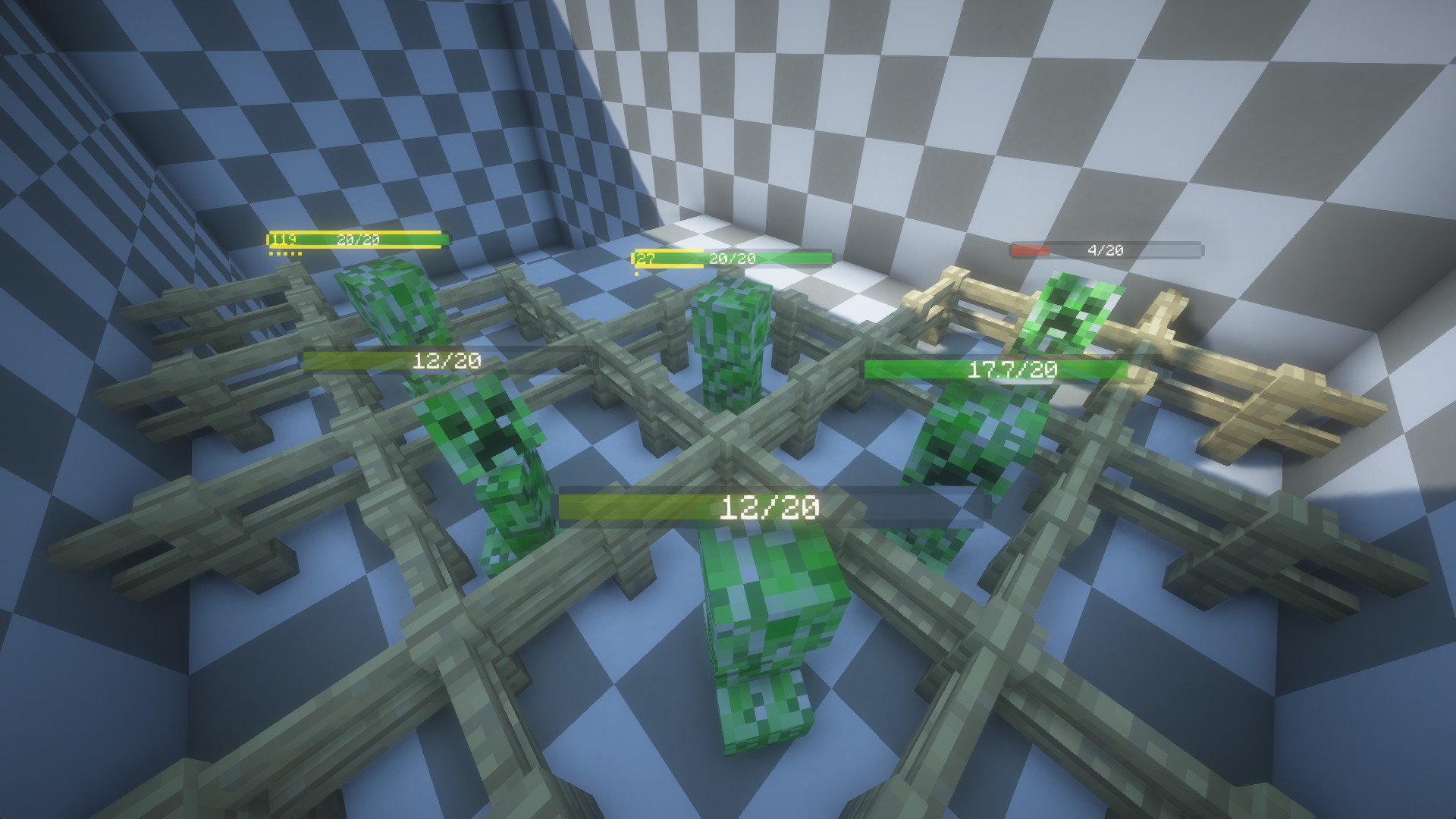
- Display living entity's health and max health.
- Display absorption of living entity.
- Very simple with good look.
- Dynamic color of health bar. The color will change when the entity's health is low.
- Highly configurable. You can change whether to display bars in many situations. And you can change many properties of the bars(e.g. color, scale, offset…).
Compatibility
- Mekanism: Forge(1.18.2, 1.19.2, 1.20.1)
- Tough As Nails: Forge(1.18.2, 1.19.2, 1.20.1, 1.20.2, 1.20.4), Fabric(1.19.2, 1.20.1, 1.20.2, 1.20.4, 1.20.6), NeoForge(1.20.2, 1.20.4, 1.20.6)
- Thirst Was Taken: Forge(1.18.2, 1.19.2, 1.20.1)
- Dehydration: Fabric(1.18.2, 1.19.2, 1.20.1)
- Iron's Spells 'n Spellbooks: Forge(1.18.2, 1.19.2, 1.20.1)
- Light Shield: Forge(1.20.1), NeoForge(1.20.4)
- Parcool: Forge(1.18.2, 1.19.2, 1.19.3, 1.19.4, 1.20.1, 1.20.2)
- Feathers: Forge(1.18.2, 1.19.2, 1.19.3, 1.19.4, 1.20.1)
- Apple Skin: Forge(1.18.2, 1.19.2, 1.19.3, 1.19.4, 1.20.1, 1.20.2, 1.20.4), Fabric(1.18.2,1.19.2,1.19.4, 1.20.1, 1.20.2, 1.20.4, 1.20.6), NeoForge(1.20.2, 1.20.4, 1.20.6)
- Vampirism: Forge(1.18.2, 1.19.2, 1.19.3, 1.19.4, 1.20.1), NeoForge(1.20.4)
- Superior Shields: Forge(1.18.2, 1.19.2, 1.20.1)
- Homeostatic: Forge(1.18.2, 1.19.2, 1.19.4, 1.20.1)
- TerraFirmaCraft: Forge(1.18.2, 1.20.1)
- Botania: Forge(1.18.2, 1.19.2, 1.20.1)
- Ars Nouveau: Forge(1.18.2, 1.19.2, 1.20.1)
Notes
Data Sync
The following features will not take effect on servers because they are not synced in vanilla Minecraft
- Saturation and exhaustion
- Absorption of living entities
This plugin for Spigot/Paper server can sync saturation and exhaustion to client.
Compatibility
Due to the limitation of the API, this mod couldn't automatically turn off some third party's mod.
For a better experience, you will need to turn off their HUD manually.
Usually you can achieve this by setting the enable option in their config file to false.
For those mods that don't provide such an option, you may find offset or location options in their config file.
By setting these values to a large number(above 1000 is enough in most cases), you can move their HUD out of the screen, which is equivalent
to turning them off.
Known Incompatibility
Here are some known incompatibility with other mods, and currently there is no solution for them.
- Oculus: while using shaders, living entity's health bar may not display correctly.
Q&A
How to change the layout of HUD?
Press F8 by default, the HUD style will be cycled, include vanilla layout.
How to disable HUD or Entity Bar, I do only need one of the features?
HUD can be closed by pressing F8, Entity Bar can be close by pressing F10, you can also disable these features in the config file.
How to configure the mod in game?
For Fabric version, you'll need to install Mod Menu. For Other version, you can use any in-game configuration editor, such as configured.
The bars are too close and the text is stacking on each other.
You can change the text scale in config, 1.0 should be well with force Unicode, and I recommend 0.75 if you are using vanilla font.
How to change color in config, I don't understand what these numbers mean.
Colors are in ARGB hex format, but displayed as dec values. You can use Windows calculator, switch to programmer mode, click the 'QWORD' until it becomes 'DWORD', then click on HEX and input your ARGB color. The DEC value is just what you needed.
- Edition: Minecraft Java
- File type: .jar
- Minecraft versions listed: 1.21.11, 1.21.9, 1.21.10
- How to install: Install the matching mod loader (Forge, Fabric or NeoForge) for your Minecraft version. → Download the .jar. → Put it in the .minecraft/mods folder and launch that loader profile.
- Where to get it: Opens on CurseForge — not every file is mirrored on our own servers.
Install steps are the general flow for this file type — How to install Minecraft Java mods & modpacks walks through it step by step.
AsteorBar is a free Minecraft Java mod. Compatible with Minecraft 1.21.11, 1.21.9, 1.21.10, 1.21.8 and newer. Downloaded 3,192,114 times (via CurseForge). Download it and open it directly in the game.