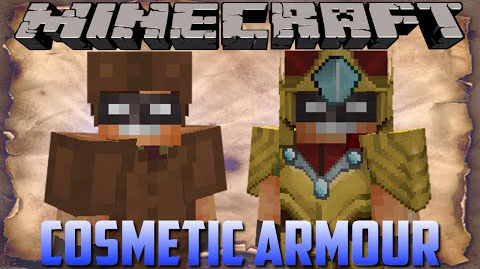
Darkhax's Cosmetic Armor Mod 1.7.10
Darkhax's Cosmetic Armor Mod 1.7.10 is a simple mod that brings four additional armor slots to the Player's inventory. What's special about these four…
⬇ DownloadDarkhax’s Cosmetic Armor Mod 1.7.10 is a simple mod that brings four additional armor slots to the Player’s inventory. What’s special about these four slots though is that any armor placed in them will only appear visually on the Player, and not affect the Player in any way. It allows for the usage of one armor piece (say, Boots of the Traveler) while still retaining the aesthetics brought by another.
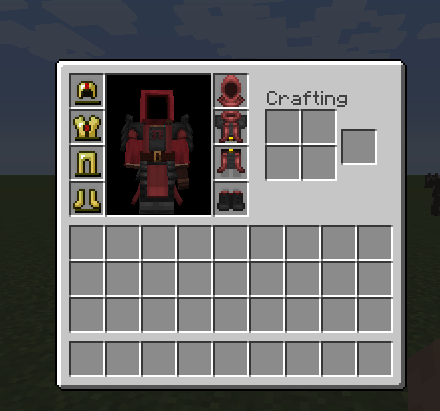
Pressing the Cosmetic Inventory hotkey (C by default) opens up this GUI. The slots along the left are the armor slots you’re used to, where the slots on the right contain the armor to be displayed on your Player. Any armor that doesn’t have a corresponding piece of cosmetic armor will render as normal.
Download Links for Darkhax’s Cosmetic Armor Mod 1.7.10
For Minecraft 1.7.10
- Edition: Minecraft Java
- File type: .jar
- How to install: Install the matching mod loader (Forge, Fabric or NeoForge) for your Minecraft version. → Download the .jar. → Put it in the .minecraft/mods folder and launch that loader profile.
- Where to get it: In MC Java Mods, or directly above on this page.
Install steps are the general flow for this file type — How to install Minecraft Java mods & modpacks walks through it step by step.
- Downloads as 212963.mcaddon
- Download size: 29 KB
- Download link checked 23 Jul 2026 — working
- Mirrored on our own servers — the download does not depend on the original host
These come from our own check of the pack file, not from the source page.