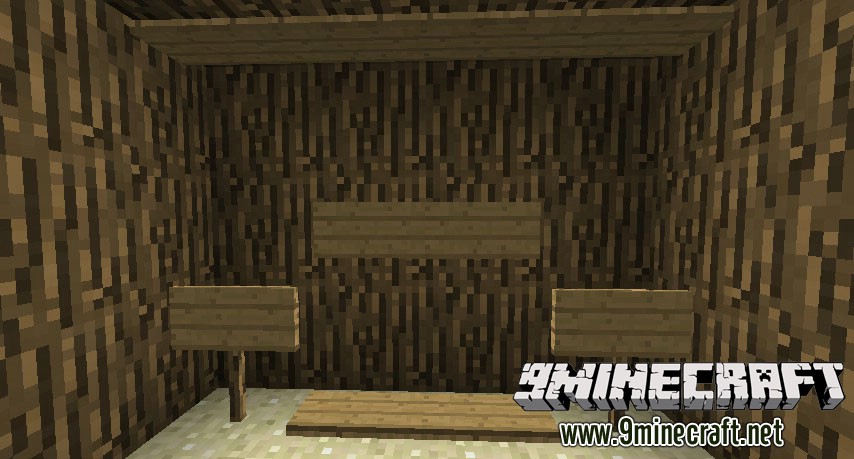
FlatSigns Mod 1.7.10 is a mod by Myrathi, providing new sign functionality that allows signs to be placed flat on the ceiling or the floor (via sneak click). You can also make sponges to edit existing signs.
Features:
- Place signs flat on the floor or ceiling.
- Works with the normal signs already in the game; no new blocks are added.
- Edit the text on an existing sign by right-clicking it with a sponge or a sponge wipe.
- Create sponges by throwing yellow wool into water or leaving it in the rain.
- Craft a more durable sponge wipe by combining a sponge with cactus green.
- Place a sponge as a decorative block by holding the sneak key while placing it.
How to Use:
- To place a sign flat on the floor, hold the sneak key while you click. To place one on the ceiling, just place it normally.
- To edit a sign, right-click it with a sponge or a sponge wipe to open the editing screen.
- To make a sponge, throw a block of yellow wool into water or onto the ground while it is raining.
- You can also place a sponge as a block without editing a sign by holding sneak while placing it.
FlatSigns Mod Download Links
For Minecraft 1.7.10
Quick facts
- Edition: Minecraft Java
- File type: .jar
- How to install: Install the matching mod loader (Forge, Fabric or NeoForge) for your Minecraft version. → Download the .jar. → Put it in the .minecraft/mods folder and launch that loader profile.
- Where to get it: In MC Java Mods, or directly above on this page.
Install steps are the general flow for this file type — How to install Minecraft Java mods & modpacks walks through it step by step.
Verified by MCModsHub
- Downloads as 213144.mcaddon
- Download size: 33 KB
- Download link checked 23 Jul 2026 — working
- Mirrored on our own servers — the download does not depend on the original host
These come from our own check of the pack file, not from the source page.