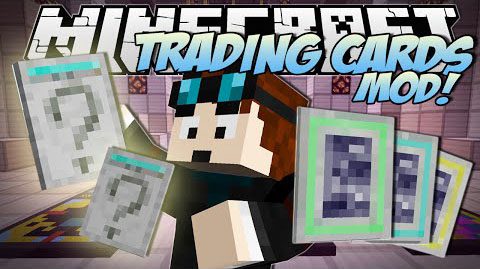
Mine Trading Cards Mod 1.7.10
Minecraft Java mod. Downloads from the MC Java Mods app on Android.
⬇ DownloadMine Trading Cards Mod 1.7.10 was created for the sole purpose of giving an objective on any game tier. It does not add any monsters, world generation or villagers. Just boosters and cards that you can hopefully trade with your friends.
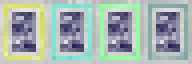
Boosters and cards orderer by rarity level

Mod Information:
Boosters informations
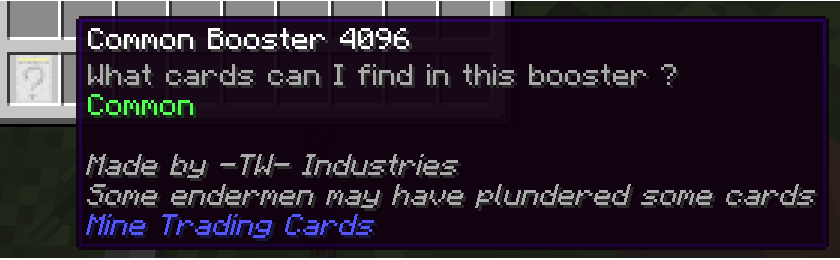
A booster is an item that can only be found on monsters. It is splitted between four rarity levels: Common, Uncommon, Rare and Artifact. You open it by right-clicking it, and he will spill cards in your inventory (or on the ground if your inventory is full). You have equal chances to get every cards, there is no card that is more common than another. Then, where do you find them?
- Common Booster
- Any monster: 5% chances to get 1
- Wither: 100% chances to get 5
- Ender Dragon: 100% chances to get 10
- Uncommon Booster
- Any monster: 3% chances to get 1
- Wither: 100% chances to get 4
- Ender Dragon: 100% chances to get 5
- Rare Booster
- Any monster: 1% chances to get 1
- Wither: 100% chances to get 2
- Ender Dragon: 100% chances to get 3
- ArtifactBooster
- Wither: 50% chances to get 1
- Ender Dragon: 100% chances to get 1
Cards informations
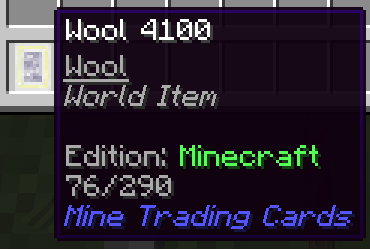
A card is an item that can only be found into boosters. It is also splitted between the same four rarity levels of the booster
This is the item that is meant to be traded with your friends, or some random strangers. Currently, you can do nothing useful with them. You will find theses informations on the card’s tooltip:
- The name
- The category
- A white space
- The edition, with the color of the rarity level
- The number of the card in the edition and the number of cards in the edition
The cards binder
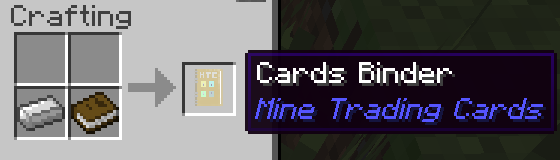
Your only storage options were double chests or lava (or other storages froms mods), but yet it was taking a lot of place. Fear not !! There is now an item that allow you to store all your cards into just one item: the Cards Binder !!
Recipe requires just an iron ingot and a book.
Upon creation, the binder do not have any edition. To set the edition, just shift-right-click with the item in your hands. A chat message should confirm the use of your binder.

Once the edition set, you’ll see something like this
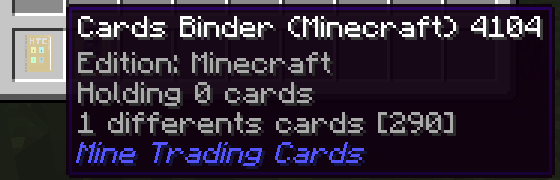
- The edition
- Total number of cards inside
- Total number of differents cards that were added inside and the total number of cards inside the edition
Once set to an edition, just right-click to open the item’s UI
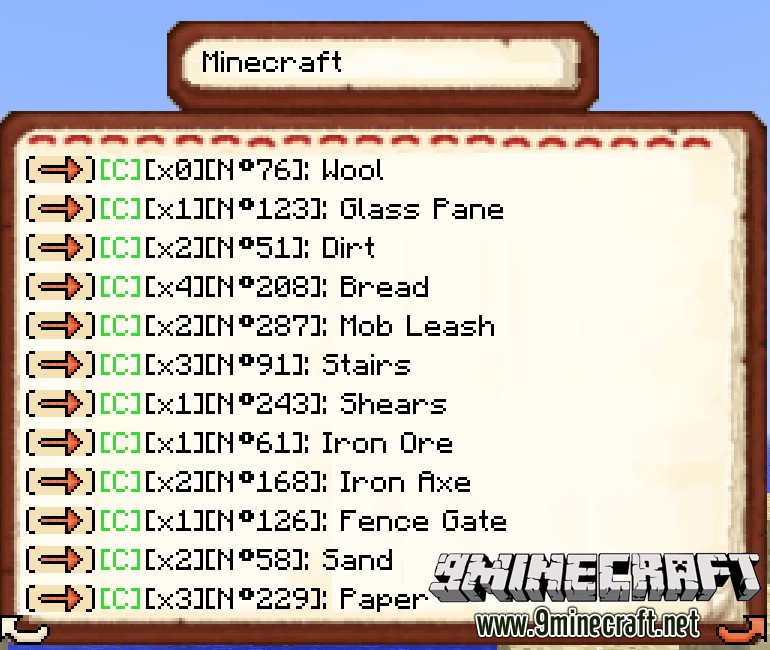
Quite special, so let met explain how this works;
The edition of the binder is displayed at the top, then below you have the list of the cards inside the binder.
The arrow is to transfer the card from the binder to your inventory (will not transfer if your inventory can’t accept it).
On the screenshot, the green “[C]” is the rarity, which are here, all commons cards.
Then you can find how many cards of that type is inside, the number of the card in the collection and finally, the name.
Finally, the bottoms arrows are to change the current page. An orange arrow means that you can flip the page, else, well, thats mean that you can’t !!
Be mindfull, that, unfortunatly, the binder doesn’t works right now on servers.
How to add your collection (text version):
Show More- Create a folder named ‘MTC Editions’ in your .minecraft folder. This folder will be created by the mod if he is not existing.
- Create a .csv file. Be careful, the name of the file will be the name of the edition.
- Open it with notepad or excel.
If your are directly using excel, open the file with someting like notepad++ to check that the separations characters are semi-colons and not commas. Be sure that the file extension is .csv
Other formats will be completly ignored. MTC looks only inside the ‘MTC Editions’ directory. So no sub-folders !!
The card’s format is quite simple:
Format: [name];[rarity];[category]
Exemple: Zombie;common;Mob
- The category is not mandatory. Know that each string will be cleaned (removal of duplicate whitespaces and trimmed).
- The rarity is a restricted string. It can take only four valids values: ‘common’, ‘uncommon’, ‘rare’, ‘artifact’.
- The rarity is not case sensitive, ‘COmmoN’ or ‘cOmmOn’ are valids values.
- Cards are considered as duplicate if they are sharing their , , and That’s mean that you can have two zombies in your editions with different rarity level.
Mod Spotlight:
Download Links for Mine Trading Cards Mod 1.7.10
For Minecraft 1.7.10
- Edition: Minecraft Java
- File type: .jar
- How to install: Install the matching mod loader (Forge, Fabric or NeoForge) for your Minecraft version. → Download the .jar. → Put it in the .minecraft/mods folder and launch that loader profile.
- Where to get it: In MC Java Mods, or directly above on this page.
Install steps are the general flow for this file type — How to install Minecraft Java mods & modpacks walks through it step by step.
- Downloads as 213325.mcaddon
- Download size: 72 KB
- Download link checked 27 Jul 2026 — working
- Mirrored on our own servers — the download does not depend on the original host
These come from our own check of the pack file, not from the source page.