ModsJava
Sword Pedestal Mod 1.7.10
Minecraft Java mod. Downloads from the MC Java Mods app on Android.
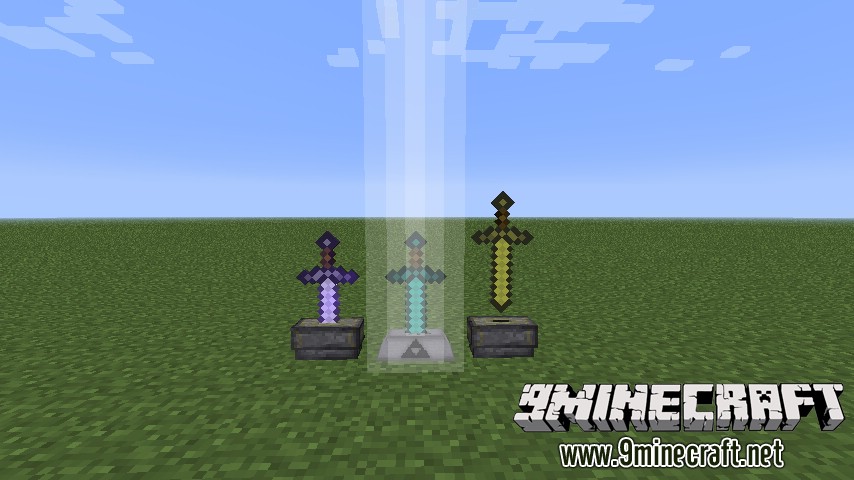
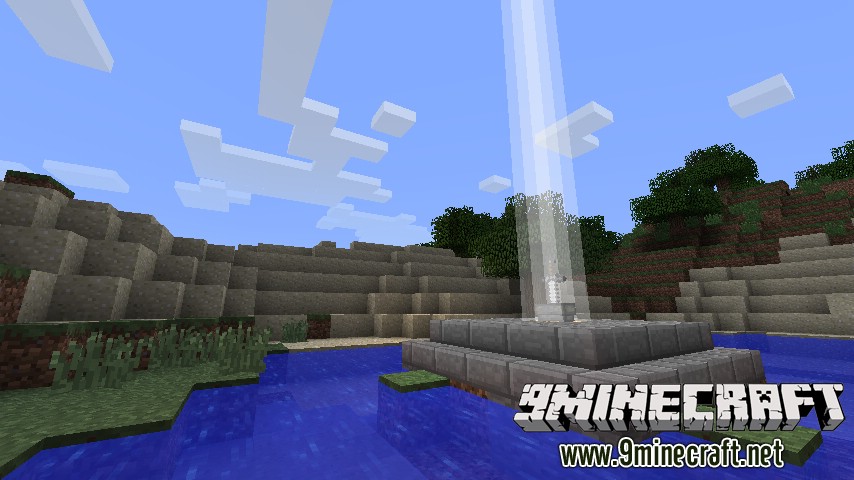
⬇ DownloadSword Pedestal Mod 1.7.10 adds a block, Sword Pedestal. The way the sword is rendered is highly customizable. To put/take the sword into/out of the pedestal, simply right-click with it on the block. If you want to customize, right-click the block while sneaking. Mod supports HD Texture Packs as long as OptiFine is installed.
Screenshots:
Crafting Recipes:
Customization Tips (Pedestal GUI):
- Press the icon of the pedestal, to change it.
- Color of the Light Beam is changed using RGBA sliders. They are not 100% accurate but I highly doubt somepony will ever complain about them.
Download links for Sword Pedestal Mod 1.7.10
For Minecraft 1.7.10
Quick facts
- Edition: Minecraft Java
- File type: .jar
- How to install: Install the matching mod loader (Forge, Fabric or NeoForge) for your Minecraft version. → Download the .jar. → Put it in the .minecraft/mods folder and launch that loader profile.
- Where to get it: In MC Java Mods, or directly above on this page.
Install steps are the general flow for this file type — How to install Minecraft Java mods & modpacks walks through it step by step.
File checked by MCModsHub
- Downloads as 213373.mcaddon
- Download size: 44 KB
- Download link checked 30 Jul 2026 — working
- Mirrored on our own servers — the download does not depend on the original host
These come from our own check of the pack file, not from the source page.