
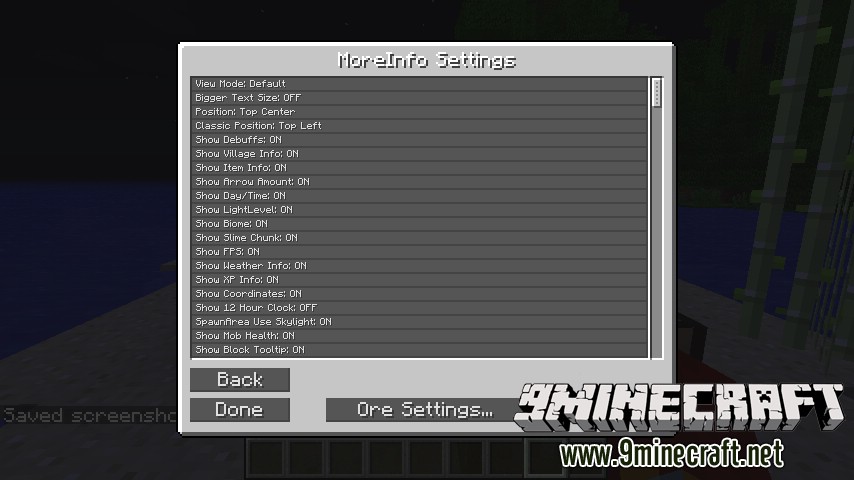
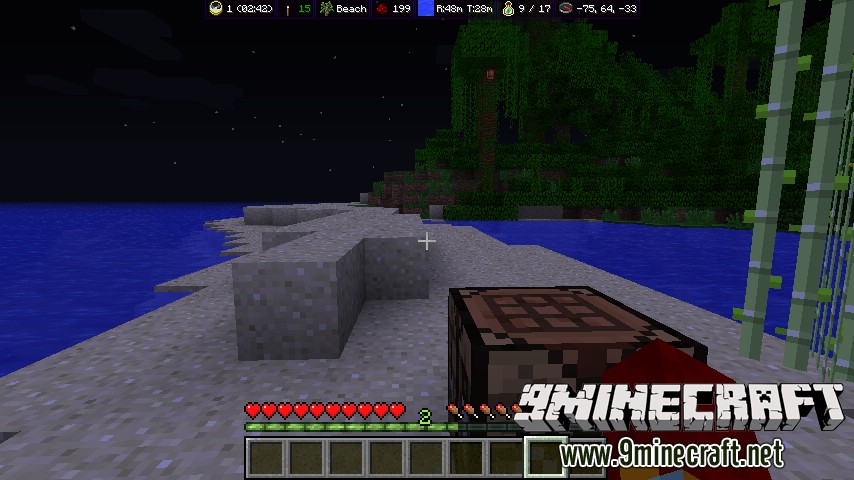
MoreInfo Mod 1.7.10 will add a lot more information to your screen. The information you want to see is easy configurable. Just press the I key to open the MoreInfo Options menu, here you can turn on or off the information you want to see. It’s also possible to change in which corner the information must be shown.
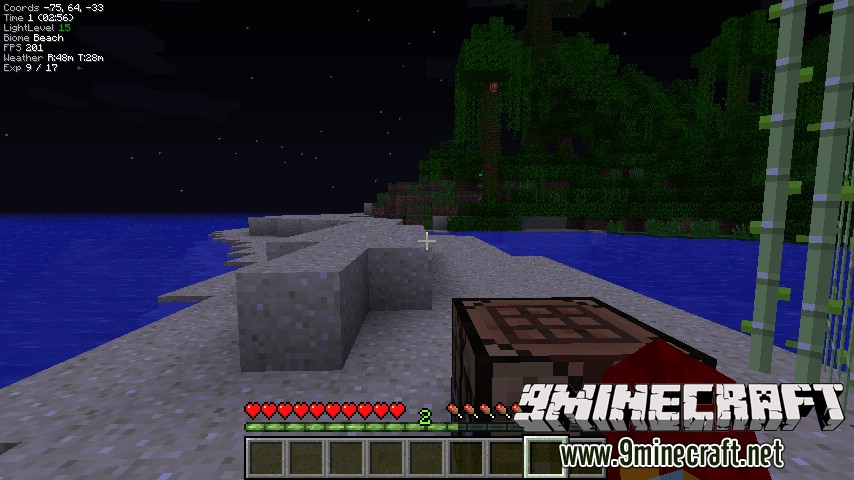
- Time: Shows the in-game time.
- Day: Shows what day it is in your currently world
- LightLevel: Shows the LightLevel of the current block you’re on.
- Biome: Shows the current biome you’re in.
- FPS: Show your FPS without the use of F3
- Arrow Amount: Shows the total amount of arrows you have in your inventory (Must have bow in hand)
- Item Info: Shows ID, NAME, USES LEFT.
- Coordinates: Shows the coordinates of your current position
- Debuffs: Shows the debuffs effect
- Mob Health: Shows a health bar above each mob, the red heart means that the animal is ready to make a baby.
- Village Info: Shows information of the village you’re in. Villagers, Doors, Size, Reputation.
- Show Ores: Show the position of ore block even through other block (X-Ray)
- Show Spawn Area’s: Shows a panel above a block to indicates if a mob can spawn, green means lightlevel of the block is 8 or higher.
- Show Mob X-Ray: Show mobs through walls, Red = Aggressive, Green = Non Aggressive.
Screenshots:
Controls:
- Key I: Open options menu
- Key J: Show Mob X-Ray
- Key K: Show Ores
- Key L: Show Spawn Areas
Download Links for MoreInfo Mod 1.7.10
For Minecraft 1.5.2
For Minecraft 1.6.4
For Minecraft 1.7.10
Quick facts
- Edition: Minecraft Java
- File type: .jar
- How to install: Install the matching mod loader (Forge, Fabric or NeoForge) for your Minecraft version. → Download the .jar. → Put it in the .minecraft/mods folder and launch that loader profile.
- Where to get it: In MC Java Mods, or directly above on this page.
Install steps are the general flow for this file type — How to install Minecraft Java mods & modpacks walks through it step by step.
Verified by MCModsHub
- Downloads as 213428.mcaddon
- Download size: 41 KB
- Download link checked 30 Jul 2026 — working
- Mirrored on our own servers — the download does not depend on the original host
These come from our own check of the pack file, not from the source page.