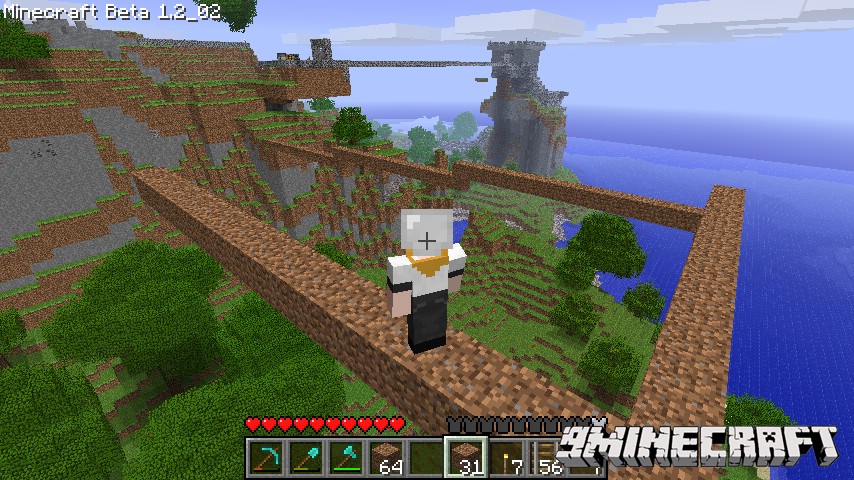
Fast Building Mod 1.7.10. Hold control and place a block, it will place as many as possible in that direction till it hits something or you run out of blocks to place. Very useful for bridge building. Even in creative, it will only place as many block as as you have in the stack! It can do both vertical and horizontal placement.
Screenshot:
Mod Spotlight:
Configs:
Show MoreThe configuration file is found in the “config” folder in your main minecraft directory, the file is “./config/fastbuild.cfg”. Run minecraft once with the mod installed to get the configuration file created automatically.
build_key
The key that must be pressed to use fast build
<strong”>max_stack_build_num
Determines the maximum number of items that will be attempted to be placed at one time.
max_stack_vertical_build_num
Determines the maximum number of items that will be attempted to be placed at one time in the vertical directions.
Download Links for Fast Building Mod 1.7.10
For Minecraft 1.7.10 (non-Forge version)
For Minecraft 1.8
- Edition: Minecraft Java
- File type: .jar
- How to install: Install the matching mod loader (Forge, Fabric or NeoForge) for your Minecraft version. → Download the .jar. → Put it in the .minecraft/mods folder and launch that loader profile.
- Where to get it: In MC Java Mods, or directly above on this page.
Install steps are the general flow for this file type — How to install Minecraft Java mods & modpacks walks through it step by step.
- Downloads as 213512.mcaddon
- Download size: 8 KB
- Download link checked 23 Jul 2026 — working
- Mirrored on our own servers — the download does not depend on the original host
These come from our own check of the pack file, not from the source page.