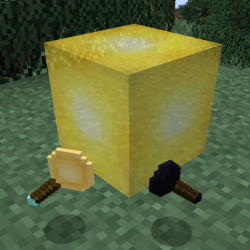
ModsJava
InvisibLights
Java mod listed for Minecraft 1.16–1.18. Downloads from the MC Java Mods app on Android.
Please download new builds from GitHub releases: This page will no longer be updated. InvisibLights It's back for yet another round... 1.17 is here! And…
⬇ Download on CurseForgePlease download new builds from GitHub releases:
https://github.com/FakeDomi/InvisibLights/releases
This page will no longer be updated.
 After crafting one, you only need to have some glowstone dust in your inventory and you are ready to light up your world!
Placed light sources are visible and can be broken while the rod is being held. By using Glowstone Dust on light sources, you can change their brightness.
Here's a short video if you want to see it in action:
Beware; beyond this line lies the old description.
What is this mod all about?
You probably know that you need a lot of torches to keep your house well lit. You might also try using glowstone, but then realize it doesn't look great either.
As the mod name suggests, this mod allows you to place invisible light sources. You won't even notice they are there!
You could turn this:
After crafting one, you only need to have some glowstone dust in your inventory and you are ready to light up your world!
Placed light sources are visible and can be broken while the rod is being held. By using Glowstone Dust on light sources, you can change their brightness.
Here's a short video if you want to see it in action:
Beware; beyond this line lies the old description.
What is this mod all about?
You probably know that you need a lot of torches to keep your house well lit. You might also try using glowstone, but then realize it doesn't look great either.
As the mod name suggests, this mod allows you to place invisible light sources. You won't even notice they are there!
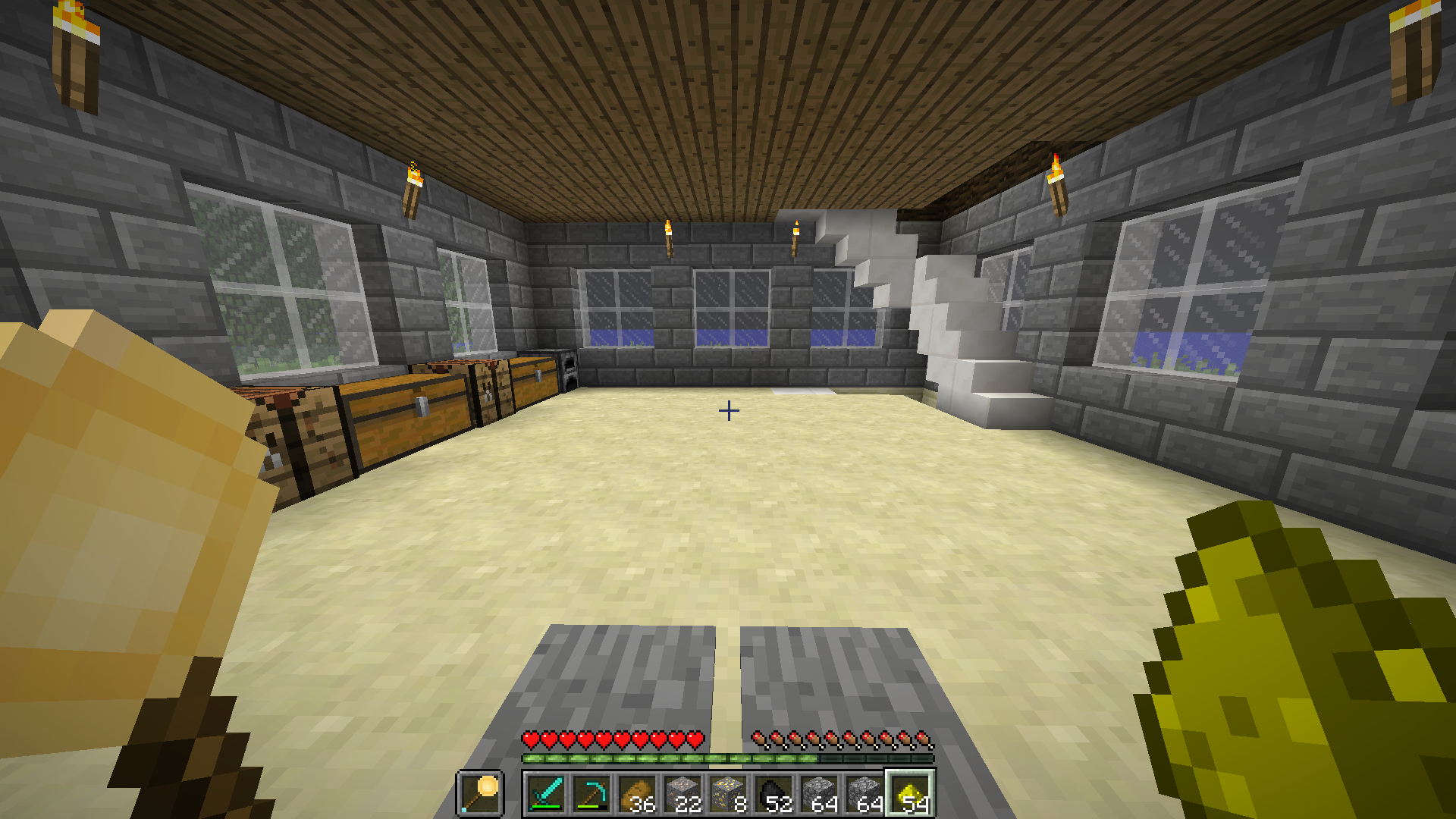
You could turn this:
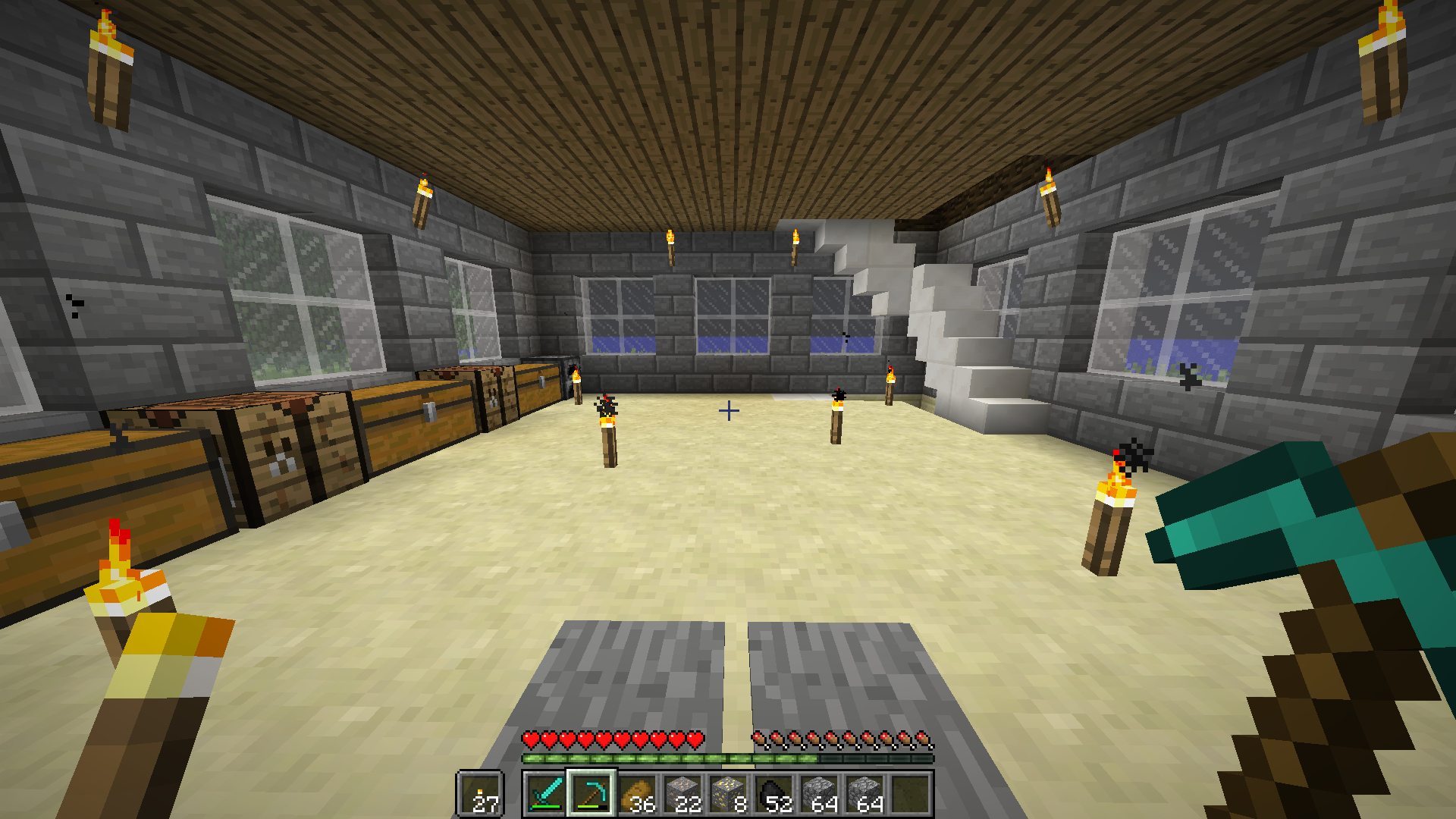 Into this:
 Videos
In case you want to watch a video about this mod instead of reading the description, have some!
Keep in mind they might show outdated content or mechanics.
Feel free to produce a video yourself, I'll put it here if you let me know.
https://www.youtube.com/watch?v=iU8cxGIbbyE
(by BioMasterZap)
https://www.youtube.com/watch?v=Y4t2MKk24as
(by ClumsyMinecraft)
Content
This mod adds one item: the Rod of Light. (It also adds a block for technical reasons, but you don't really have to worry about that.)
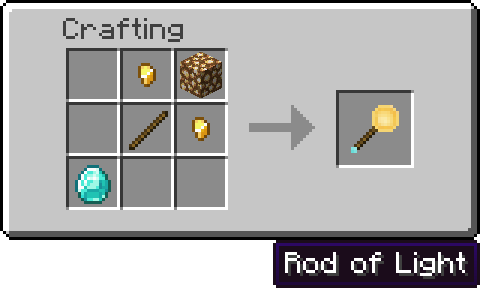
Here's how to make one:
To place a light source, you'll need some glowstone dust in your inventory (unless you are in creative mode). Hold the rod in either your mainhand or offhand and right-click on a surface. Placing a light source consumes two glowstone dust.
Now the best part is you can make the light sources visible! To do that, sneak and right-click the rod of light. You'll hear a ding sound effect and should notice that all placed light sources have turned visible. You could break them now and even get your glowstone back.
To make everything nicely hidden again, do another sneak right-click.
You can also upgrade your rod to the powered version by attaching some redstone to it!
Videos
In case you want to watch a video about this mod instead of reading the description, have some!
Keep in mind they might show outdated content or mechanics.
Feel free to produce a video yourself, I'll put it here if you let me know.
https://www.youtube.com/watch?v=iU8cxGIbbyE
(by BioMasterZap)
https://www.youtube.com/watch?v=Y4t2MKk24as
(by ClumsyMinecraft)
Content
This mod adds one item: the Rod of Light. (It also adds a block for technical reasons, but you don't really have to worry about that.)
Here's how to make one:
To place a light source, you'll need some glowstone dust in your inventory (unless you are in creative mode). Hold the rod in either your mainhand or offhand and right-click on a surface. Placing a light source consumes two glowstone dust.
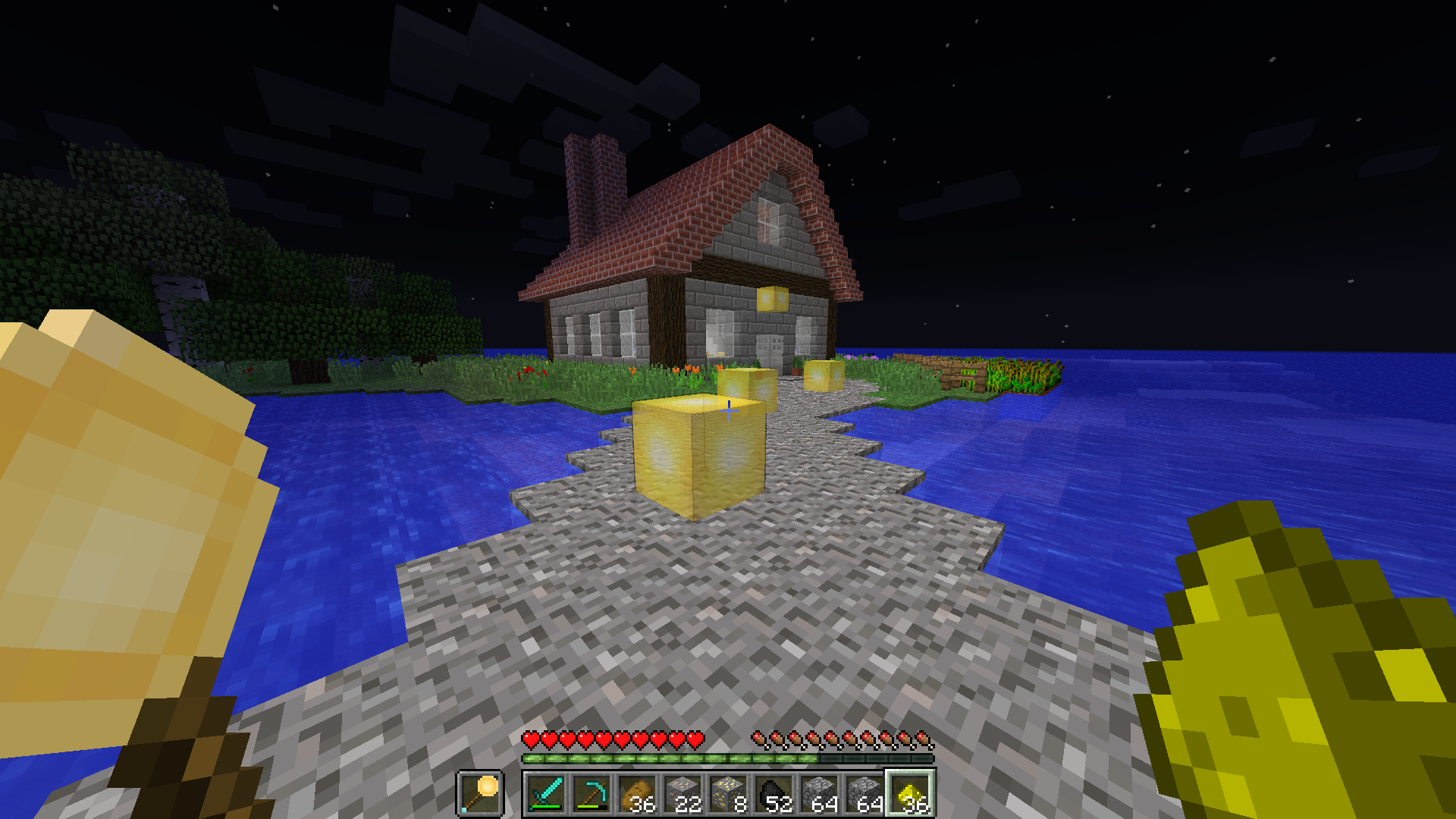
Now the best part is you can make the light sources visible! To do that, sneak and right-click the rod of light. You'll hear a ding sound effect and should notice that all placed light sources have turned visible. You could break them now and even get your glowstone back.
To make everything nicely hidden again, do another sneak right-click.
You can also upgrade your rod to the powered version by attaching some redstone to it!
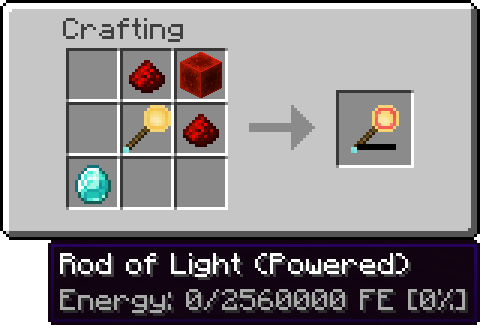 The powered version can be charged in any Forge Energy compatible charger, and uses some of that energy to place light sources. Please note that the powered rod of light is only available in the Forge version at the moment.
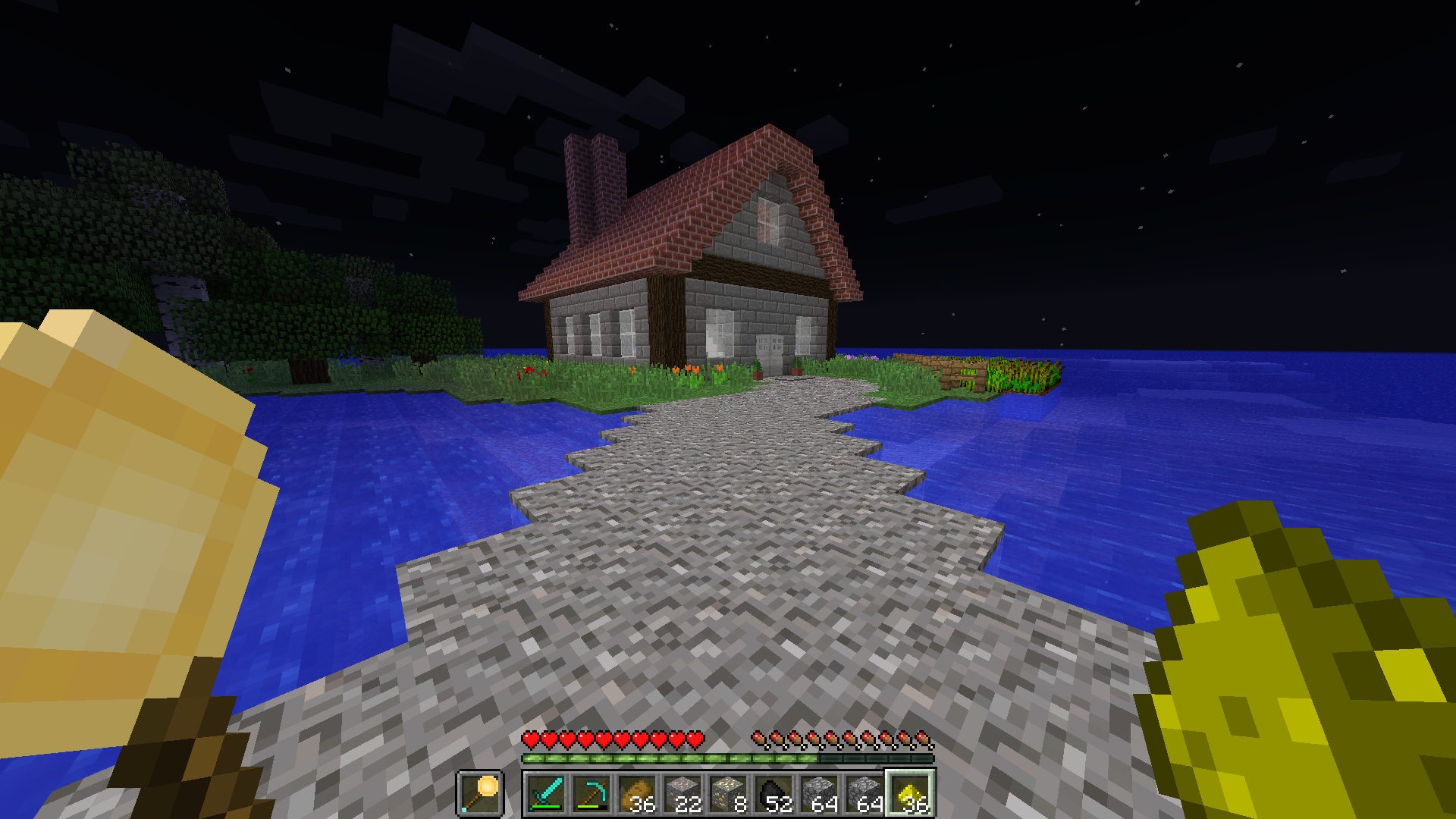
Light sources hidden:
The powered version can be charged in any Forge Energy compatible charger, and uses some of that energy to place light sources. Please note that the powered rod of light is only available in the Forge version at the moment.
Light sources hidden:
 Light sources visible:
Quick facts
- Edition: Minecraft Java
- File type: .jar
- Minecraft versions listed: 1.18, 1.17.1, 1.17
- How to install: Install the matching mod loader (Forge, Fabric or NeoForge) for your Minecraft version. → Download the .jar. → Put it in the .minecraft/mods folder and launch that loader profile.
- Where to get it: Opens on CurseForge — not every file is mirrored on our own servers.
Install steps are the general flow for this file type — How to install Minecraft Java mods & modpacks walks through it step by step.
InvisibLights is a free Minecraft Java mod. Compatible with Minecraft 1.18, 1.17.1, 1.17, 1.16.1. Downloaded 398,098 times (via CurseForge). Download it and open it directly in the game.