About Photoreal Mod
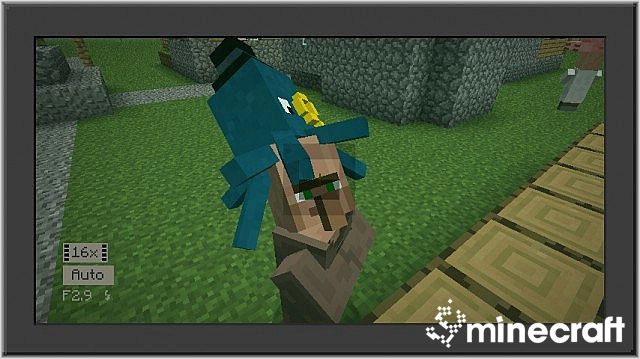
- Photoreal Mod adds a camera, as found in CorridorDigital’s Photoreal, when snapped it forms a screen ahead of the player, showing the view that was just there. Kinda hard to explain.
- The camera can be found naturally in Mineshaft Corridors chests, albeit at a very low rate. Consider yourself lucky if you find one!
Usage
- Equip the camera. You can’t take any photos from the hip, so hit the Right mouse button to smash it into your viewpoint!
- Hit the Left mouse button to take a picture. Freeze frames only occur if the flash is charged, though!
- Yes, the camera animation is like Outlast’s. I based mine off the game’s.
- Check the config file for more options (recharge time, photoreal duration etc).
Mod Screenshot:
Tutorial and Review Videos:
Photoreal Mod Download Links
For Minecraft 1.6.4
For Minecraft 1.7.2
For Minecraft 1.7.10
Quick facts
- Edition: Minecraft Java
- File type: .jar
- How to install: Install the matching mod loader (Forge, Fabric or NeoForge) for your Minecraft version. → Download the .jar. → Put it in the .minecraft/mods folder and launch that loader profile.
- Where to get it: In MC Java Mods, or directly above on this page.
Install steps are the general flow for this file type — How to install Minecraft Java mods & modpacks walks through it step by step.
File checked by MCModsHub
- Downloads as 213643.mcaddon
- Download size: 181 KB
- Download link checked 30 Jul 2026 — working
- Mirrored on our own servers — the download does not depend on the original host
These come from our own check of the pack file, not from the source page.