Command Group Mod
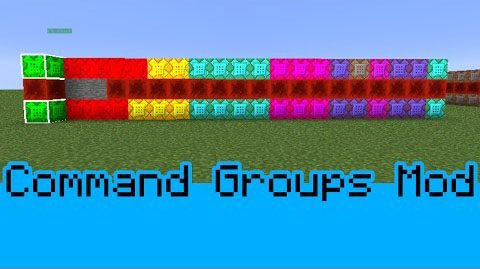
This mod allows map makers to visually organize how their command blocks are set up. You can create, organize, and even color code your command block…
⬇ DownloadOpen in MCModsHubGet it on Google Play →
This mod allows map makers to visually organize how their command blocks are set up. You can create, organize, and even color code your command block groups to suit whatever need you have!
How to use:
Understanding the Controls:
Show MoreThe controls for this mod are as follows:
Open Command Group Manager: M
Toggle Command Block: B
Toggle Protection: C
Toggle Visibility: X
Toggle Active Group: N
(All of these controls can be modified in the options menu if desired).
How to add/remove Command Block Groups:
Show MoreStep 1:
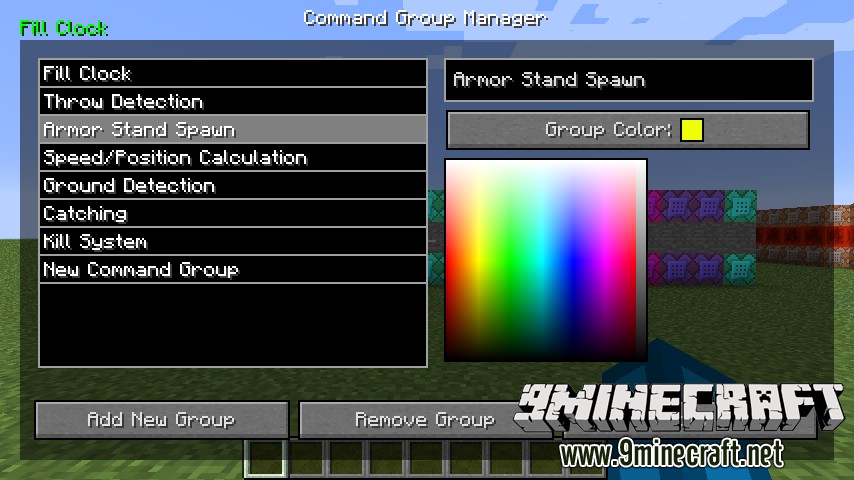
Press the M key to open up the Command Block Manager.
Step 2:
Click AddNew Group and give it whatever name you feel is appropriate.
While the group is selected, you can use the color picker to give the group a custom color to be associated with!
When you are pleased with the group you’ve created you can hit the Done button.
Step 3:
If you wish to remove a group, first select the group and the click the Remove Group button.
How to add a command block to a Command Block Group:
Show MoreStep 1:
Make sure that you that you first have the desired Command Block Group active.
You can do this by using the Toggle Active Group key, or N by default.
Step 2:
Press the Toggle Command Block Key (B by default), while facing the desired command block. This will add that command block into the selected Command Block Group.
How to toggle Command Block Group color visibility:
Show MorePressing the Toggle Visibility Key (X is default), will allow you to toggle seeing the colors for the command block groups.
Enabling Protection Mode:
Show MoreProtection Mode (C by Default) will prevent the player from breaking command blocks in a Command Block Group.
Or watch the video:
Download Links
For Minecraft 1.8
Command Group Mod is a free Minecraft Java mod. Download it and open it directly in the game.