
Just Enough Effect Descriptions (JEED)
Java mod listed for Minecraft 1.16–1.21. File opened and checked on 5 Oct 2026; downloads from the MC Java Mods app on Android.
I don't know my version or loader
Just Enough Effect Descriptions




📖 About 📖
Just Enough Effect Descriptions (JEED) is a JEI/REI/EMI plugin that provides useful information regarding status effects.
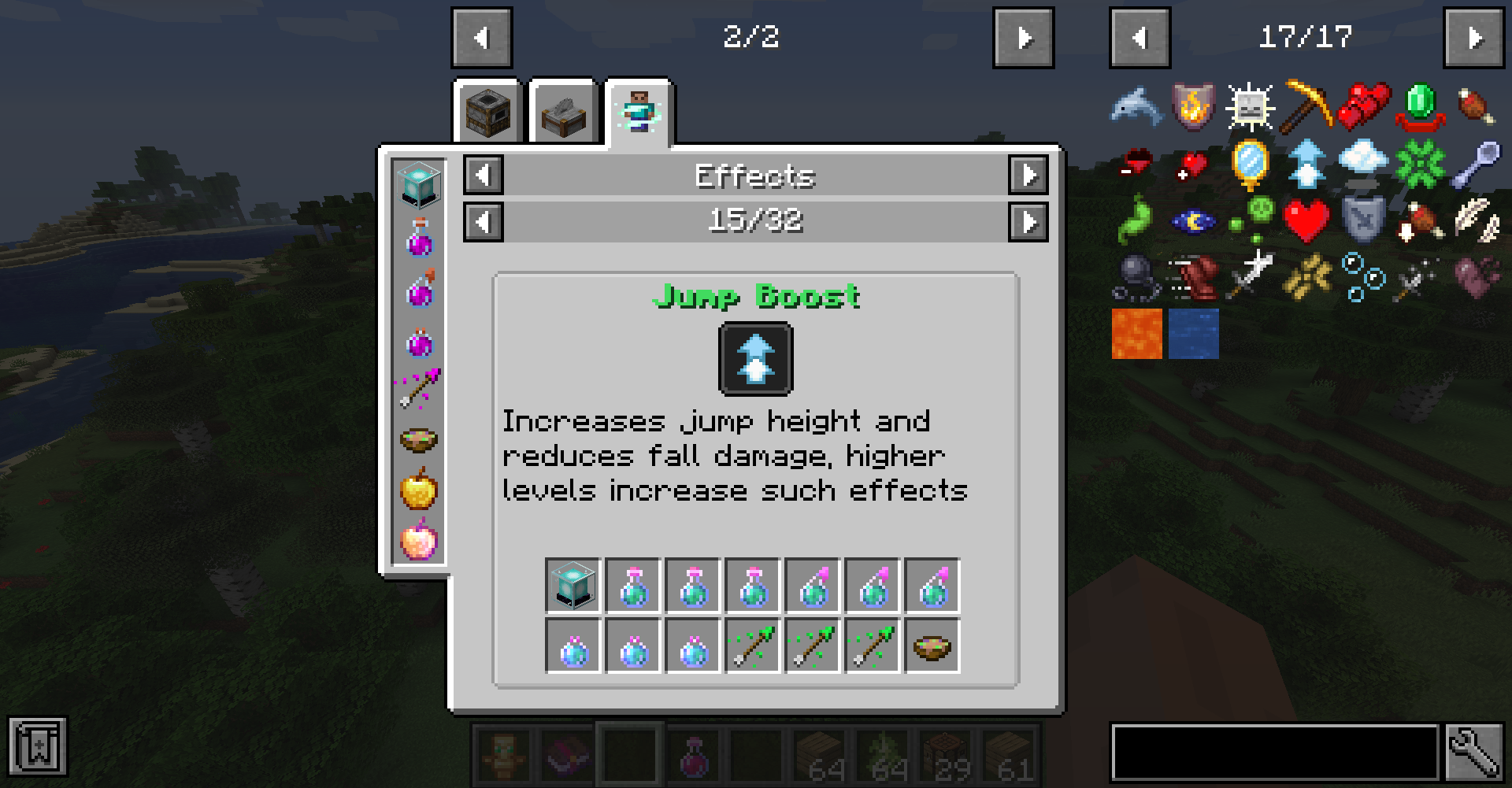
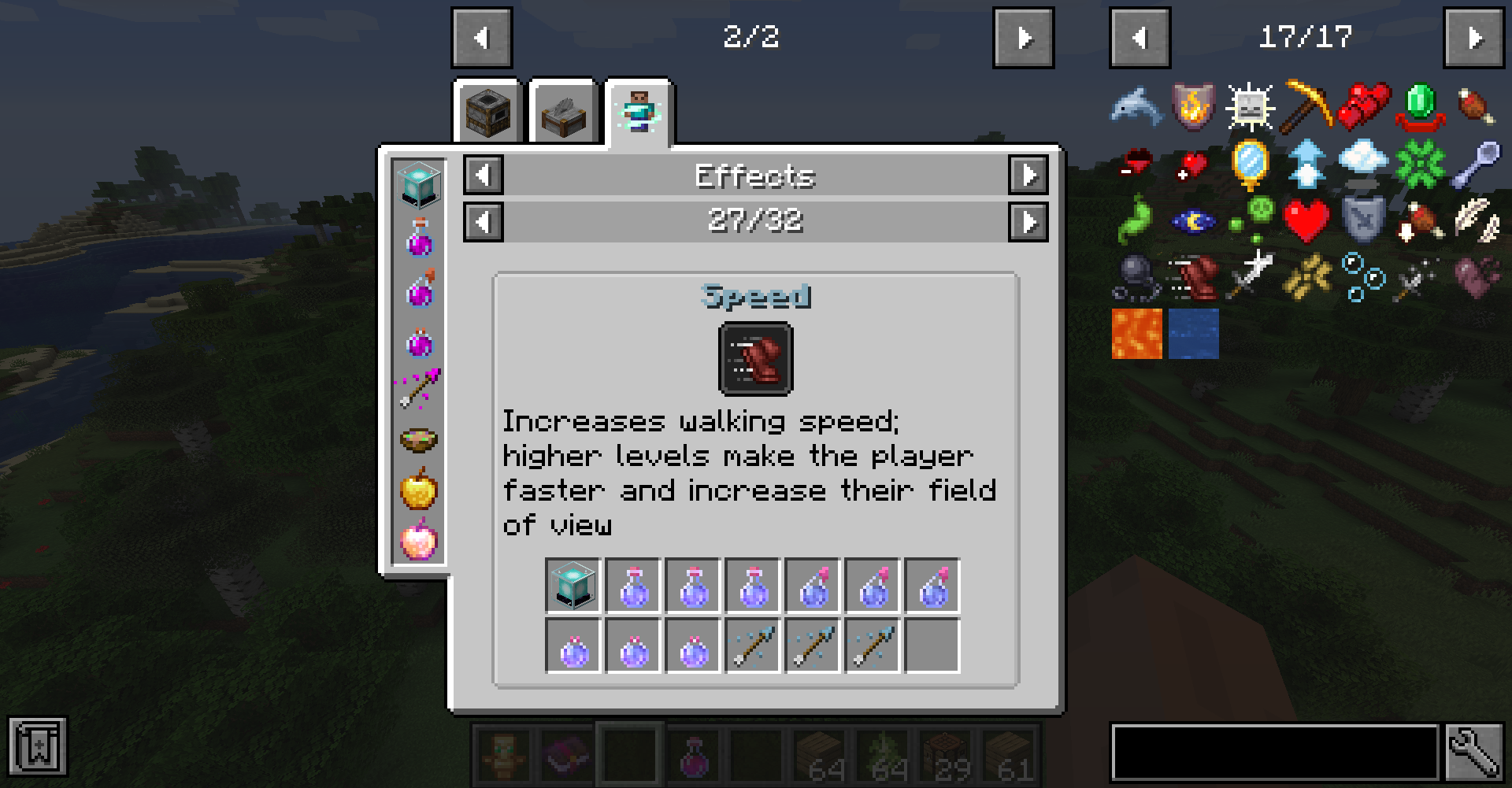
The mod adds a new Effects recipe category accessed either by clicking any of the newly added status effect icons on the JEI item screen or by clicking an active effect from its box on the inventory screen.
Here you'll be able to view information regarding such status effect such as items that can provide it or its description as well as which mod it's from or its effect color.


🧪 Customization🧪
The mod automatically adds all registered status effect to its page, however modded effects won't had a description.
Anyone can easily add such descriptions to their effect by adding the string "effect.[mod_id].[effect_name].description" to their language file in their Resource Pack. Ideallu this should be done by modders themselves.
As a Modded you can also use the JeedAPI class to register screen extension for your screen or vanilla classes to tell Jeed where effects are rendered to make them clickable
Since the mod can only automatically detect food items as effect providing ones, mod developers can also easily add support to their custom effect or effect providing items by adding some recipes into their mod.
To do so one can simply use one of the two newly added recipes categoris:
- "jeed:effect_provider", which allows one to specify an item that can provide an effect in the following format:
{
  "type": "jeed:effect_provider",
  "effect":  "minecraft:haste",
  "providers": [
    {
      "item": "minecraft:beacon"
    }
  ]
}
The Json can also contain the keys "fluid_providers" and "effect_providers", both of which can too hold a tag or list of fluids and effects respectively
- "jeed:potion_provider", which allows one to specify an item that can contain any registered potion like tipped arrows for example:
{
  "type": "jeed:potion_provider",
  "providers": [
    {
      "item": "minecraft:splash_potion"
    },
    {
      "item": "minecraft:tipped_arrow"
    }
  ]
}
If you would like to help me provide build in description support for many modded effect be sure to contact me on my discord!
❤️Support Me❤️
Modding is taking a lot of my time, so if you like what I do, and you would like to support me, you can do so here. If you do, you'll receive a custom Globe and or Statue just for you! This also applies if you purchase a server from Akliz using "supplementaries" code.

Use code "supplementaries" to get 20% off and also support me in the process!

🦉 Our Mods🦉









- Edition: Minecraft Java
- File type: .jar
- Minecraft versions listed: 1.21.11, 1.21, 1.21.1
- How to install: Install the matching mod loader (Forge, Fabric or NeoForge) for your Minecraft version. → Download the .jar. → Put it in the .minecraft/mods folder and launch that loader profile.
- Where to get it: Opens on CurseForge — not every file is mirrored on our own servers.
Install steps are the general flow for this file type — How to install Minecraft Java mods & modpacks walks through it step by step.
- Ships as jeed-1.17-1.5.jar — drop this file into the mods folder
- Download size: 48 KB
- Download link checked 24 Oct 2026 — working
These come from our own check of the pack file, not from the source page.
