
TaCZ addon
Java mod listed for Minecraft 1.20–1.21. File opened and checked on 21 Sep 2026; downloads from the MC Java Mods app on Android.
I don't know my version or loader
TaCZ Addon
An expansion mod for TaCZ.
GunSmithTable Optimization
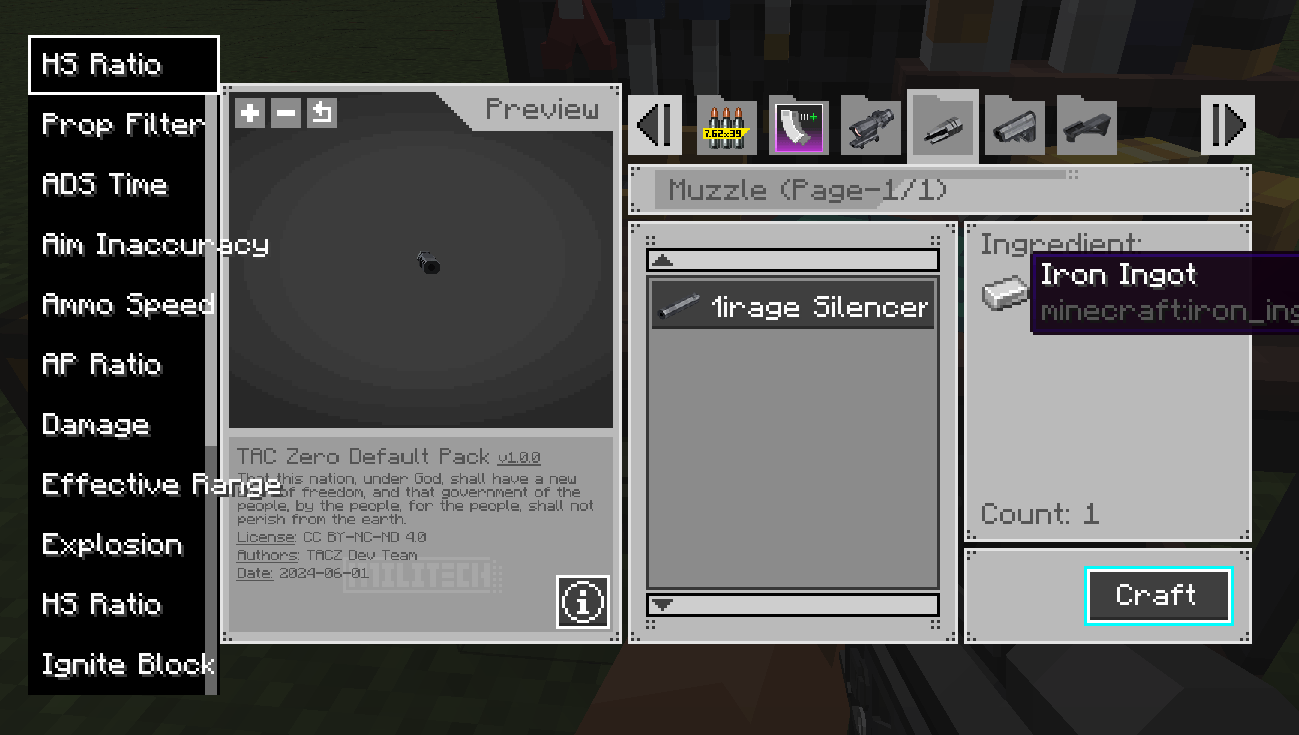
- When opening the GunSmithTable with a gun in the mainhand or offhand, only displays attachments and ammo compatible with that gun.
- Supports filtering attachments by their bonus attributes.
- Displays brief material info with click-to-jump to JEI recipes.
- Automatically saves the current scroll position and restores it when reopened.(Invalid for 1.1.4+)
- SHIFT-click for batch crafting (adjustable crafting count via config file).
- Pulls materials from nearby containers (compatible with Sophisticated Backpacks).
- Shows current page number and total pages.
- Displays a toast notification after crafting.
Attachment Management Optimization
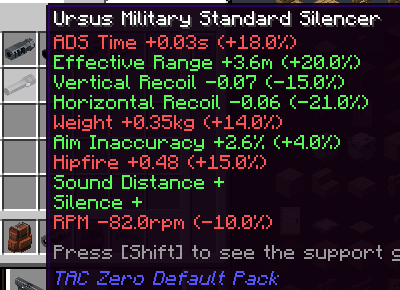
- Show how an attachment effect main-hand gun's prop in tooltip.
- Adds a game rule
liberateAttachment: when enabled, any gun can freely interact with all compatible attachments, regardless of the player's inventory. - Allows specifying the maximum number of supported guns displayed when SHIFT-hovering an attachment to prevent screen clutter and lag.
- Hovering your mouse over an item will highlight all items in the container, such as which ammo or attachment correspond to which guns.
AttachmentPack System
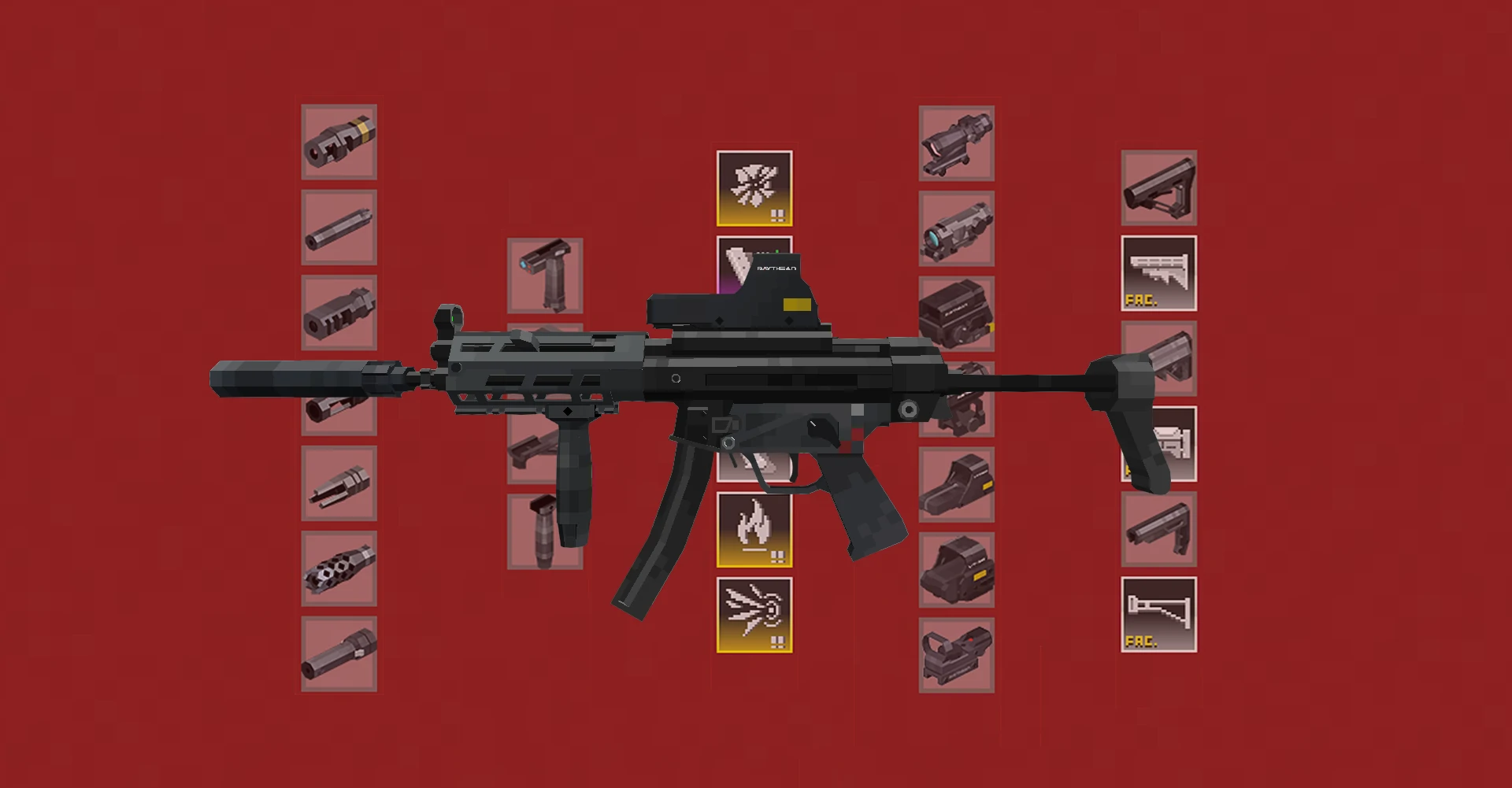
AttachmentPack can be added via data pack recipes, unlocking a wide range of customizable accessories for your weapon.
{
  "type": "taczaddon:gun_smithing",
  "template": {
    "item": "minecraft:echo_shard"
  },
  "base": {
    "item": "tacz:modern_kinetic_gun"
  },
  "addition": {
    "item": "minecraft:nautilus_shell"
  },
  "list": [
    "tacz:extended_mag_1",
    "tacz:extended_mag_2",
    "tacz:extended_mag_3",
    "tacz:light_extended_mag_1",
    "tacz:light_extended_mag_2",
    "tacz:light_extended_mag_3",
    "tacz:sniper_extended_mag_1",
    "tacz:sniper_extended_mag_2",
    "tacz:sniper_extended_mag_3",
    "tacz:ammo_mod_fmj",
    "tacz:ammo_mod_he",
    "tacz:ammo_mod_hp",
    "tacz:ammo_mod_i"
  ]
}
The above is one of the default recipes included with this mod. After loading it, you can place an Echo Fragment, a gun, and a Nautilus Shell in the SmithingTable. The recipe will output the original gun, but the gun can now freely switch between the attachments listed in the recipe's "list" field using NBT.
AttachmentPack will be displayed in the appropriate locations later. Maybe more later.
Note: Currently, guns with AttachmentPack installed cannot be equipped with single attachment. It is recommended to use this as a complete system.
Others
- Designate specific guns as melee weapons via client configs; their firing animations will be replaced with melee attacks.
- Hold TAB + scroll mouse wheel to cycle through guns in the inventory (keybind configurable).
- Automatically switches to first-person aiming when aiming in third-person view (compatible with Shoulder Surfing Reloaded and Leawind's Third Person).
- Use ammos from SophisticatedBackpacks.But unvalid for Pump-action guns like M860.
- SHIFT-RClick on AmmoBox to collect all ammos in Inventory.
- Completely remove the gun sheathing animation, making the gun experience more similar to traditional fast-paced FPS games like CrossFire. This feature can be disabled in the config file.
Known Issues
- Guns like M870 will not use ammo from soph-backpack.
Future Plans
- WIP: Interact with attachments stored in Sophisticated Backpacks.
- Allow free attachment swapping with costs (e.g., scoreboard-based pricing), planned via KubeJS compatibility.
- WIP: Add reload speed and draw/holster speed attributes to attachments.
- "Unrealistic but QoL" firing during reloads for reload-addicted players.
- Fixed machine gun emplacements with large ammo capacity and smooth firing (but also works for pistols).
- Edition: Minecraft Java
- File type: .jar
- Minecraft versions listed: 1.20.1, 1.21.1
- How to install: Install the matching mod loader (Forge, Fabric or NeoForge) for your Minecraft version. → Download the .jar. → Put it in the .minecraft/mods folder and launch that loader profile.
- Where to get it: Opens on CurseForge — not every file is mirrored on our own servers.
Install steps are the general flow for this file type — How to install Minecraft Java mods & modpacks walks through it step by step.
- Ships as taczaddon-1.1.8-fix-neoforge-1.21.1.jar — drop this file into the mods folder
- Download size: 144 KB
- Download link checked 7 Oct 2026 — working
These come from our own check of the pack file, not from the source page.