Stoneworks
Java mod listed for Minecraft 1.18–1.21. File opened and checked on 12 Oct 2026; downloads from the MC Java Mods app on Android.
I don't know my version or loader









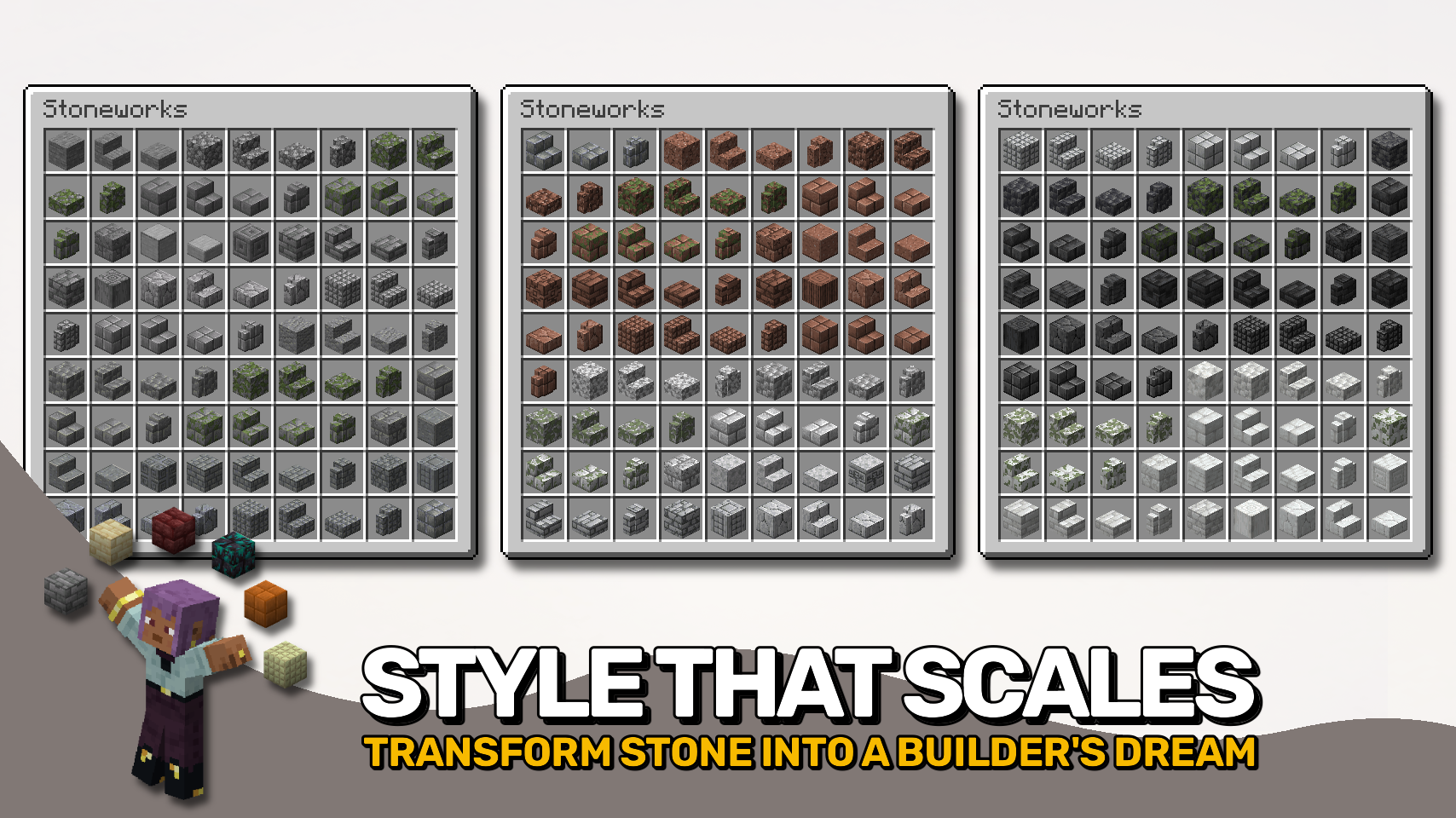
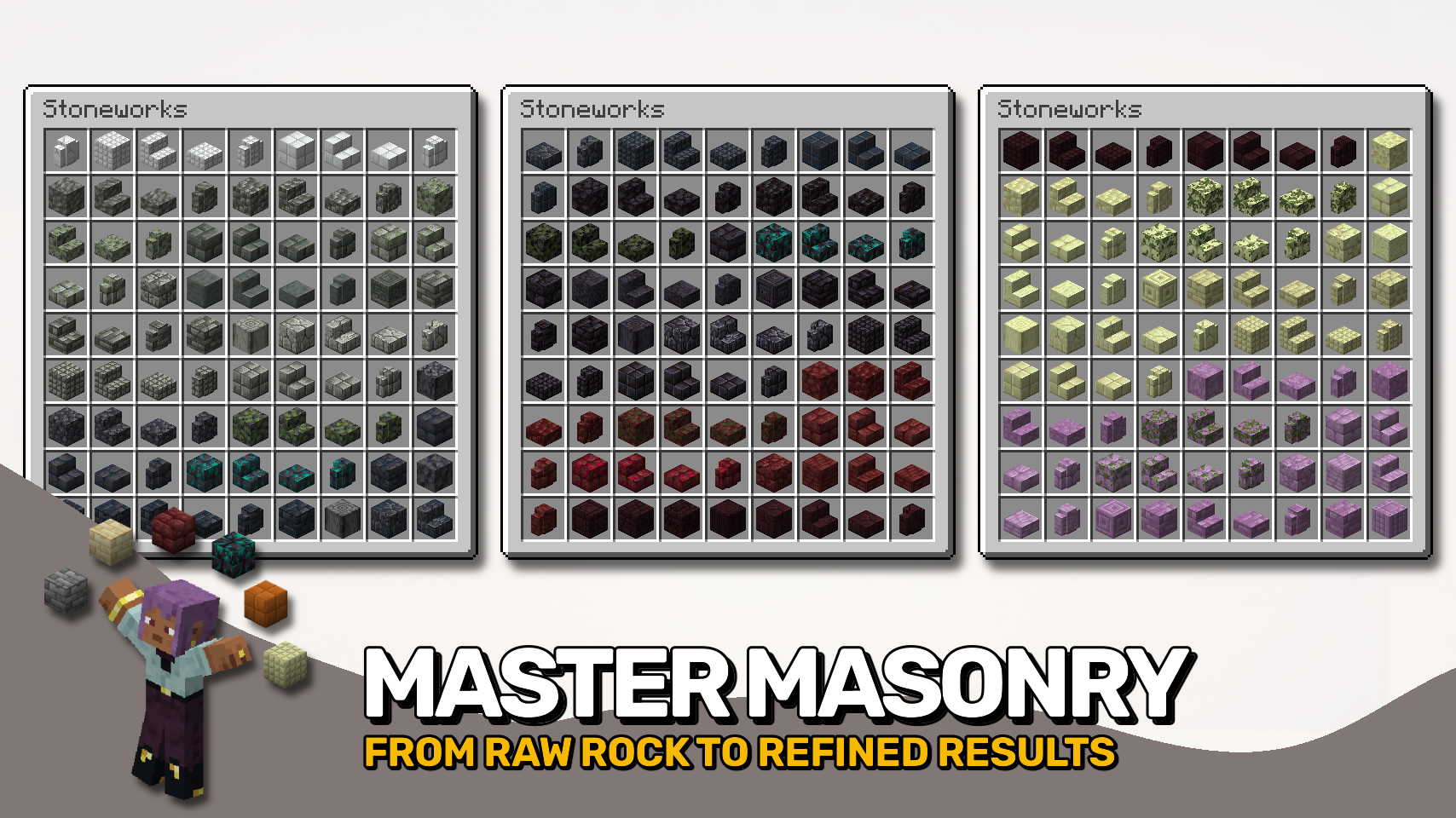
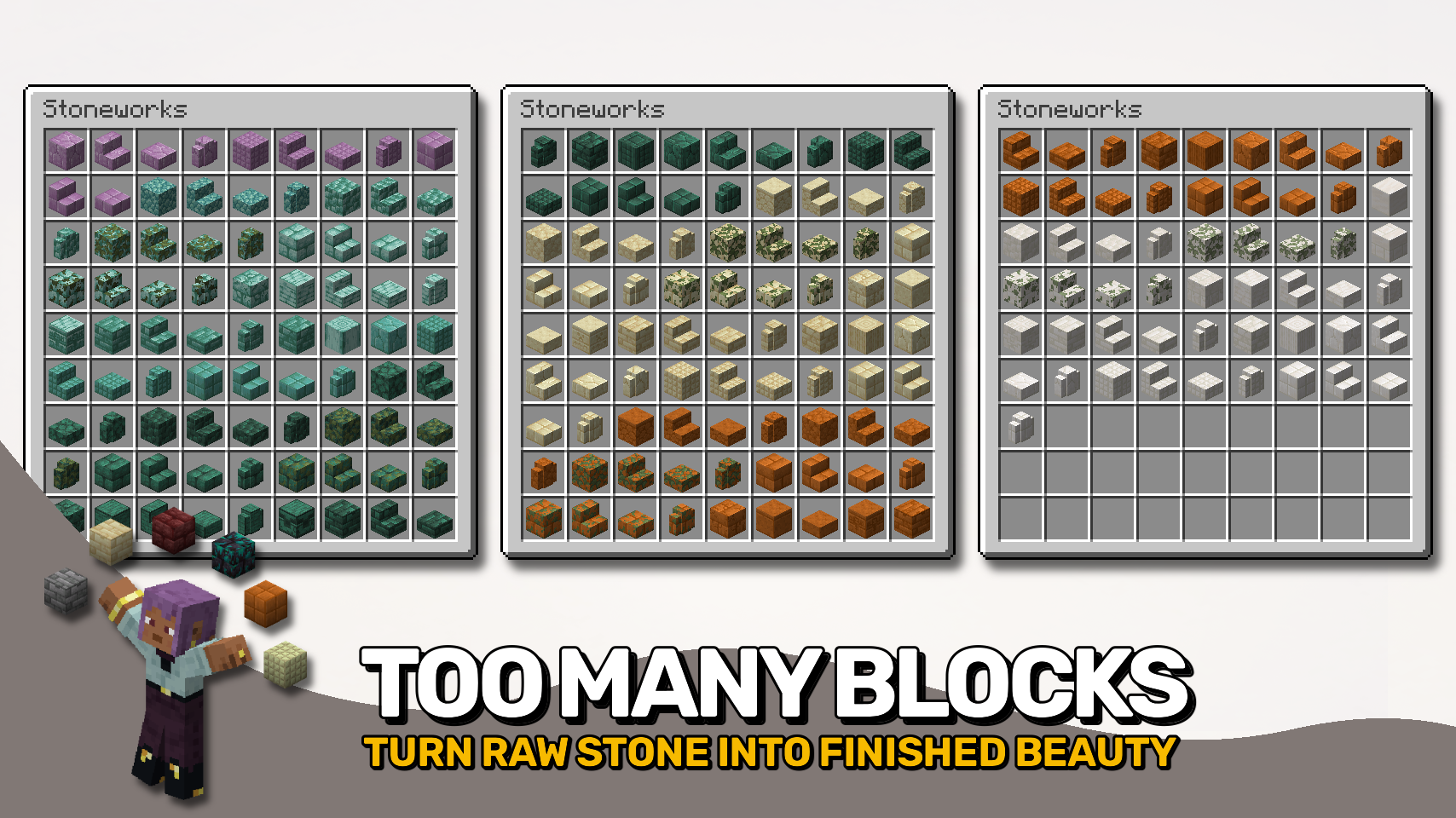
Stoneworks fills all the missing gaps when it comes to building with vanilla stone blocks. 🪨 Add depth and detail to your builds with cobbled variants, bricks, tiles, pillars, shingles, and more — all for every type of stone you know from the base game. ✨
And yes, most of those new blocks can also be turned into stairs, slabs, and walls for even more flexibility. 🧱 Everything is crafted right in the stonecutter — just drop in your stone and start slicing. It’s simple, fast, and perfectly survival-friendly. ⚒️
From cozy cottages to grand castles, Stoneworks helps your builds stand out without adding clutter or complexity. 💡 So what are you waiting for? Grab some stone and get building. 🏰


⏩ INSTALLATION REQUIRED ON CLIENT & REQUIRED ON SERVER
⏩ REQUIRES PUZZLES LIB TO BE INSTALLED (FABRIC & NEOFORGE)
⏩ REQUIRES FABRIC API TO BE INSTALLED (FABRIC)
⏩ REQUIRES FORGE CONFIG API PORT TO BE INSTALLED (FABRIC)

If available for a mod, configuration is possible directly from in-game using the mod menu (requires Mod Menu by Prospector to be installed on Fabric).
For manual configuration using an external text editor all files are found at .minecraft/config, named as MOD_ID-client.toml, MOD_ID-common.toml, or MOD_ID-server.toml, depending on the type of config. Not all types might exist for a mod, if any at all.

🌟 Thanks to Burack for making all those textures for me to use.
🌟 Thanks to ShadowClaimer and their Masonry mod for inspiring this project.
 |
 |
|
 |
 |
|
 |
 |
|
 |
 |
|
 |
 |
|

© 2026 @heyitsfuzs. All rights reserved. This page was last edited on 11 September 2026, at 06:44 (UTC).
- Edition: Minecraft Java
- File type: .jar
- Minecraft versions listed: 1.21.11, 1.21.10, 1.21.9
- How to install: Install the matching mod loader (Forge, Fabric or NeoForge) for your Minecraft version. → Download the .jar. → Put it in the .minecraft/mods folder and launch that loader profile.
- Where to get it: Opens on CurseForge — not every file is mirrored on our own servers.
Install steps are the general flow for this file type — How to install Minecraft Java mods & modpacks walks through it step by step.
- Ships as Stoneworks-v20.4.0-1.20.4-Forge.jar — drop this file into the mods folder
- Download size: 2.2 MB
- Download link checked 24 Oct 2026 — working
These come from our own check of the pack file, not from the source page.