
Save My Shaky Network
Java mod listed for Minecraft 1.18–1.21. Downloads from the MC Java Mods app on Android.
I don't know my version or loader
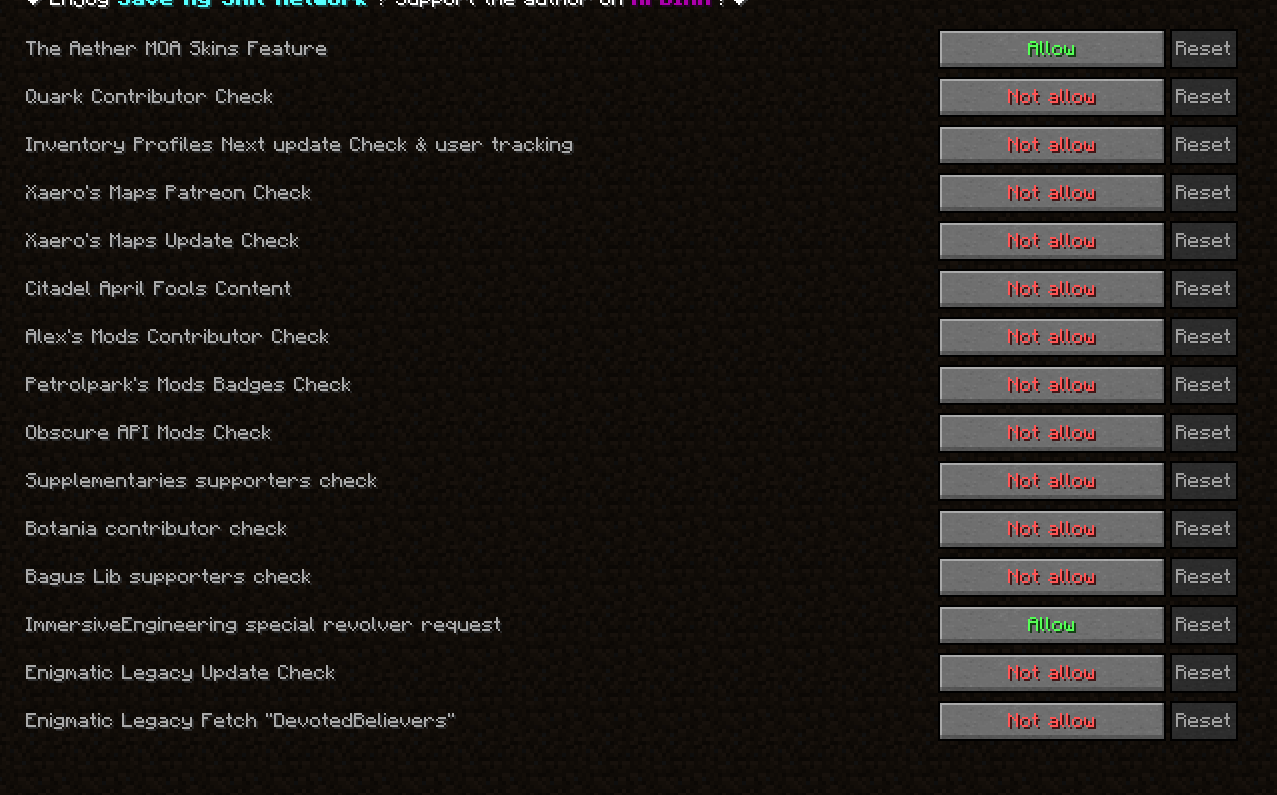
Block common mods from connecting to the internet without affecting the mods' functionality, preventing slow loading or game crashes caused by network issues.
Why This Mod Exists
Because in certain regions with strict network censorship, accessing specific websites is impossible. For example, in China, websites like Patreon and GitHub are blocked and cannot be accessed normally. However, some popular mods, such as Quark, have included code that requests these websites, and when these requests fail, it can cause the game to stutter or crash. These issues typically occur during server startup or when players join. This mod was created to solve this problem by blocking such network requests, improving game stability for players in affected regions.
A few months ago, I noticed that my Minecraft server was taking nearly 10 minutes to start each time. After investigating, I discovered that Quark was causing this issue. Upon searching the issue tracker, I found that the author of Quark refused to address this problem, which led me to develop this mod to resolve it.
Features
For Forge/NeoForge: Set versionCheck = false in config/fml.toml to disable the loader's update checker.
For Fabric with ModMenu: Set "update_checker": false in config/modmenu.json to disable ModMenu's update checks.
- 1.20.1 features;
- 1.21.1 features;
- 1.18.2 features;
- 1.19.2 features;
- 1.21.6, 1.21.7, 1.21.8 features.
F.A.Q
- Will XX Minecraft version be supported?
The author can only guarantee maintenance for current mainstream versions and versions the author actively plays. - Can I include
Save My Shaky Networkin a modpack?
✅ Yes! It's recommended to use Modrinth .mrpack or CurseForge modpack ZIP format.
❌ Do not directly include the mod binary (.jar) in your modpack—prioritize user security.
License
This mod is distributed under MIT license
- Edition: Minecraft Java
- File type: .jar
- Minecraft versions listed: 1.21.1, 1.20.1, 1.19.2
- How to install: Install the matching mod loader (Forge, Fabric or NeoForge) for your Minecraft version. → Download the .jar. → Put it in the .minecraft/mods folder and launch that loader profile.
- Where to get it: Opens on CurseForge — not every file is mirrored on our own servers.
Install steps are the general flow for this file type — How to install Minecraft Java mods & modpacks walks through it step by step.
- Ships as smsn-neoforge-1.1.4+mc1.21.1.jar — drop this file into the mods folder
- Download size: 33 KB
- Download link checked 7 Oct 2026 — working
These come from our own check of the pack file, not from the source page.