


Current version - Release 2.0.0
1.19.2-2.0.0 uses Forge 43.1.1+ : JAVA 17
1.18.2-1.5.0 uses Forge 40.1.52+ : JAVA 17
Note for servers, you must enable flying in the server configs!
======== Overview ========
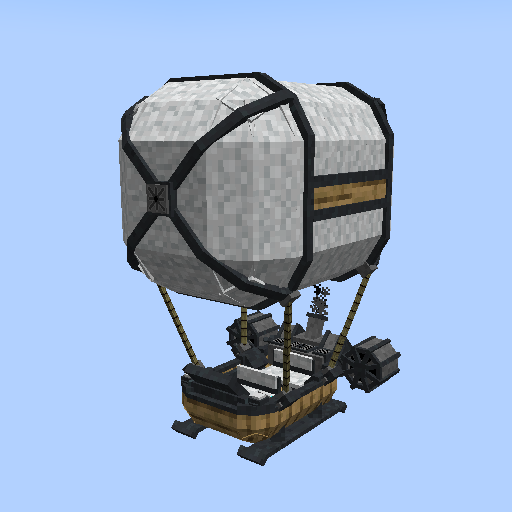
ViesCraft Machines is a mod that brings something new to Minecraft, the ability to construct and drive machines! Explore your world in style. Sky's the limit!
Changes from the 1.12.2 version:
- The Airship Workbench is out. It was a hilariously bad failure that haunts me at night. The regular crafting table is now where all things are made now. The item is in the new mod under the name "Machine Workbench". It too is trying to hide from its dark past. This is going to be used to eventually give villagers a new job that is machine related. For now, it is a gag/trophy block.
- Don't know how to get "Xegonite Shards"? They drop from any copper, iron, and gold ores!
- Finished machines are not magically created from an item anymore (minus the creative admin version), they are now assembled from the "Machine Chassis". Make a chassis item and throw it into the world to spawn the chassis entity. Apply the construction kits directly to it, then finish construction by using the wrench on it.
- Machines are more persistent now. What does that mean? They can't be put back into a ball out of convenience. If you break down or run out of fuel, just like in real life, it stays where it is.
Current machine types: Flying, Ground, Sea, Hauler
Flying Machines: These are machines that have the ability to travel through the air.
- Able to travel virtually anywhere.
- Slow movement and handling speed.
- Being in water greatly slows forward speed.
Ground Machines: These are machines that hover 1 to 2 blocks above the ground when powered on and burning fuel.
- Can hover over solids and liquids.
- Moderate movement and handling speed.
- Being in water greatly slows forward speed.
Sea Machines: These are machines that have the ability to travel over water.
- Fast movement and handling speed.
- Being on land greatly slows forward speed.Hauler Machines: These machines are 1 seater, slow machines that move like ground machines and have a lot of storage slots with their 'Storage Box' system.
- Has a 'Storage Box' system for the inventory. 1 item = 27 slots, max of 4 items (108 items).
- Can hover over solids and liquids.
- Slow movement and handling speed.
- Being in water greatly slows forward speed.
Planned machine types: Suggestions?
Click here to see info on planned machines:
Coming soon!?
======== Features ========
Machine Construction:
All machine parts, including the Machine Chassis, are created either in the crafting table or smelted, but not the finished machines themselves. You will need to throw the "Machine Chassis" to unfold it into the world and apply construction kits directly to the frame. When all required kits have been applied, grab your Machine Wrench tool and [Sneak] + Right Click to finish construction! Players who finish construction becomes the default owner of the machine.
Information on missing or applied kits can be seen hovering over the frame. If you want to turn the Machine Chassis back into an item, [Sneak] + Right Click the frame with an empty hand. This will preserve any applied Construction Kits.
Detailing System:
Machines can be customized by their owners with the use of Detailing Kits! These kits can change the panel, metal, cloth, and frame parts of the machine model. There are 121 textures currently to choose from. Mix and match to customize the look of your machines!
Fuel System:
Machines need to be powered on and have fuel to move. Start with opening the machine's main menu by pressing 'R' (default key) or while looking at a machine, [Sneak] + Right Click with no driver. Drag either Machine Pellets (a machine efficient fuel), coal, or charcoal (more can be added upon request) into the fuel slot, then click the power button to turn the machine on. The button will light up green showing you it is on.
The burntime will vary depending on the fuel used. When a machine runs out of fuel, it will stop moving and fall to the ground until more fuel is added. Turn machines off to conserve fuel when there is no driver sitting in it. If there is no player in a machine, active fuel will still be consumed. If the active fuel is used up with no player, the machines will not consume more items and will power down.
Durability System:
This is equivalent to an entites 'Health'. As a machine runs or takes damage, the durability is slowly reduced over time. When durability is low, machine engines will periodically backfire and will begin to smoke. If durability reaches 0, the machine will break.
Energy System:
Coming soon!
Broken System:
When a machine reaches 0 durability, it will break. Broken machines can't turn on and must be patched in order to be used again. To patch a machine, grab your Machine Wrench and [Sneak] + Right Click it to patch. When a machine is patched, it will exit the broken state and will receive 5 bonus durability.
Make sure to apply a Durability Service Kit to increase the durability and to repair the machine to keep the engine running smooth. Too many quick patchs with no repairs in a row (3 strikes) will cause the machine to explode! When a machine explodes, it damages the area and entites around it and will convert back to a machine chassis minus one random construction kit.
Turbo System:
While machines are on, press and hold the [Turbo] key (default 'G') to make the forward speed of a machine move twice as fast! Be warned, the fuel and durability will also drain 25% faster!
Storage System:
This expands the capabilities of all machines to be able to store items in them! To activate the Storage System, a chest needs to be placed in the "chest slot" in the machine's menu gui. This opens up 27 spaces of storage accessible via the menu tab on the left of the machine's menu gui (hauler machine types will have more space). Machines that have the Storage System active will have a chest that appears on the back of the engine and a chest icon that appears on the machine display screen. If the chest is removed from the chest slot, all items in the machine storage will be dropped. While a machine has the Storage System active, they will move 25% slower as a penalty. Hauler machine types will have no speed penalty.
Engine Issues:
There are minor and major engine issues. For now, only smoke particles and the sound of metal being hit occur (occurs more often with major issues). More coming soon!
Locking System:
Machines can be 'locked' from the machine's main menu. Only a machine's owner can lock and unlock a machine. If locked, no one but the owner will be able to enter the machine or access core features of the machine's main menu. Owners will always have access to their locked machines.
Owners can use the 'Ignition Key' to allow non-owners access to a locked machine. The key can be programmed to a user by holding the key in hand and pressing [Sneak] + Right Click, then given to others. This key programs itself to the player so it can be used to access all machines that player owns. This key must be placed in the 'key slot' in the machine's main menu to override the lock. If a key is removed while being driven by a non-owner they will be immediately dismounted from the machine. If a correctly assigned key is in the 'key slot', the lights on the side of the 'key slot' will light up green. If not, the lights will be red.
Radio System:
Machines can play any music disc from and installed mod (as long as the record uses or inherits from "RecordItem"). Just insert any music disc into the "record slot" and press play! Music follows the machine, not the players. If you want to stop the music disc, just press the stop button. Stop can also stop jukebox songs as well, incase you experience record overlap.
Upgrade System:
There is a new tab on all machines under the main tab that leads to the expansion menu. In this menu, players can socket various "upgrade" items to enhance their machines. These enhancements are: increased max durability, increased max energy, and increased movement speeds. These items can only be inserted and removed while a machine is off. These upgrades can be removed at any time. An icon will show up on the display screen of a machine when there is an upgrade socketed. The upgrade items are as follows:
* Minor Machine Upgrade - 25% increase.
* Lesser Machine Upgrade - 50% increase.
* Greater Machine Upgrade - 75% increase.
* Masterwork Machine Upgrade - 100% increase.
Dashboard Ornament System: (Patreon only)
This is a system I made as a thank you to those who support my work. Players added to this system will have a new main tab in the gui of the machines that they own. In this new tab, players can use any item or block and display it on their machine's control panel! This can be displayed on the left or right side, and can rotate clockwise, counter-clockwise, or have no spin. For more info, please visit the Patreon page!
======== Roadmap ========
- What is energy going to be used for?!?! Expansion system makes sense but that is so far away! Could use it in an "upgrade" system? Could be a backup fuel? After you consume all of the fuel in the fuel slot, you can burn energy? Could be used to trigger a machine's turbo too. Suggestions are welcome!
- Creating a new item, Machine Battery. This will be used for fuel. This will go into the fuel slot like all other fuel and will use the battery charge to run the machine. Not sure how I want to charge it yet.
- Creating a new item, Machine Deed. You will be able to erase your ownership of a machine to trade it to other players.
- Creating a new item, Machine Deed. You will be able to erase your ownership of a machine to trade it to other players.
- Designing the next overhaul for all machines. Players will only be able to construct a "Basic Machine" from a chassis. So far it won't be able to do much (play music, store some items, NO movement), until you socket in an instruction circuit. The machine will change and behave the way the instruction circuit tells it to. So if you want a flying machine, you can put the flying instruction circuit in and it will transform into a flying machine. Dynamically changing the machine will add more value to all machine types, than the old static way. Note : The machine must be powered off to add/remove an instruction circuits. Only one instruction circuit can be added at a time.
- Finishing up the Display System. Place any item or block from any mod into the display slot to render said item/block in key locations on a machine.
- Planning on how I want the Expansion System to work (use to be the module system in 1.12.2)? Thinking of "General" expansions and then specific machine type expansions. Low on ideas now as to what to even add. Suggestions?
- Idea: A refueling block station to link machines to top off fuel.
======== Note for Modpack Creators ========
Feel free to use this mod in any modpacks you want. I only ask that you please use the Curse/Curseforge download and do not rehost the files. Thanks!
1.12.2 and lower info:

Current version: Release v5.9.16
1.12.2 - v5.10-final uses Forge 2859+ : JAVA 8.
Old versions:
1.12.0 - v5.0.6 uses Forge 2387+ : JAVA 8.
1.11.2 - v5.0.10 uses Forge 2228+ : JAVA 8.
1.11.0 - v4.8.2 uses Forge 2189+ : JAVA 8.
1.10.X - v5.5.1 uses Forge 2185+ : JAVA 8.
1.9.4 - v4.8.2 uses Forge 1976+ : JAVA 8.
~ It is always a great idea to give more than 1GB of RAM to Modded Minecraft ~
~ Note for servers, you must enable flying in the server configs! ~

What is this mod?
ViesCraft - Airships is an easy to use mod that brings something new to Minecraft, the ability to create highly customizable airships! All airships can be upgraded, consume fuel to fly, and have an expansion module system which can enhance any airship to fit your needs! Fly your faction's colors, enhance your airship, change your airship's appearance, and just explore your world in style. Sky's the limit!
Features:
- 4 Stats to enhance - Any Unique airship name - 4 Unique Particles
- 2 Unique frame models - 3 Unique engine models - 5 Unique balloon models
- 65 Unique frame skins / rgb color / transparency
- 10 Unique balloon patterns / rgb color / transparency
- A crazy amount of Display Symbols - 9 Unique Airship Modules
FAQs
- - Airship balloon pronunciations: Viesdenburg [Vise-den-berg], Viesigible [Vie-sij-ible], Viesepelin [ Vie-sep-lyn], Viesakron [ Vise-ah-cron].
- - Use any vanilla fuel source to power any airship except for buckets of lava (by design). These items will burn for their vanilla burn times.
- - The GUI for an airship can only be accessed by the steering player while mounted in the airship.
- - When an airship runs out of fuel, it will not be able to elevate. All motion controls becomes stiffer and slower as well as it gradually descends. Pro Tip: Don't be over water or lava!
- - If an airship is empty, it will float slowly at an increasing speed back to the ground. No need to worry about a fully fueled airship taking an hour to float back down, unless an animal is in it...
- - While in a multiplayer server, if you are in an airship and log out, your airship will disappear with you. The server restarting has no effect on this. When you log back in, you will still be in your airship and still be flying. However, if you have any passengers and log out, they will assume control and you will drop out of the airship when you log back in...
- - Airships hate water (unless you have the Water Landing module active)! When you submerge it enough, it will start to smoke. If you do not get out in time, it will explode with a chance of dropping random parts. This will hurt...
- Edition: Minecraft Java
- File type: .jar
- Minecraft versions listed: 1.19.2, 1.18.2, 1.19
- How to install: Install the matching mod loader (Forge, Fabric or NeoForge) for your Minecraft version. → Download the .jar. → Put it in the .minecraft/mods folder and launch that loader profile.
- Where to get it: Opens on CurseForge — not every file is mirrored on our own servers.
Install steps are the general flow for this file type — How to install Minecraft Java mods & modpacks walks through it step by step.
ViesCraft Machines is a free Minecraft Java mod. Compatible with Minecraft 1.19.2, 1.18.2, 1.19. Downloaded 29,586,522 times (via CurseForge). Download it and open it directly in the game.

