Dark Loading Screen
Java mod listed for Minecraft 1.16–1.21. Downloads from the MC Java Mods app on Android.
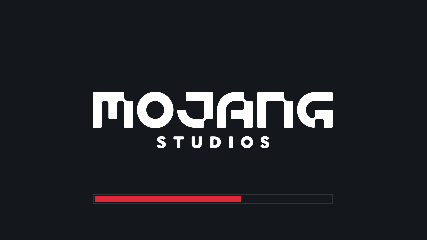
⬇ Download on CurseForgeA simple Fabric mod to make the loading screen darker.
A changelog is available here.
Color configuration
Colors can be modified in-game if both Mod Menu and Cloth Config are installed.
Manual configuration
Create or edit .minecraft/config/dark-loading-screen.json, the default config is
{
    "background": "14181c",
    "bar": "e22837",
    "barBackground": "14181c",
    "border": "303336",
    "logo": "ffffff",
    "fadeIn": 1.0,
    "fadeOut": 2.0
}
Manual changes are only visible after restarting the game.
Credits
- Config screen made using shedaniel's Cloth Config
- Logo coloring suggested by Minenash
- Bar background coloring suggested by Chrisblox
bg_bgtranslation by natee22de_detranslation by Der_Anderl and moritz-htkes_xxtranslations by Haseckit_ittranslations by Ocizukoko_krtranslation by gyularpl_pltranslation by DarkKnightComes and goodideagiverpt_brtranslation by FITFCru_rutranslation by Felix14-v2sv_setranslation by Luracasmustr_trtranslation by Mid0ariauk_uatranslation by BurrConniezh_cntranslation by GodGun968, Hambaka, w5860363, Q2297045667
Links: CurseForge · GitHub · Modrinth
- Edition: Minecraft Java
- File type: .jar
- Minecraft versions listed: 1.21.8, 1.21.6, 1.21.7
- How to install: Install the matching mod loader (Forge, Fabric or NeoForge) for your Minecraft version. → Download the .jar. → Put it in the .minecraft/mods folder and launch that loader profile.
- Where to get it: Opens on CurseForge — not every file is mirrored on our own servers.
Install steps are the general flow for this file type — How to install Minecraft Java mods & modpacks walks through it step by step.
Dark Loading Screen is a free Minecraft Java mod. Compatible with Minecraft 1.21.8, 1.21.6, 1.21.7, 1.21.9 and newer. Downloaded 4,040,100 times (via CurseForge). Download it and open it directly in the game.