Fullscreen Windowed (Borderless) for Minecraft
Minecraft Java mod. File opened and checked on 17 Oct 2026; downloads from the MC Java Mods app on Android.
⬇ Download on CurseForgeThis mod is a very simple addition to the game that will allow you to make your game run in borderless windowed instead of the default fullscreen available in Minecraft.
Advantages of borderless windowed versus default fullscreen
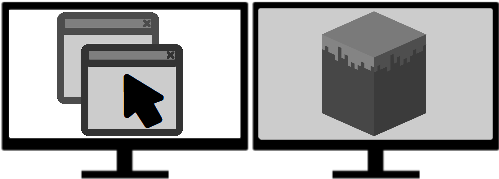
- You can just hit Escape and use your other monitors without minimizing the game
- You can alt+tab out of the game more smoothly
- You can have other windows on top of the Minecraft client when it's not active
Great! How do I use the mod ?
- Move the Minecraft window to the monitor you want to use for fullscreen.
- Then simply hit F11 (or the key you have keybound for fullscreen).
- That's it! You'll get a borderless windowed client!
Is this compatible with <Mod X>?
This mod uses Forge and should be compatible with all mods you're using! Just add it to your pack or mod folder and you're good to go.
I found a bug! HELP!
Please head over to the issue tracker if you found a bug in the mod so it gets fixed.
Can I use Fullscreen Windowed (Borderless) in my modpack?
You are free to include this mod in any modpack without my explicit permission. I would like to hear about it, just out of curiosity.
- Edition: Minecraft Java
- File type: .jar
- How to install: Install the matching mod loader (Forge, Fabric or NeoForge) for your Minecraft version. → Download the .jar. → Put it in the .minecraft/mods folder and launch that loader profile.
- Where to get it: Opens on CurseForge — not every file is mirrored on our own servers.
Install steps are the general flow for this file type — How to install Minecraft Java mods & modpacks walks through it step by step.
Fullscreen Windowed (Borderless) for Minecraft is a free Minecraft Java mod. Downloaded 20,650,496 times (via CurseForge). Download it and open it directly in the game.