
Death Finder
Java mod listed for Minecraft 1.16–1.21. Downloads from the MC Java Mods app on Android.
⬇ Download on CurseForge








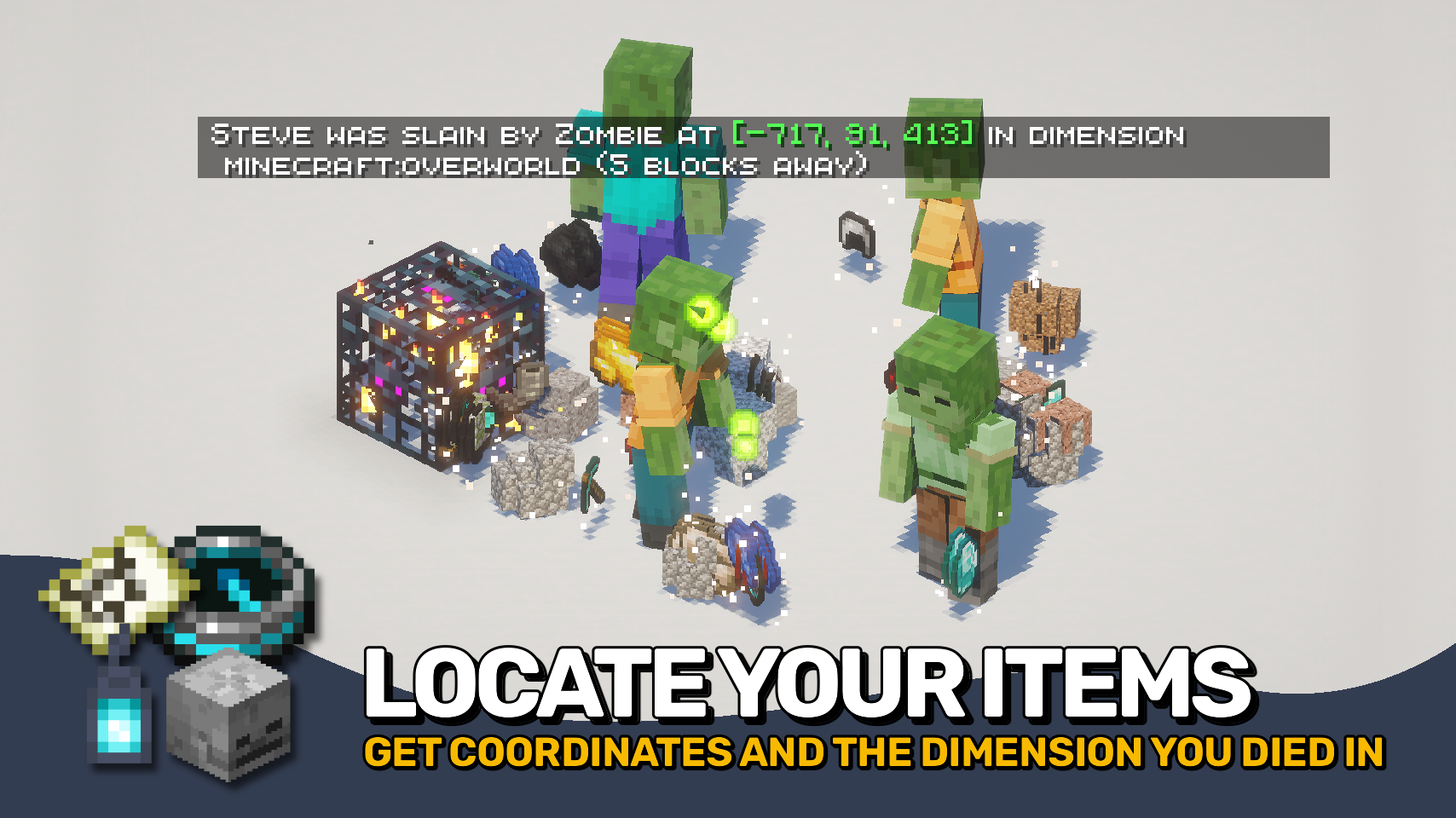
Death Finder helps you recover from death without the frustration. ☠️ Your last death position is shown directly on the death screen and included in death messages, making it easy to find your way back to lost items.
Coordinates, dimensions, and even your distance from the death point can be displayed, keeping important information right where you need it. Recovery compasses also gain tooltip support to quickly reference your most recent death location. 🧭
Need more control? Death Finder includes flexible death message options and configurable teleport support, making recovery smoother for both singleplayer and multiplayer worlds alike. ✨

- ☠️ Death Screen Coordinates: View your exact death location directly on the death screen.
- 🧭 Smarter Death Messages: Death messages can include coordinates, dimensions, and distance to the death point.
- ✨ Clickable Teleporting: Teleport directly to death locations through chat messages with configurable permissions and time limits.
- 🪦 Recovery Compass Support: Recovery compasses display your last death position directly in their tooltip.
- 🐺 Entity Death Messages: Show death messages for pets, villagers, players, and named entities.
- 🌍 Global Death Tracking: Optionally announce all entity deaths and control exceptions through the
deathfinder:silent_deathsentity type tag. - ⚙️ Fully Configurable: Customize death message behavior, teleport permissions, and displayed information to fit your world.


⏩ INSTALLATION REQUIRED ON CLIENT & REQUIRED ON SERVER
⏩ REQUIRES PUZZLES LIB TO BE INSTALLED (FABRIC & NEOFORGE)
⏩ REQUIRES FABRIC API TO BE INSTALLED (FABRIC)
⏩ REQUIRES FORGE CONFIG API PORT TO BE INSTALLED (FABRIC)

If available for a mod, configuration is possible directly from in-game using the mod menu (requires Mod Menu by Prospector to be installed on Fabric).
For manual configuration using an external text editor all files are found at .minecraft/config, named as MOD_ID-client.toml, MOD_ID-common.toml, or MOD_ID-server.toml, depending on the type of config. Not all types might exist for a mod, if any at all.
 |
 |
|
 |
 |
|
 |
 |
|
 |
 |
|
 |
 |
|

- Edition: Minecraft Java
- File type: .jar
- Minecraft versions listed: 1.21.11, 1.21.10, 1.21.9
- How to install: Install the matching mod loader (Forge, Fabric or NeoForge) for your Minecraft version. → Download the .jar. → Put it in the .minecraft/mods folder and launch that loader profile.
- Where to get it: Opens on CurseForge — not every file is mirrored on our own servers.
Install steps are the general flow for this file type — How to install Minecraft Java mods & modpacks walks through it step by step.
Death Finder is a free Minecraft Java mod. Compatible with Minecraft 1.21.11, 1.21.10, 1.21.9, 1.21.8 and newer. Downloaded 1,381,357 times (via CurseForge). Download it and open it directly in the game.