Fantasy's Dice
Java mod listed for Minecraft 1.16–1.21. Downloads from the MC Java Mods app on Android.
Fantasy's Dice adds various Dungeons & Dragons inspired Dice to Minecraft. Dice may be crafted in a StoneCutter by inserting the matching base material…
I don't know my version or loader

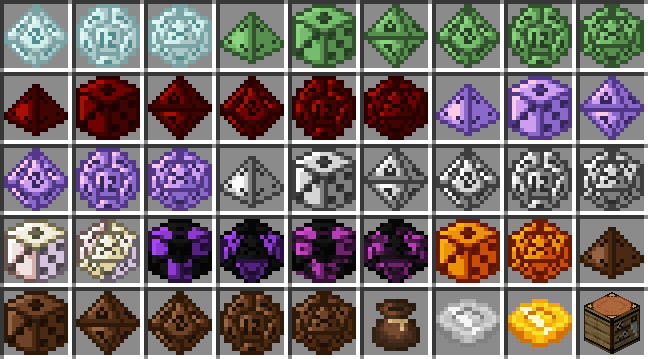
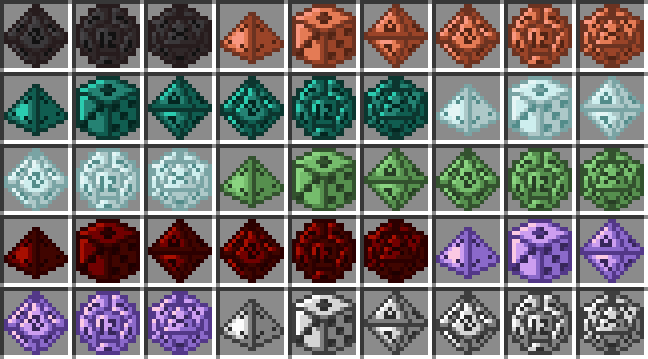
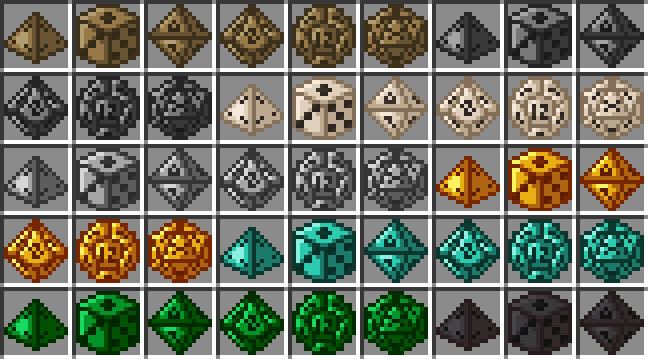
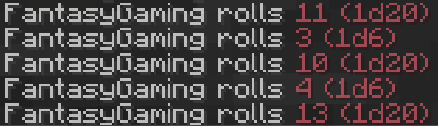
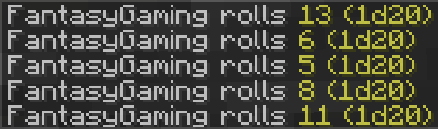

Fantasy's Dice adds various Dungeons & Dragons inspired Dice to Minecraft.
Dice may be crafted in a StoneCutter by inserting the matching base material.
Wooden Dice need Planks, Iron Dice need Iron Ingots, Diamond Dice need Diamonds etc.
Dice are fully data configurable, meaning that the sidedness and material for a given dice can be changed using Data Components.
- "fantasydice:sides"
- Sets the sidedness for a given dice, may be set to any positive integer (>=1).
- Dice will roll a random value between 1 and "fantasydice:sides"
- Built-in sides are: 4, 6, 8, 10, 12, 20.
- A new client item property selector is available "fantasydice:sides", which allows selecting item models based on the dice sides component.
- "fantasydice:material"
- Sets the material for a given dice, may be set to any lower-snake-cased alphanumeric String value (regex: [a-z0-9_-]).
- Built-in materials are: wooden, stone, bone, iron, golden, diamond, emerald, netherite, copper, ender, frozen, slime, redstone, paper, amethyst and chocolate.
- This component is mostly used for item cooldowns and display names, models and recipes will need to be updated/defined manually using data packs.
- A new client item property selector is available "fantasydice:material", which allows selecting item models based on the dice material component.


- Edition: Minecraft Java
- File type: .jar
- Minecraft versions listed: 1.21.11, 1.21.10, 1.21.7
- How to install: Install the matching mod loader (Forge, Fabric or NeoForge) for your Minecraft version. → Download the .jar. → Put it in the .minecraft/mods folder and launch that loader profile.
- Where to get it: Opens on CurseForge — not every file is mirrored on our own servers.
Install steps are the general flow for this file type — How to install Minecraft Java mods & modpacks walks through it step by step.
- Ships as fantasydice-1.20.1-10.0.0.jar — drop this file into the mods folder
- Download size: 1.0 MB
- Download link checked 8 Oct 2026 — working
These come from our own check of the pack file, not from the source page.