Custom Cursor
Java mod listed for Minecraft 1.20–1.21. Downloads from the MC Java Mods app on Android.
⬇ Download on CurseForgeCustom Cursor
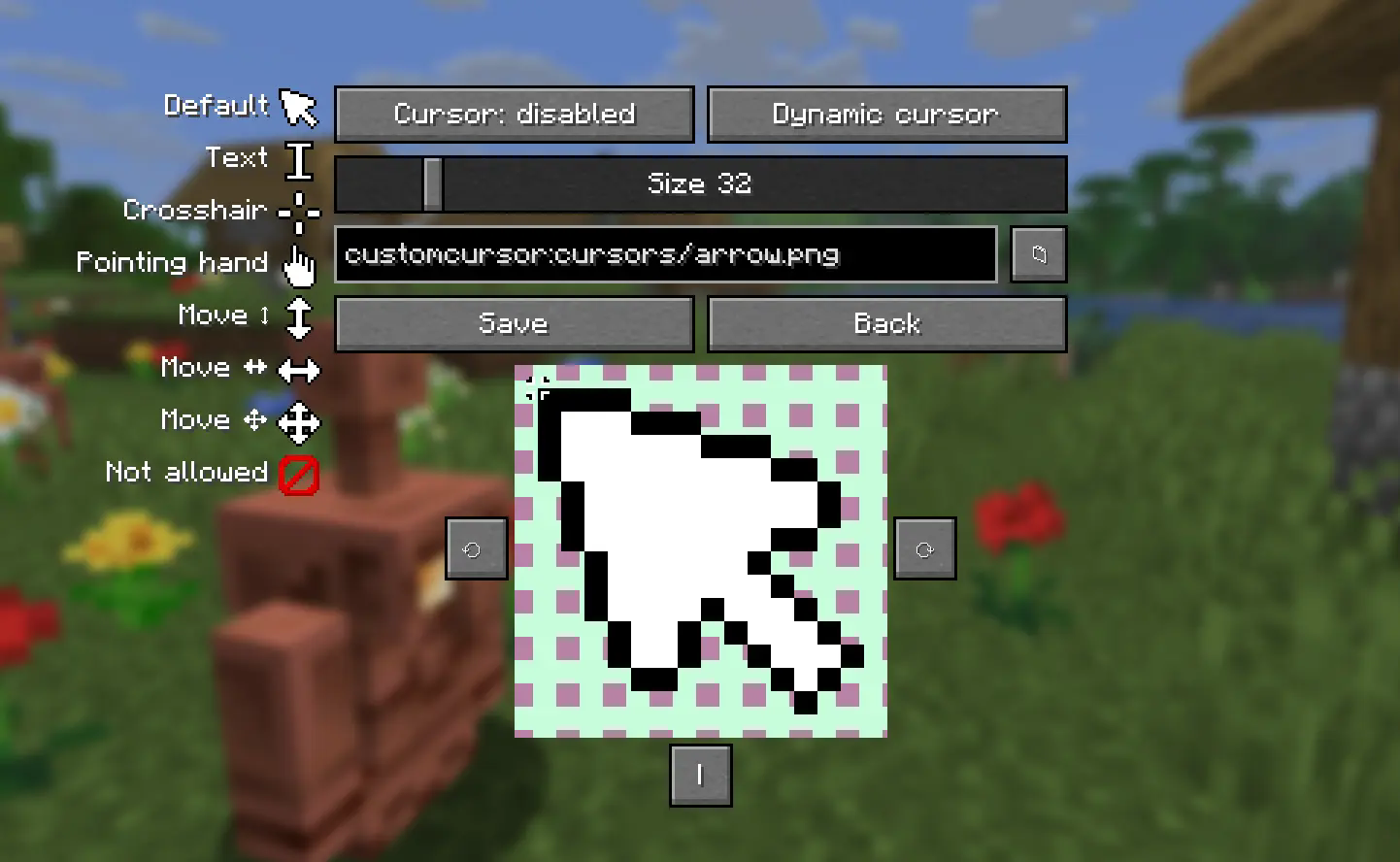
This allows you to personalize your mouse icon to suit your style. You can configure click location, size, rotation, mirrorring. You can either add cursors to cursor folder, or access any texture from minecraft/any installed mod/resourcepack
On Minecraft versions >= 1.21.9 you can use dynamic cursor feature that allows you to have different cursor depending on context
Configuration screen
Compatibility warning
Even though mod provides builds for all minecraft versions since 1.21.1 only versions on list below are tested:
1.20.1, 1.20.4, 1.21.1, 1.21.4, 1.21.8, latest mc version
List may be adjusted in future based on statistics. Please report on github or discord if you found any issue
- Edition: Minecraft Java
- File type: .jar
- Minecraft versions listed: 1.20.1, 1.20.3, 1.20.4
- How to install: Install the matching mod loader (Forge, Fabric or NeoForge) for your Minecraft version. → Download the .jar. → Put it in the .minecraft/mods folder and launch that loader profile.
- Where to get it: Opens on CurseForge — not every file is mirrored on our own servers.
Install steps are the general flow for this file type — How to install Minecraft Java mods & modpacks walks through it step by step.
Custom Cursor is a free Minecraft Java mod. Compatible with Minecraft 1.20.1, 1.20.3, 1.20.4, 1.21 and newer. Downloaded 1,984,808 times (via CurseForge). Download it and open it directly in the game.