
Create: Numismatics (Create 6.0 Integration)
I don't know my version or loader
This is an update of Create: Numismatics by IThundxr, with Create 6.0 shop integration created by user adam8797 on GitHub in pull requests #134 and #143. This exists to allow this feature to be used in modpacks while we wait for the official project to merge the pull requests into the main project, and all credit belongs to the original authors.
Player Experience
Enabling the shopkeeper to accept coins
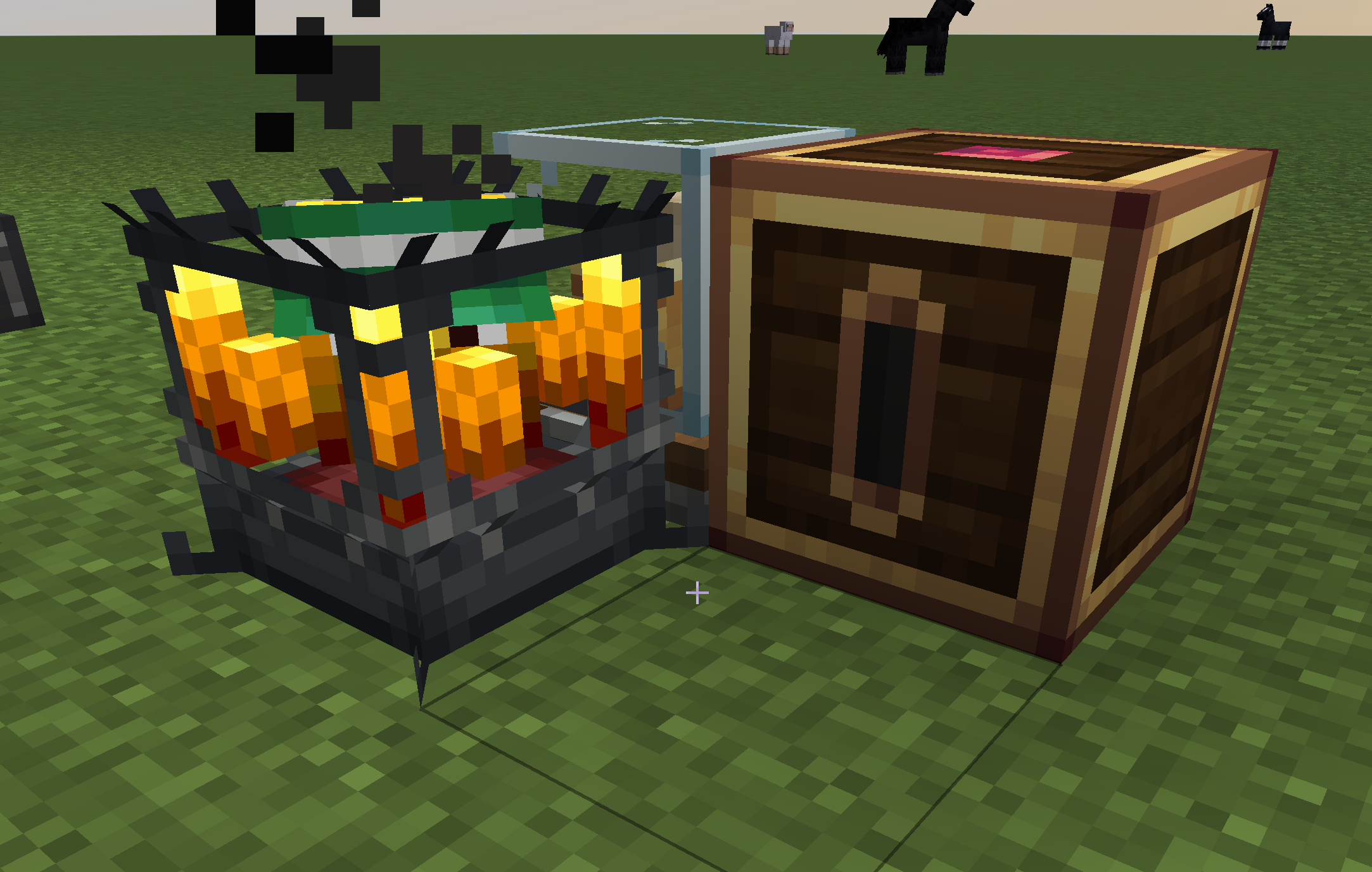
Opting into these features is as simple as placing a coin depositor next to the same stock ticker that serves the shop. It can be placed on any orthogonal side, like so:
The player may then optionally place a card in the depositor. If they do not insert a card, coins will be accepted but they will remain in the depositor.
Placing an order as a customer
If a customer attempts a transaction that does not include any numismatics coins in its costs, the player will not experience any difference. The standard Create shop mechanics will take over and fulfill the order.
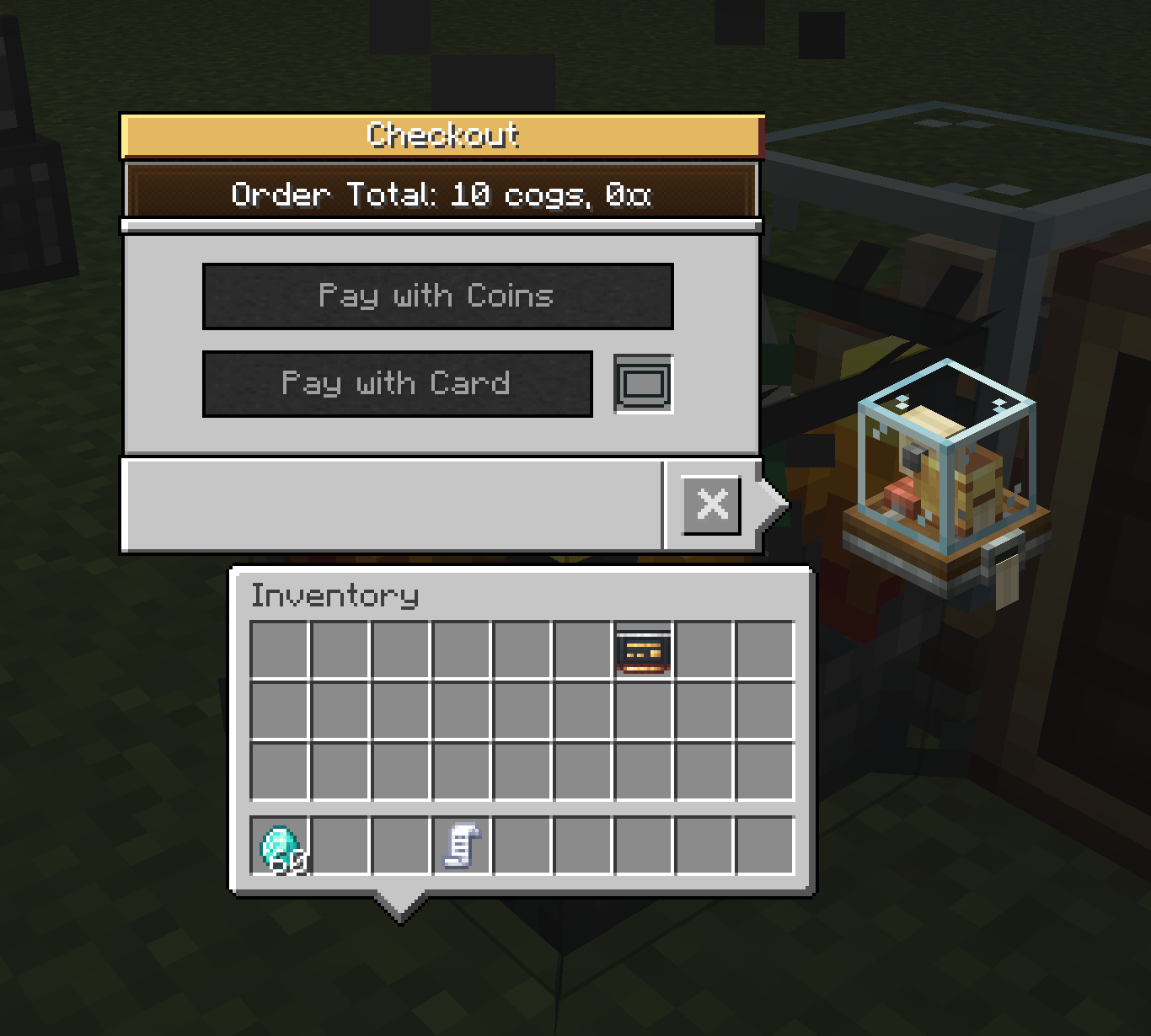
If the order does have costs in the form of coins, they'll be prompted with a payment screen:
They can then place a card in the slot, or pay with coins out of their inventory. The Pay with Coins button is disabled if they do not have the requisite amount of coins available in their inventory.
Upon clicking one of the payment buttons, the transaction is processed, and then any non-coin item costs are processed in the standard way.
If the player pays with coins, we withdraw coins in a greedy fashion, and will break a coin into change if needed. This is a one-click coin payment, regardless of the number and variety of coins needed.
This patch does allow for payment of mixed item & coin, but each individual item can still only have a cost of a single item or coin.
- Edition: Minecraft Java
- File type: .jar
- Minecraft versions listed: 1.21.1, 1.20.1
- How to install: Install the matching mod loader (Forge, Fabric or NeoForge) for your Minecraft version. → Download the .jar. → Put it in the .minecraft/mods folder and launch that loader profile.
- Where to get it: Opens on CurseForge — not every file is mirrored on our own servers.
Install steps are the general flow for this file type — How to install Minecraft Java mods & modpacks walks through it step by step.
- Ships as CreateNumismatics-1.0.15integration+fabric-mc1.20.1.jar — drop this file into the mods folder
- Download size: 728 KB
- Download link checked 27 Aug 2026 — working
These come from our own check of the pack file, not from the source page.