Vista Aeronautics Fix
Java mod listed for Minecraft 1.21. File opened and checked on 1 Oct 2026; downloads from the MC Java Mods app on Android.
⬇ Download on CurseForgeWARNING!
For correct operation, it is recommended to use Vista Aeronautics Fix 1.0.0 along with Vista 3.1.2, Create 6.0.9, Sable 1.0.6 and Create Aeronautics 1.0.2 or 1.0.3!
Vista Aeronautics Fix
Vista Aeronautics Fix is a lightweight client-side addon designed to resolve rendering issues with Vista TVs when placed on moving contraptions from Create Aeronautics.
The Problem
The original Vista mod uses an advanced optimization system (LOD and Plane Culling). When a TV is part of an active Aeronautics assembly (like an airship or a train), these systems often incorrectly determine that the screen is off-screen or too far away. This causes the display to flicker, disappear, or stop updating entirely while in motion.
Without the Fix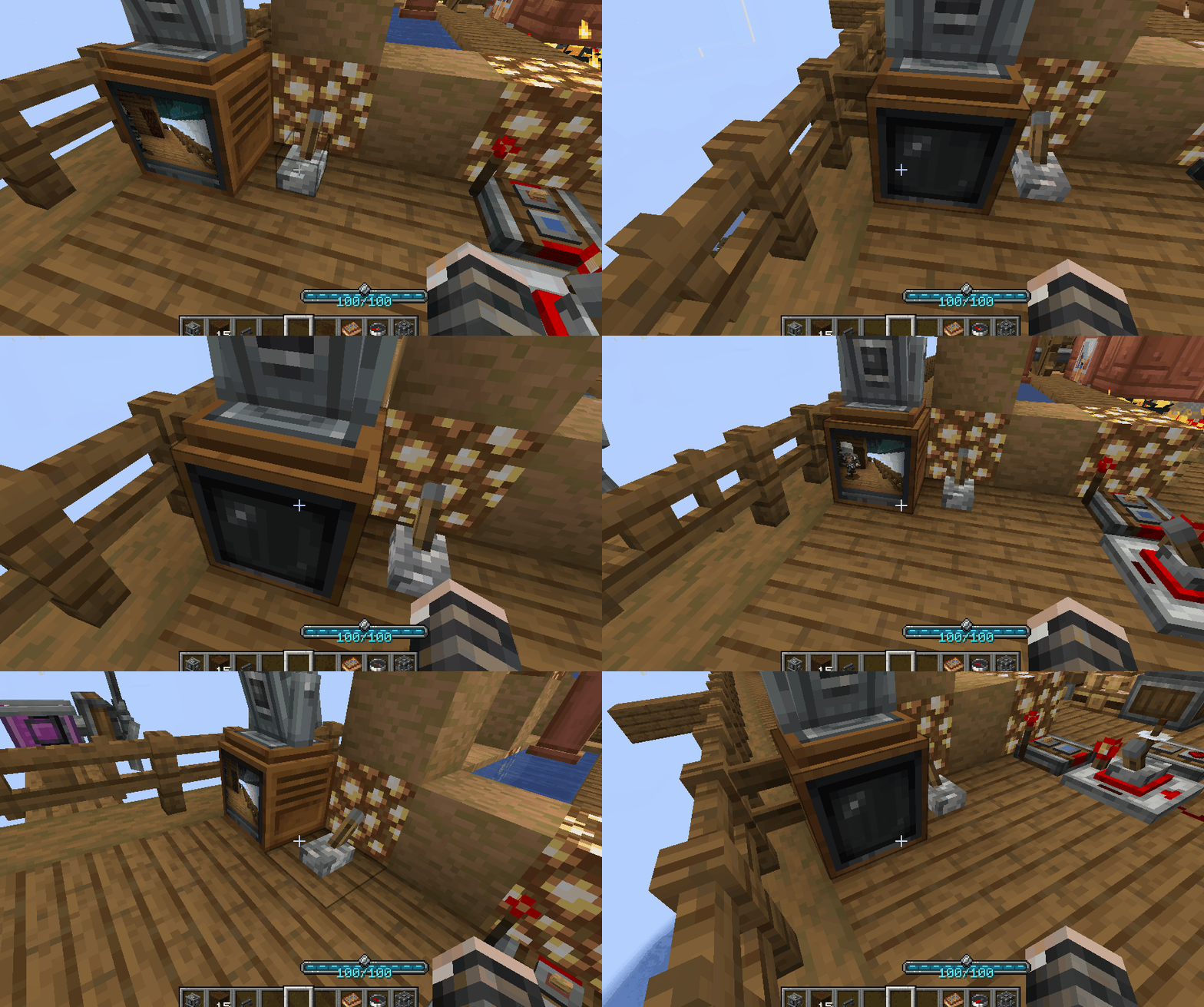
With the Fix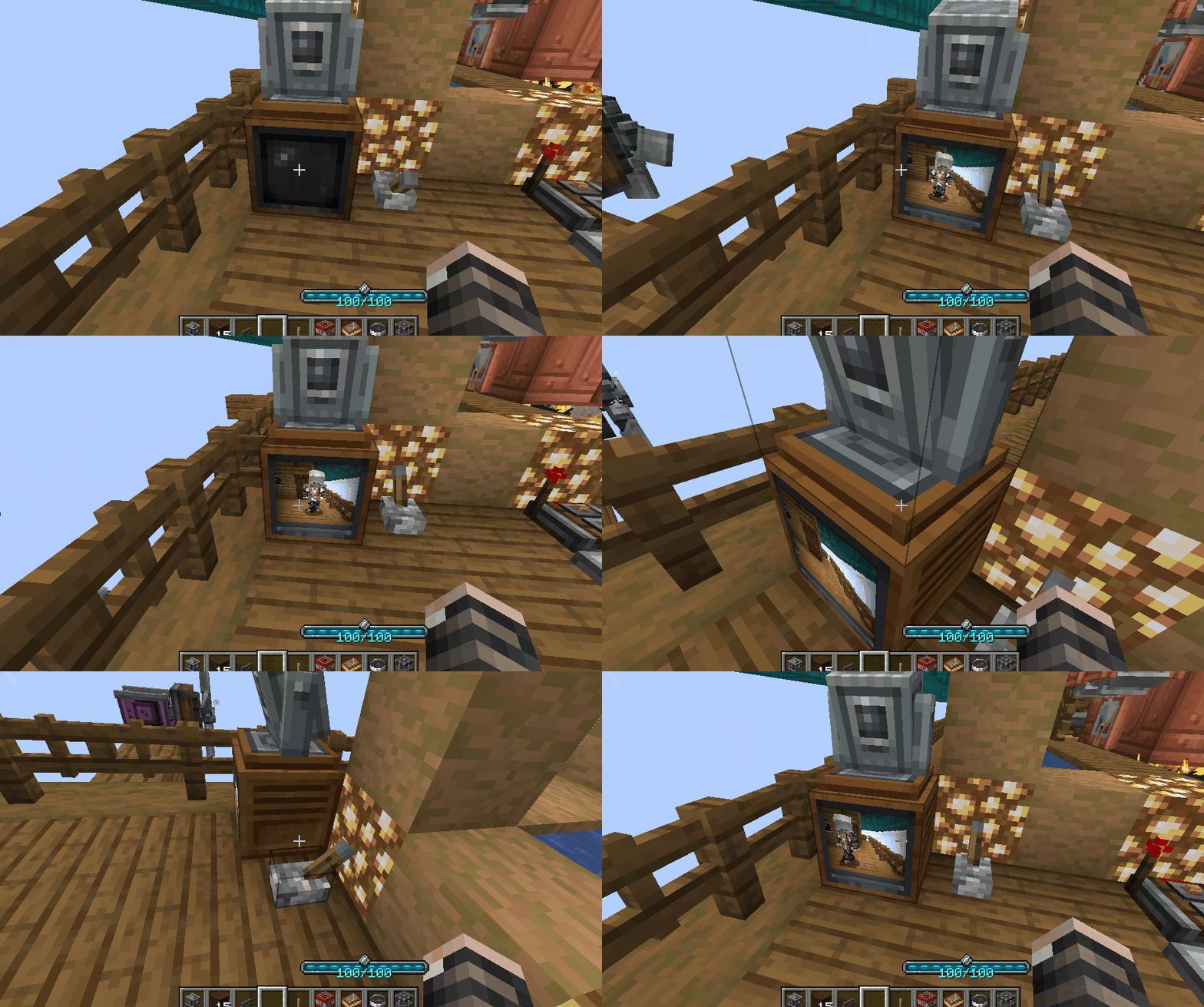
Features
- Bypass Culling: Completely disables plane culling for TV screens, ensuring they remain visible at any angle on moving structures.
- LOD Overhaul: Removes aggressive distance-based optimizations that caused screens to turn off prematurely.
- Extended Render Distance: Increases the rendering bounding box and view distance to prevent the game from skipping TV rendering during high-speed travel.
Technical Info
Client-side only: This mod does not need to be installed on the server.
Requirements: Requires Vista and Moonlight Lib to be installed.
- Edition: Minecraft Java
- File type: .jar
- Minecraft version listed: 1.21.1
- How to install: Install the matching mod loader (Forge, Fabric or NeoForge) for your Minecraft version. → Download the .jar. → Put it in the .minecraft/mods folder and launch that loader profile.
- Where to get it: Opens on CurseForge — not every file is mirrored on our own servers.
Install steps are the general flow for this file type — How to install Minecraft Java mods & modpacks walks through it step by step.
Vista Aeronautics Fix is a free Minecraft Java mod. Compatible with Minecraft 1.21.1. Downloaded 189,752 times (via CurseForge). Download it and open it directly in the game.