Emoji Type (Fabric/Quilt/NeoForge)
Java mod listed for Minecraft 1.16–1.21. Downloads from the MC Java Mods app on Android.
⬇ Download on CurseForge🙂 Emoji Type
We recommend Modrinth for a better browsing experience.
This is a client-side mod. Installing it on a server won't do anything.
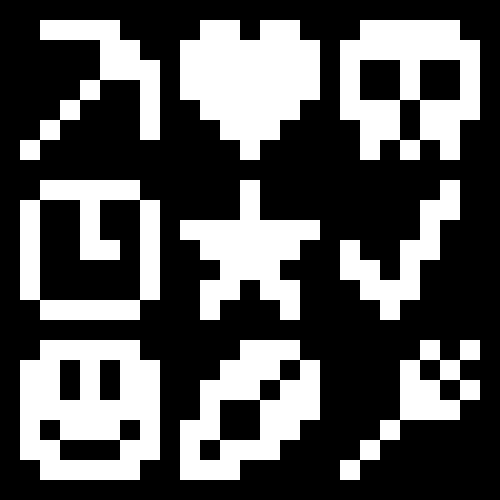
This mod allows you to type some emoji/symbols more easily in Minecraft. To be clear, this mod (technically) does not add any emoji to the game, it only makes typing the ones already in the game easier. For this reason, emoji typed will be visible to anyone else on a server and will still be there (on signs, books, etc) if you uninstall the mod. I can not absolutely guarantee all symbols/emoji will work on all servers, some servers have plugins that mess with chat and there is really nothing I can do about that.
Typing Emojis
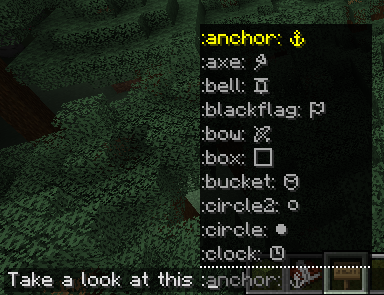
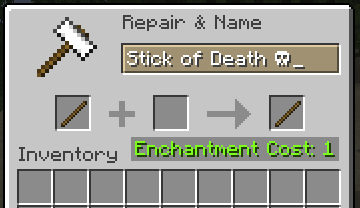
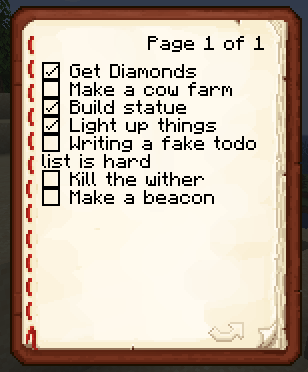
To type an emoji in chat, simply type a ":" (colon), after that a list of all possible emoji keywords will appear. Once you type a keyword it will be replaced with the corresponding emoji or symbol. If you want to type an emoji outside of chat (anvil, sign, etc) the list won't appear but the keywords all still work.
Gallery
In chat:
In anvil:
In book:
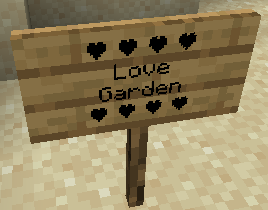
On sign:
- Edition: Minecraft Java
- File type: .jar
- Minecraft versions listed: 1.21.9, 1.21.10, 1.21.11
- How to install: Install the matching mod loader (Forge, Fabric or NeoForge) for your Minecraft version. → Download the .jar. → Put it in the .minecraft/mods folder and launch that loader profile.
- Where to get it: Opens on CurseForge — not every file is mirrored on our own servers.
Install steps are the general flow for this file type — How to install Minecraft Java mods & modpacks walks through it step by step.
Emoji Type (Fabric/Quilt/NeoForge) is a free Minecraft Java mod. Compatible with Minecraft 1.21.9, 1.21.10, 1.21.11, 1.21.6 and newer. Downloaded 945,194 times (via CurseForge). Download it and open it directly in the game.