GoW Custom Items
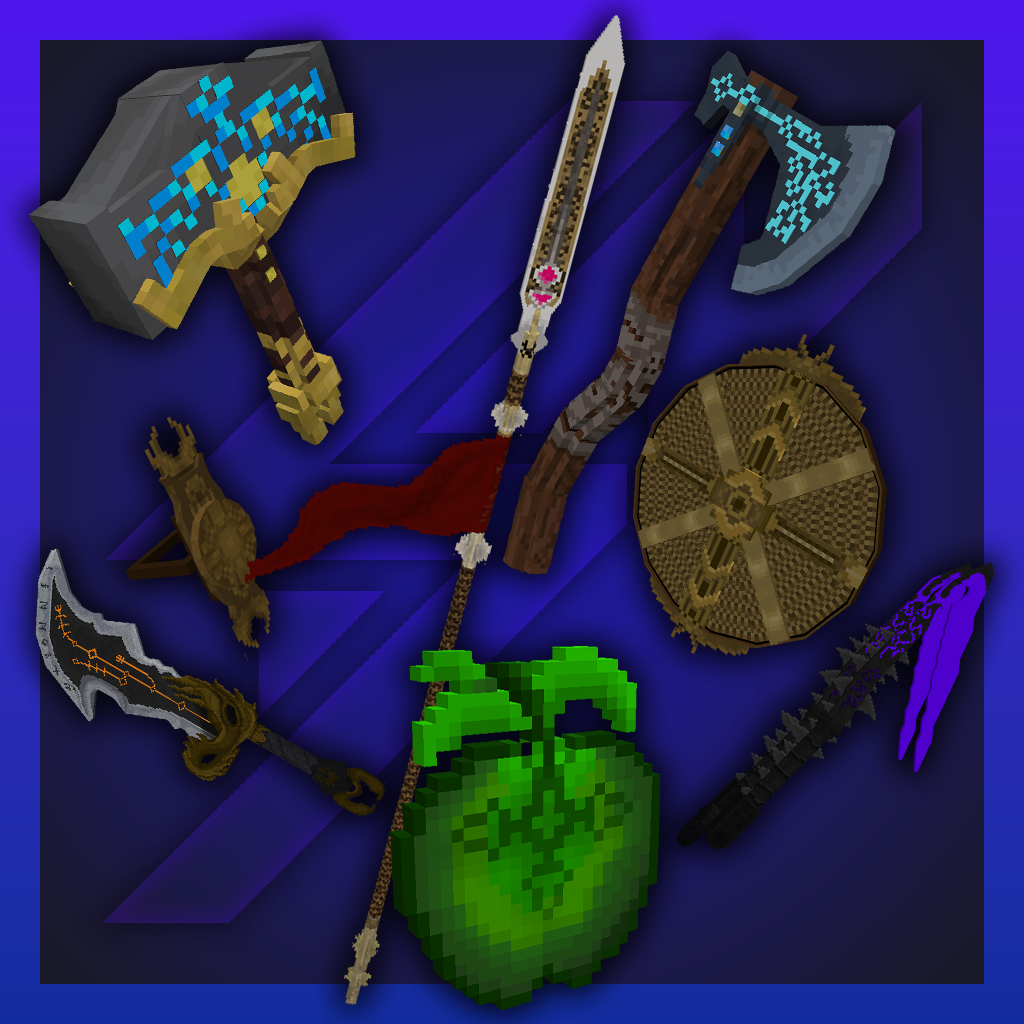
Contains custom weapon models from GoW (only changed when renamed in anvil correctly), along with a complete replacement for the Golden Apple.
⬇ Download on CurseForge

A resource pack inspired by the famous video game, God of War: Ragnarok!
(Requires: OptiFine 1.13+ [DOESN'T WORK IN 1.19.3!])
Current version: V4 (1.19.4)
(V4 only includes the new 512x models!)
You can:
- Showcase the resource pack in any format if you credit me.
- Share the resource pack with the CurseForge or PlanetMinecraft links.
- Use the resource pack on any server.
- Modify the resource pack for private use only!
You can't:
- Claim the resource pack as your own.
- Modify the resource pack for public use.
- Reupload any contents of the resource pack to anywhere.
- Showcase or share the resource pack without properly crediting the author.
WARNING: If you disregard ANY of the above statements, measures will be taken to prevent any kind of theft! Thank you for understanding.
About
This resource pack aims to add most of the iconic weapons from the God of War universe to Minecraft.
Contents:
- Leviathan Axe: Rename a diamond / netherite sword / axe to a name including "leviathan"
- Mjolnir: Rename a diamond / netherite sword / axe to a name including "mjolnir"
- Retractable Guardian Shield: Rename a shield to a name including "guardian"
- Blade of Chaos: Rename a diamond / netherite sword to a name including "chaos"
- Claws of Hades: Rename a diamond / netherite sword / pickaxe / hoe to a name including "hades"
- Draupnir Spear: Rename a diamond / netherite sword or a bow to a name including "draupnir"
- Idunn Apple: Replaces the Golden Apple texture
- Mimir, the Smartest Man Alive: Replaces the Totem of Undying along with its sound effect (name is changed to Mimir, the Smartest Man Alive)
Requirements: OptiFine (or OptiFabric with working OptiFine) 1.13+! DOES NOT WORK IN 1.19.3!
Installation: Move the ".zip" file to the "...\.minecraft\resourcepacks\" folder. In the game, activate the resource pack and you're good to go!
In Options -> Video Settings -> Quality, set the Custom Items to "On" in order for the resource pack to work properly!
Update videos, showcase & how to install:
THANK YOU!
If you would like to support me, please consider leaving a LIKE on my video and SUBSCRIBE to my channel for more content like this in the future!
You don't have to, but if you would like to support me with more than a Like and a Subscribe, you have the option to donate me on PayPal aswell! The "Donate" button is around the top right of this page!
I really hope you'll enjoy the resource pack! Have fun!
- Edition: Minecraft Java
- File type: .zip (resource pack)
- Minecraft versions listed: 1.17.1, 1.16.3, 1.19.3
- How to install: Download the .zip resource pack — do not unzip it. → Put it in .minecraft/resourcepacks. → Enable it in Options → Resource Packs.
- Where to get it: Opens on CurseForge — not every file is mirrored on our own servers.
Install steps are the general flow for this file type — How to install Minecraft Java resource packs walks through it step by step.
GoW Custom Items is a free Minecraft Java resourcepack. Compatible with Minecraft 1.17.1, 1.16.3, 1.19.3, 1.16.1 and newer. Downloaded 14,365 times (via CurseForge). Download it and open it directly in the game.